At a Glance
A bad smart-home gift is a glowing puck that needs its own app, an Alexa skill, and a subscription nobody mentioned at checkout. That is not a gift. It is a support ticket with wrapping paper. Home Assistant users want hardware that becomes a useful entity, keeps working when the vendor has a bad day, and earns the automation it creates.
I would rather give one plain local sensor than a countertop full of cloud novelty gear. The seven picks below use Zigbee, Z-Wave, local LAN control, ESPHome, or a documented Matter path. More important, each has a job in a house. The catch is that smart-home compatibility is personal: a perfect gift for a Zigbee household can be dead weight for someone running only Wi-Fi devices.
How I would shop for a Home Assistant user
Start with the radio, then the job. Zigbee is the value champion for small sensors, buttons, and plugs. A mains-powered Zigbee plug also extends the mesh, which makes it a better gift than another battery sensor when coverage is thin. Check my best Zigbee devices guide and coordinator guide before buying anything Zigbee.
Z-Wave is a separate network, not an upgrade to Zigbee. Matter is not a promise that every device is local or easy either. Thread needs a border router, Wi-Fi Matter needs a stable LAN, and some vendor features still stay in an app. For wall lighting, I would send the recipient to my Lutron Caseta review instead of surprising them with a switch that requires opening a junction box.
The safest questions to ask before checkout are boring ones: What radio do they use? Do they already run Home Assistant? Is there an obvious annoyance they want to fix? A gift that answers one of those questions will land better than the most impressive-looking box.
Under $30: small gifts that actually improve a system
1. SONOFF SNZB-01P Zigbee Wireless Switch
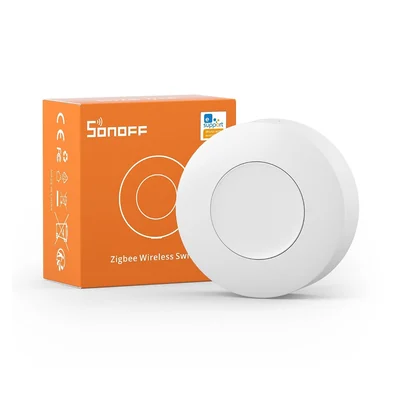
A button cannot rescue a weak Zigbee mesh, and it cannot make an unfinished automation feel finished. What it can do is put a physical control exactly where a touch screen or voice command is annoying. The SONOFF SNZB-01P on SONOFF with code JPK is my inexpensive pick, with Amazon as the fallback. Single, double, and hold presses are enough for a bedtime scene, a laundry-room alert acknowledgment, or a simple help button by the front door.
It belongs in a house that already has a Zigbee coordinator and uses ZHA or Zigbee2MQTT. The recipient pairs it directly to that coordinator, not to a separate SONOFF bridge. Setup is low drama after pairing, but I would leave the actual automations to the owner. A well-intended scene can be surprisingly household-specific.
The limitation is refreshingly plain: three gestures, a battery, and no repeater function. Give this to someone who has good automations but needs a friendly way to trigger them. Do not give it to someone whose first problem is unreliable sensors at the far end of the house.
2. THIRDREALITY Smart Plug Gen3
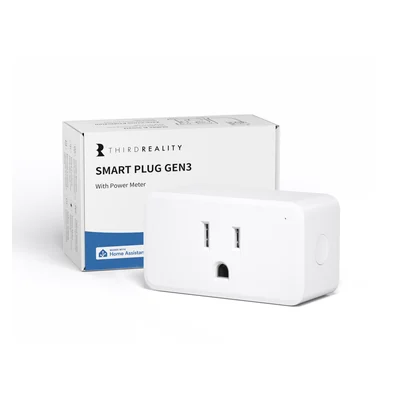
A smart plug is only interesting if the outlet has a sensible job. The THIRDREALITY Smart Plug Gen3 has one extra reason to matter: it is a 15A Zigbee router with power monitoring, so it can improve the network while it measures an espresso machine, dehumidifier, or holiday tree. Amazon has the same model when direct stock is unavailable.
This is the easiest gift here for a newer Zigbee user. It pairs into ZHA or Zigbee2MQTT like any other local device, and a powered router is useful even before the first clever automation arrives. Pair it near the coordinator, move it to its final outlet, and let the mesh settle. If the owner only wants energy data, the plug’s metering-only behavior is a smart guardrail against an automation cutting power to something important.
The trade-off is electrical common sense. It does not make a heater safe to run unattended, a coffee maker safe to restart, or a life-safety device suitable for remote switching. Stay within the listed rating and use it for loads where an off command is harmless. For an existing Zigbee home, this is the best low-support gift in the guide.
$30 to $100: useful capability upgrades
3. Zooz ZST39 800 Series Z-Wave Long Range S2 USB Stick
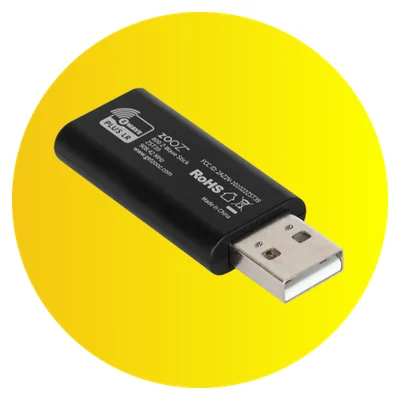
The Zooz ZST39 is not a satisfying unboxing gift by itself. Plugging in a radio does not turn on a light or protect a basement. Its value is the next purchase: a local lock, leak sensor, relay, or thermostat that needs Z-Wave. The Zooz ZST39 adds an 800-series Z-Wave radio to a compatible Home Assistant host and supports Long Range where the software and end device do too.
Buy it for a confident DIYer with a spare USB port who has named a Z-Wave job they want to solve. It is a reasonable lead-in to my smart lock guide, but only after checking door fit and regional Z-Wave frequency. The owner will need Z-Wave JS, a new network, and time for inclusion, exclusions, security keys, backups, and firmware updates. A USB extension can also be necessary to get the coordinator away from interference.
This is a platform gift, not a migration wand. It will not improve an existing Zigbee network, and it will not move somebody else’s Z-Wave devices onto a new controller without work. Give it to the person who enjoys the build as much as the result.
4. Home Assistant Voice Preview Edition
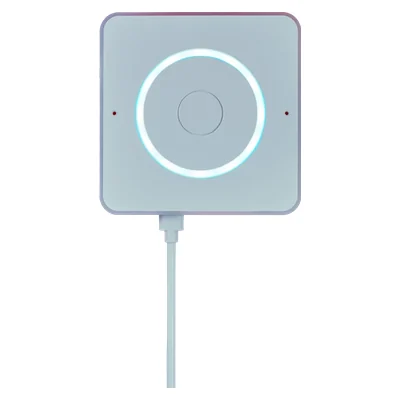
Voice hardware is unforgiving of messy names. If lights, media players, timers, and areas are not named clearly in Home Assistant, a voice satellite just exposes the mess. The Home Assistant Voice Preview Edition has the hardware right: microphones, speaker, physical controls, and a physical microphone mute. Use the Amazon search to compare authorized stock.
Give it to someone with a running Home Assistant system who wants a kitchen or bedside Assist satellite and enjoys refining a setup. They will need an Assist pipeline, a supported language, and entity exposure that makes sense out loud. Local speech-to-text and text-to-speech are available without a subscription. A focused local setup can run on modest hardware, while broader local speech recognition needs more compute. Home Assistant Cloud remains optional.
It is called Preview Edition for a reason. This is not a general conversational assistant, and local voice has language and performance limits. Wake-word choice, aliases, and room assignments determine whether it feels useful or becomes a small appliance that nobody talks to. The local voice setup guide is required reading before promising hands-free control of the whole house.
5. Aqara Presence Sensor FP2
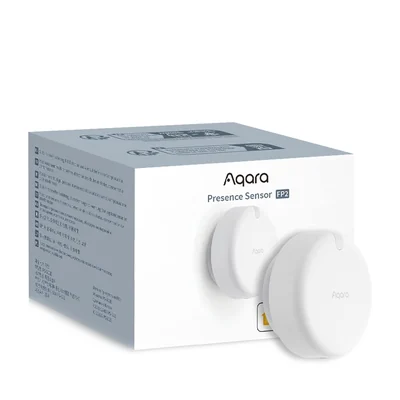
The FP2 can be annoying before it becomes excellent. It needs continuous USB power, reliable 2.4 GHz Wi-Fi, and some patient placement work around fans, curtains, pets, and the geometry of the room. The Aqara Presence Sensor FP2 uses millimeter-wave sensing and zones, so one physical room can act like several occupancy sensors. My Aqara FP2 guide explains why that placement work matters more than the product photo.
The payoff is a room where somebody can sit still and the lights stay on. A desk, living room, bathroom, or bedroom is the right target, especially when ordinary motion sensors time out while someone is reading or working. Home Assistant can use the documented HomeKit Controller route without an Aqara hub for the basic integration, though initial app and pairing work may still be part of the process. A separate 2.4 GHz SSID can make onboarding easier on a band-steering network.
Do not buy one for medical fall detection or as a security system. It is a wired Wi-Fi comfort-automation device and false presence is possible until zones are tuned. Give it to someone willing to teach the sensor about a room, not someone expecting instant magic.
Bigger gifts: start a local system or make data useful
6. Home Assistant Green
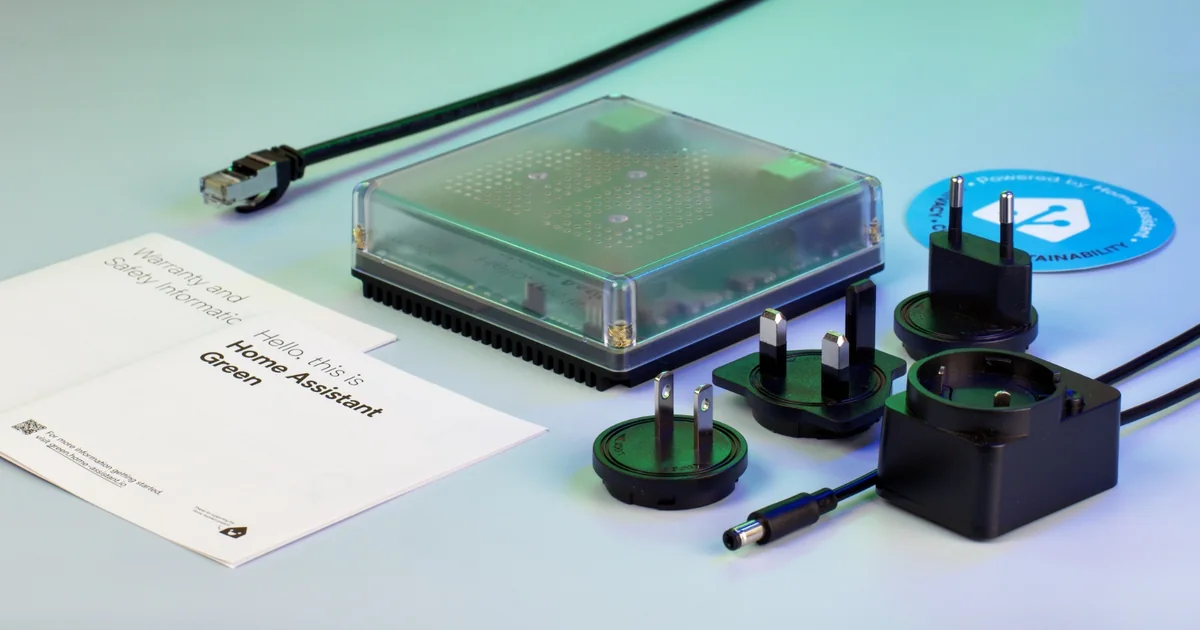
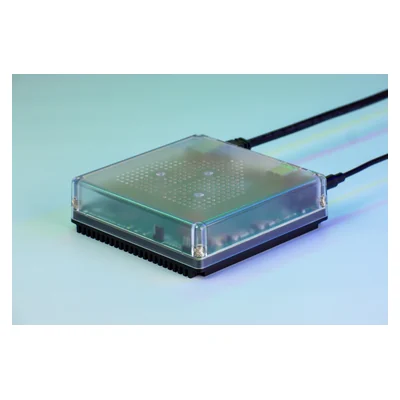
The biggest mistake with Home Assistant Green is assuming it includes every radio. It does not. Home Assistant Green is a purpose-built, wired Home Assistant host, not a universal Zigbee, Thread, and Z-Wave hub in one box. Amazon search is useful for comparing availability when official retailers are out of stock.
That limitation does not make it a weak gift. It makes it the cleanest larger gift for somebody who wants to run Home Assistant but has not picked a host machine, or who is ready to replace an aging DIY install. Ethernet near the intended location and a stable home network are the real prerequisites. Budget separately for the radio the recipient needs, if any.
The appliance removes the parts hunt, not the thinking. Someone still needs to decide what should be automated, make backups, and install updates. But for a beginner who wants to consolidate existing devices without starting with a Raspberry Pi and an SD card, Green is the exception to the rule that smart-home gifts should stay small. It is a complete, approachable starting point.
7. AirGradient ONE Indoor Air Quality Monitor
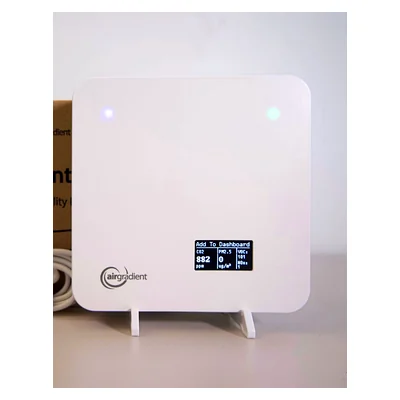
Air-quality data can become another dashboard number that nobody acts on. The AirGradient ONE makes sense only when the recipient already has an air purifier, HVAC fan, window, or notification habit that can respond to what it measures. It exposes indoor-air measurements to Home Assistant on the local network and can operate without sending readings to the vendor cloud. Compare availability through this Amazon search.
CO2 can trigger fresh-air reminders, and particulate readings can start an air purifier after cooking. That makes this an excellent gift for someone already automating HVAC, fans, or purifiers. My air-quality monitor guide covers the broader choices, while the local freezer-temperature build is another useful seasonal monitoring project.
Discovery and dashboards are straightforward on a stable Wi-Fi LAN. Turning readings into sane automations takes more judgment. A loud fan should not run every time dinner hits a pan. The AirGradient costs far more than a temperature sensor and it will not clean the air itself, but it gives the right household a better signal for decisions that matter.
What I would skip, even on sale
Skip Alexa-only buttons, mystery Bluetooth gateways, and subscriptions disguised as hardware. Surprise locks and robot vacuums are bad gifts too: door fit, household access, map handling, and privacy preferences are personal. Send the recipient my smart lock guide or robot vacuum guide instead and let them pick.
For cold-weather automation, start with the failure instead of the gift. The Home Assistant winterization guide connects indoor sensors to heat, plumbing, and outage safeguards. If outdoor rain, wind, or temperature should drive the automation, choose the hardware from my Home Assistant weather-station roundup rather than guessing from a forecast.
When the holiday sale window opens, use the Black Friday Home Assistant deal hub to check the exact model, live price, and local-control path before buying anything from this list.
Frequently asked questions
Do I need to know whether they use ZHA or Zigbee2MQTT?
Yes for the Zigbee gifts. Both support the listed button and plug, but the recipient may have a deliberate preference, coordinator firmware limits, or a carefully managed mesh. Ask which one they run. Do not buy a second coordinator as a surprise.
Is Matter automatically local and subscription-free?
No. Matter can provide a local control path, but transport and vendor onboarding still matter. Thread devices need a border router, Wi-Fi Matter devices need a sound LAN, and extra vendor features can still live in an app or cloud. Read the setup path, not just the Matter logo.
Which gift has the lowest support burden?
For an existing Zigbee household, the THIRDREALITY plug is the safest choice. It pairs as a normal local device, has an immediate use case, and helps the mesh. Home Assistant Green is the lowest-friction larger gift when the recipient has already decided to run Home Assistant.
Can Home Assistant Voice run without a subscription?
Yes. Home Assistant documents a fully local route using local speech-to-text and text-to-speech components. The trade-off is hardware and language support. Cloud processing is optional and may be simpler for some languages, but it is not required for a useful device.
Should I buy a Z-Wave stick for someone who already uses Zigbee?
Only if they want a Z-Wave category such as a local lock, relay, or thermostat and are comfortable with Z-Wave JS. Zigbee and Z-Wave complement each other. A Z-Wave stick does not strengthen a Zigbee mesh or improve existing Zigbee devices.
The Bottom Line
For an established Zigbee home, buy the THIRDREALITY Smart Plug Gen3. It has a clear job on day one, helps the mesh, and does not demand that the recipient build a new platform before it becomes useful. It is the best default gift in this guide.
The exception is somebody who wants to start or replace a Home Assistant installation. Buy Home Assistant Green instead, then let them choose the radio hardware that fits the rest of their house. That is a larger gift, but it removes the one obstacle that keeps many good automations from ever getting built.