At a Glance
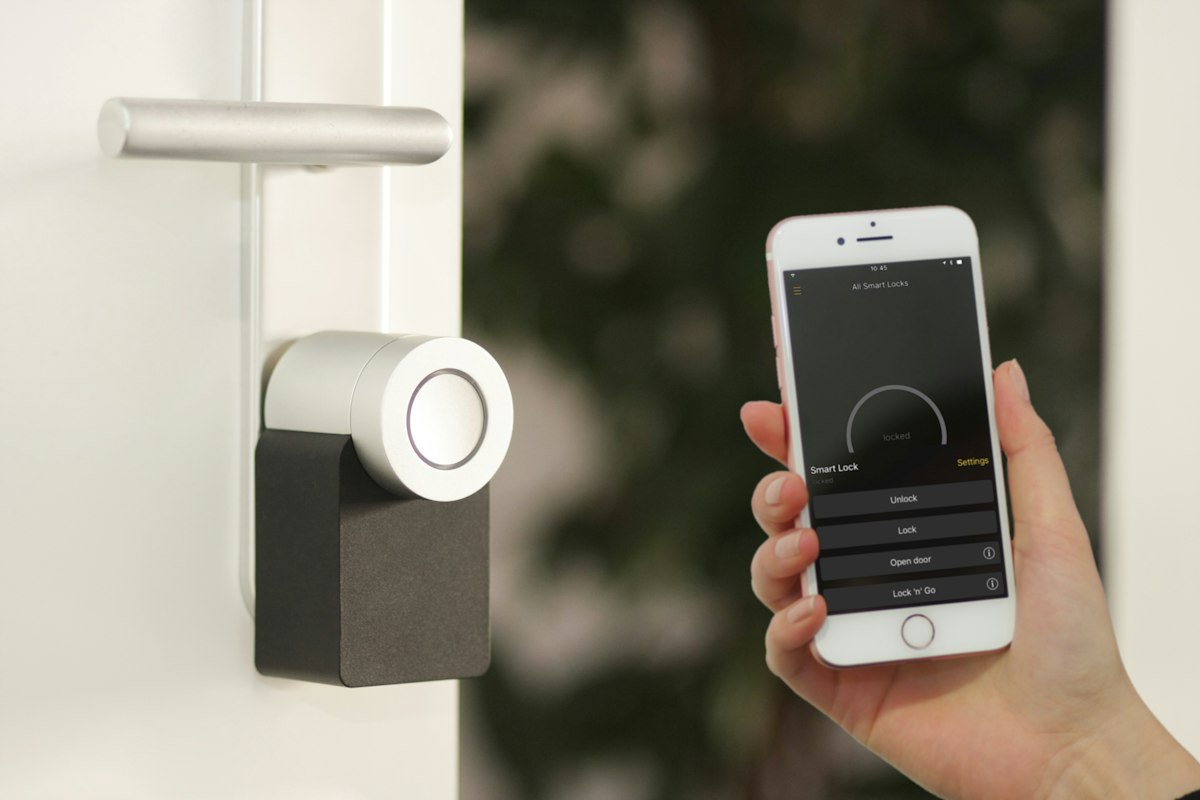
A smart lock is one of those upgrades that feels gimmicky right up until you’ve used one for a week. Then handing house keys to your dog walker or driving back home because you forgot to lock the door starts to feel medieval.
The catch: most smart locks are designed to live inside the manufacturer’s app, with cloud-only access and a Bluetooth radio that barely reaches the next room. If you want it to play nicely with Home Assistant — and you do, because that’s where the real automations happen — protocol choice matters more than brand.
Here are the smart locks worth considering in 2026.
Best Overall: Yale Assure Lock 2 Touch (Z-Wave)
The Yale Assure Lock 2 Touch with Z-Wave Plus is the boring, reliable answer to the smart lock question. Z-Wave Plus pairs directly with Home Assistant via Z-Wave JS, gives you full local control, and reports lock status, low battery, and tamper alerts as proper sensors.
The touchscreen keypad is the headline feature — no fumbling with physical keys, no PIN buttons that wear unevenly and reveal your code. You can issue per-user codes, schedule them (housekeeper Tuesdays 10–2), and revoke them remotely.
What I like about Yale specifically: the deadbolt mechanism is the same hardware Yale has been making for a century. Smart guts, dumb-reliable physical lock. Battery life on four AAs runs 6–9 months with normal use, longer if you avoid Wi-Fi modules.
Why Z-Wave for Locks
Z-Wave has historically been the protocol of choice for door locks, mostly because of S2 security and beam-encrypted commands. With Z-Wave JS in Home Assistant, you get every event — lock, unlock, code-entered, jam-detected — as a discrete trigger. Build automations like “if door is unlocked between 1am and 5am, flash hallway lights and announce on speakers.”
Best Matter Option: Schlage Encode Plus
If you’ve gone all-in on Thread/Matter and don’t want another radio in the mix, the Schlage Encode Plus is the most polished Matter-over-Thread lock available. It pairs with Home Assistant’s Matter integration, supports Apple Home Key (tap your iPhone to unlock), and works with Alexa, Google, and SmartThings simultaneously.
The Encode Plus uses a real Schlage deadbolt — the same beefy hardware you’d buy at a hardware store — with the smart electronics layered on top. The keypad is physical buttons rather than a touchscreen, which I actually prefer in cold weather when capacitive screens get flaky.
Battery life is the weak point. Thread radios are efficient, but Home Key tap-to-unlock and frequent state polling cuts life to about 4–6 months on four AAs. Worth it for the convenience, but keep spares.
Best Retrofit: Aqara U100 / U200
Renting? Don’t want to swap your deadbolt? The Aqara U100 replaces the interior side of an existing deadbolt while leaving the exterior key cylinder alone — your landlord stays happy and you get smart features.
The newer Aqara U200 goes a step further with Matter-over-Thread support and a fully retrofit interior unit that motorizes a thumb-turn deadbolt without replacing anything. Setup takes 10 minutes with the included shims.
Both support fingerprint unlock, NFC cards, PIN codes, and Apple Home Key. With Aqara’s Matter bridge or a Hub M3, they expose to Home Assistant cleanly.
The trade-off: retrofit motors are noisier than purpose-built smart locks, and battery life trails behind Yale and Schlage by about a month. Acceptable price for not voiding your lease.
What to Automate
Once your lock is in Home Assistant, the obvious automations write themselves:
- Auto-lock at night — Lock all doors at 11 PM, alert if anything was already unlocked.
- Per-person notifications — Get a push when Kira’s PIN code unlocks the door after school.
- Geofence unlock — Unlock as you pull into the driveway (paired with a presence sensor or your phone’s location).
- Vacation mode — Disable all PIN codes except yours and a trusted neighbor’s while you’re away.
- Lock + scene — When you lock the front door at night, trigger a “goodnight” scene that turns off lights, arms cameras, and lowers the thermostat.
- Jam alerts — If the deadbolt fails to throw fully, get a notification immediately. This catches misaligned strike plates before they become a real problem.
What I’d Skip
Wi-Fi-only locks. August, early Schlage Encode (non-Plus), and most Bluetooth-bridge locks make you depend on the manufacturer’s cloud for Home Assistant integration. When their cloud goes down, your automations break. Stick with Z-Wave or Matter-over-Thread.
Locks with subscription features. A few brands gate user code management or activity history behind a monthly fee. Hard pass — you already paid for the hardware.
Generic “smart” deadbolts on Amazon. The $80 unbranded smart locks tend to use proprietary apps that never see updates. The deadbolt itself is also usually rebranded junk. Spend the extra $50 for Yale or Schlage.
Quick Comparison
Yale Assure Lock 2 Touch (Z-Wave) — Best for Home Assistant power users. Touchscreen, rock-solid deadbolt, full local control. ~$280.
Schlage Encode Plus (Matter) — Best Matter-over-Thread option. Apple Home Key, multi-platform, real Schlage hardware. ~$300.
Aqara U100 / U200 — Best retrofit. Keeps existing exterior cylinder, fingerprint reader, fast install. ~$170–230.
Bottom Line
If you’re running Home Assistant with Z-Wave already, the Yale Assure Lock 2 Touch is the pick. It just works, the keypad is great, and Z-Wave JS exposes every lock event you’d want to automate against.
If you’ve gone the Thread route and want Apple Home Key support, the Schlage Encode Plus is the better fit. And if you can’t replace your deadbolt at all, the Aqara U200 is a genuinely impressive retrofit that doesn’t compromise on features.
Whatever you pick, the rule is the same: Z-Wave or Matter, never Wi-Fi-only. Local protocols are the difference between a smart lock that lasts a decade and a paperweight when its cloud shuts down.