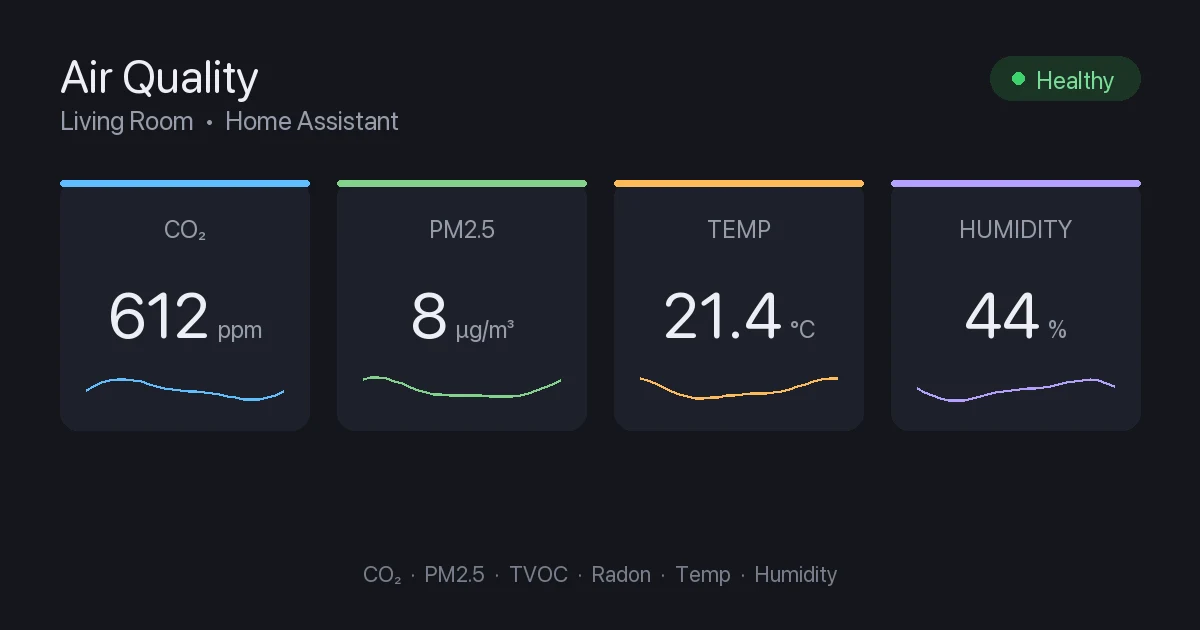
At a Glance
I added my first CO2 monitor expecting a boring number that never moved. Instead I watched my home office climb past 1,800 ppm by mid-afternoon with the door shut, which lined up perfectly with the 3pm fog I had blamed on lunch for years. Cracking the window dropped it back under 800 in ten minutes and the fog lifted with it. That single data point sold me on air quality monitoring harder than any product launch ever could.
The problem is that “air quality monitor” covers a huge range, from $50 boxes that estimate everything to $300 units with a real radon detector. And if you run Home Assistant, half the products on Amazon will strand their data in a vendor app with no clean way out. I have bought and integrated all five of these. Here is what actually works, what reads locally, and what to skip.
What You Are Actually Measuring
Before the picks, a quick reality check on the acronyms, because the marketing copy blurs them on purpose.
CO2 is the one most people want and the hardest to fake. Carbon dioxide builds up from people breathing in a closed room, and it is the single best proxy for “this room needs fresh air.” The catch is that a real CO2 reading requires an NDIR sensor, which costs money. Cheaper monitors print an “eCO2” or “equivalent CO2” number that they calculate from a VOC sensor. That number is a guess, and it drifts badly. If CO2 matters to you, buy a real NDIR sensor and ignore anything labeled eCO2.
PM2.5 and PM10 are particulate matter, the fine dust and smoke that matters during wildfire season, cooking, or if you have a wood stove. A laser particle sensor handles this and most mid-range monitors include one.
TVOC is total volatile organic compounds, the off-gassing from paint, new furniture, cleaning products, and that “new car” smell. Useful, but it is not CO2 and should not be sold as a substitute for it.
Radon is a radioactive gas that seeps up from soil into basements and is a genuine long-term health risk. Only one monitor here measures it, and it is the expensive one.
Keep those four straight and the lineup below makes a lot more sense.
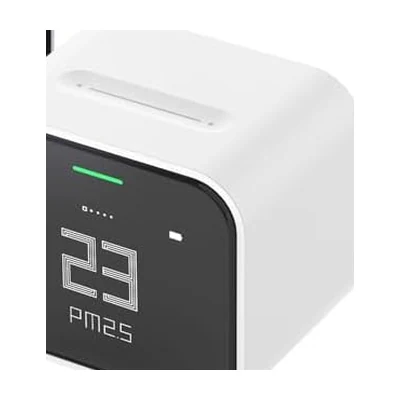
Best Overall: Qingping Air Monitor Lite
Price: ~$70 | Sensors: NDIR CO2, PM2.5, PM10, temp, humidity | Connection: WiFi + HomeKit
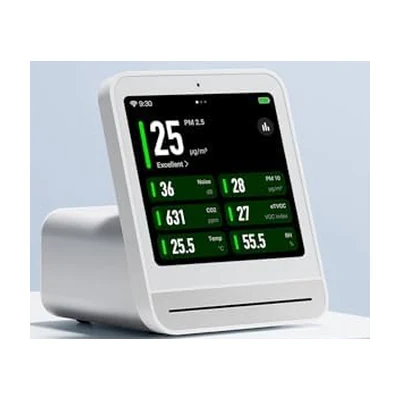
The Qingping Air Monitor Lite is the one I recommend to most Home Assistant users, and it comes down to one detail: it is HomeKit compatible, which means it exposes itself to Home Assistant through the built-in HomeKit Device integration over your local network. No cloud, no Qingping account required for the data to flow, no polling an external API. You add it in HomeKit pairing mode, scan the code, and five sensors show up as native entities.
That it has a real NDIR CO2 sensor at $70 is the other reason it wins. Plenty of monitors at this price fake CO2 from VOC. The Qingping does not. The readings track a reference meter I keep around within a comfortable margin, and the color screen is genuinely nice to glance at on a desk.
The build is a small USB-C powered cube with a rounded display. It is not battery powered in any practical sense (the internal cell is for moving it around briefly), so plan to keep it plugged in. For a bedroom or office that is a non-issue.
In Home Assistant I have a single automation tied to this one: when office CO2 goes above 1,000 ppm during work hours, it nudges a smart plug fan and sends a quiet phone notification. It has paid for itself in afternoons not lost to brain fog.
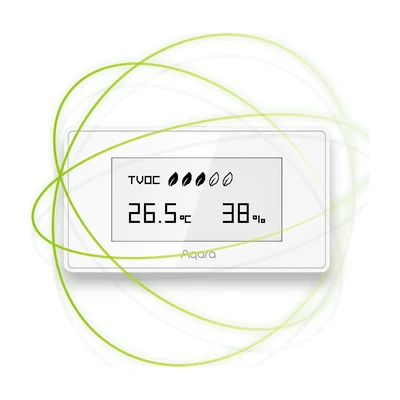
Best Local and Cheapest: Aqara TVOC Air Quality Monitor
Price: ~$50 | Sensors: TVOC, temp, humidity | Connection: Zigbee 3.0
If you already run Zigbee for Home Assistant, the Aqara TVOC Air Quality Monitor is the most painless thing on this list to integrate. It pairs directly with ZHA or Zigbee2MQTT like any other Zigbee device. The box pushes the Aqara hub, but you do not need it. Any coordinator you already have works, the data never touches a cloud, and the little e-ink display sips power well enough to run about a year on its battery.
Here is the honest limitation, and it is a big one: this device does not measure CO2. It measures TVOC, temperature, and humidity. The TVOC reading is useful for catching off-gassing, a stuffy room with the cleaning supplies out, or a new piece of furniture, but it is not a substitute for a CO2 sensor. I have seen people buy this expecting CO2 tracking and come away disappointed.
So buy it with clear eyes. As a cheap, fully local Zigbee sensor for temperature, humidity, and VOC trends, it is excellent and it is $50. As a CO2 monitor, it is the wrong tool. I keep one in a craft room where the VOC and humidity numbers matter more than CO2, and there it is perfect.
One quirk worth knowing: the on-device e-ink TVOC reading and the value Home Assistant receives over Zigbee can use different units, so do not panic if the dashboard number looks roughly ten times the screen number. Both are correct, they are just scaled differently.
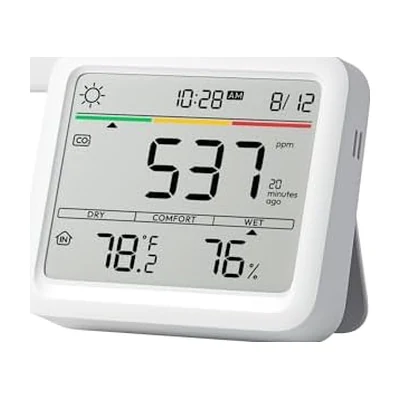
Best CO2 Accuracy: SwitchBot Meter Pro CO2
Price: ~$70 | Sensors: NDIR CO2, temp, humidity | Connection: Bluetooth, Hub for Matter
The SwitchBot Meter Pro CO2 is the pick when CO2 accuracy is the whole point. It uses a Swiss-made NDIR sensor rated to plus or minus 50 ppm across a 400 to 9,000 ppm range, and it samples every second. The large display is the best of any monitor here for an at-a-glance read across a room, and it logs two years of data on the device itself, which is a genuinely useful backstop if your Home Assistant history ever gets wiped.
Integration is the part to understand. The Meter Pro CO2 talks Bluetooth, and Home Assistant’s SwitchBot integration can read it locally over BLE without any cloud account, as long as your HA host or a Bluetooth proxy is within range. That covers most single-room setups. If you want to reach it from across a large house or pull it into Matter, you add a SwitchBot Hub, and then it bridges over your network with Matter support.
The trade-off versus the Qingping Lite is no particulate sensor. You get a more accurate, faster CO2 reading and a far better display, but no PM2.5. For a bedroom where the goal is “is the air getting stale overnight,” that is exactly the right set of compromises, and the overnight CO2 graph this thing produces is the most actionable data in my whole dashboard.
Best Upgrade: Qingping Air Quality Monitor Gen 2
Price: ~$130 | Sensors: NDIR CO2, PM2.5, PM10, noise, temp, humidity | Connection: WiFi + HomeKit
If the Lite is the sensible pick, the Qingping Air Quality Monitor Gen 2 is the one to buy when you want the nicer object on the nightstand. It keeps the same local HomeKit integration path into Home Assistant and the same real NDIR CO2 sensor, then adds a noise level sensor, a larger and brighter display, and an alarm clock function that makes it earn its spot on a bedside table rather than hiding on a shelf.
The noise sensor is more novelty than necessity for most people, but it does feed a clean decibel entity into Home Assistant if you want to, say, log how loud a room gets. The real reason to spend the extra money over the Lite is the display and the form factor. If this is going somewhere visible and you will look at it daily, the Gen 2 is worth it. If it is going on a shelf to feed automations, save the cash and buy the Lite.
Everything good about the Lite’s integration applies here: local read over WiFi via HomeKit Device, no cloud dependency, native entities for every sensor.
Best Premium: Airthings View Plus
Price: ~$300 | Sensors: Radon, NDIR CO2, PM2.5, VOC, humidity, temp, pressure | Connection: WiFi
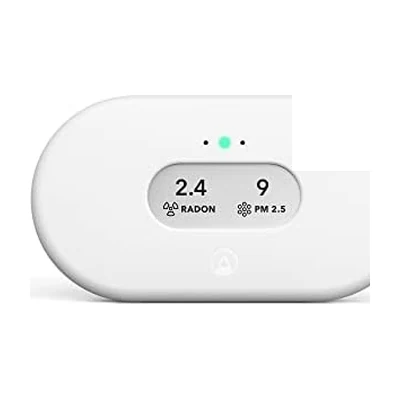
The Airthings View Plus is the only monitor here that measures radon, and that single sensor is the entire reason to consider it. If you have a basement, a ground floor in a radon-prone region, or a finished lower level where people sleep, long-term radon tracking is a real health measurement that none of the cheaper units touch. It also packs the widest sensor suite on the list: radon, CO2, PM2.5, VOC, humidity, temperature, and air pressure, in one battery-powered unit you can mount anywhere.
The catch, and the reason it is not my overall pick, is integration. The Home Assistant Airthings integration is cloud based. It authenticates to the Airthings API and polls your device readings on an interval, so the data is rate limited and not instantaneous, and it stops working if Airthings has an outage or your internet drops. For radon, which moves slowly over hours and days, a polled cloud reading is completely fine. For fast CO2 or particulate response you would want one of the local options above.
So the View Plus is a specialist, not an all-rounder. If radon is on your list, nothing else here competes and it is worth the $300. If radon is not a concern, the money is better spent on a local CO2 monitor and a good air purifier.
How I Would Actually Buy
Most people are overthinking this. Here is the short version.
- One room, want CO2, run Home Assistant: Qingping Air Monitor Lite. Local, accurate, $70, done.
- Already deep in Zigbee, want cheap VOC and humidity, do not care about CO2: Aqara TVOC at $50.
- Bedroom, CO2 is the whole point, want the best display: SwitchBot Meter Pro CO2.
- You want the nice nightstand object with everything: Qingping Gen 2.
- You have a basement and radon is a real concern: Airthings View Plus, and accept the cloud integration.
You can mix these. My own setup is a Qingping Lite in the office, a SwitchBot Meter Pro CO2 in the bedroom, and an Aqara TVOC in a hobby room, all feeding one Home Assistant dashboard. Total spend was under $200 and the automations it drives (fan on high CO2, notification on a particulate spike while cooking) run every single day.
The Bottom Line
The two things that separate a useful air quality monitor from a gadget are a real NDIR CO2 sensor and a local path into Home Assistant. The Qingping Air Monitor Lite nails both for $70 and is the right answer for most people. Step up to the SwitchBot Meter Pro CO2 if CO2 accuracy and the display matter most, drop down to the Aqara TVOC if you live in Zigbee and skip CO2, and reach for the Airthings View Plus only if you need radon.
Whatever you pick, wire it to one automation before you do anything else: when CO2 climbs, move some air. That single rule is the entire payoff, and you will feel the difference the first stuffy afternoon it catches.