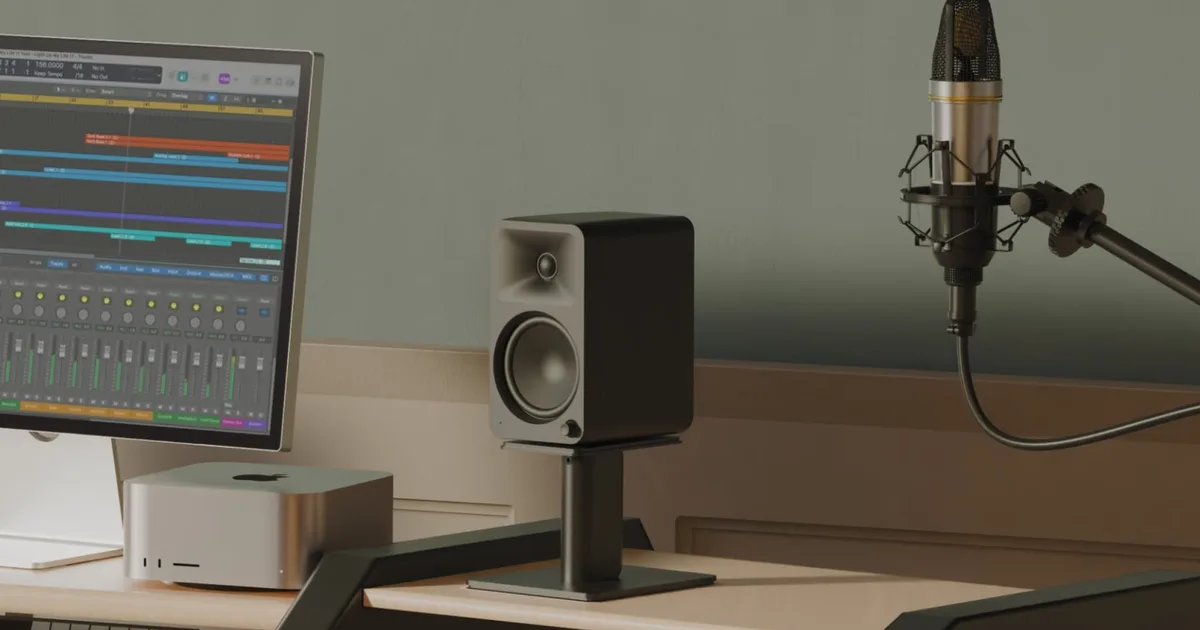
I spend more hours in my home office than in any other room of the house, and for the first two years it was the one room my whole house audio could not reach. The kitchen, living room, and porch all played together. The office had a nice pair of desk speakers plugged into my computer by USB, completely cut off from everything else.
So when the house was playing a playlist and I walked into the office, I either opened Spotify on the work laptop (which then fought with every video call) or I just listened to the music bleeding in from the hall.
The fix took twenty minutes and one small box. My desk speakers are now a normal zone in the multi-room app, the computer still plays through them, and I did not buy new speakers to get there. This post is how to do it, what to look for if you are buying desk speakers anyway, and the input rule that stops the two sources fighting. If you are still choosing a platform for the rest of the house, start with my best whole home audio systems guide.
Why the office is the hardest room to add
Most rooms in a whole house audio system have one job: play the house music. The office has two. It has to play music with the rest of the house, and it has to be the computer’s speakers for calls, videos, and the occasional notification chime. Those two jobs are why most people leave the office out.
The usual options are all a little bad:
- A separate smart speaker on the desk. Joins the house fine, but now you have two sets of speakers on one desk, and the smart speaker usually sounds worse than the desk pair.
- Play music from the computer. Works until a video call grabs the audio device, or until work IT decides your laptop does not get Spotify.
- Bluetooth from your phone. Fine for one room, but Bluetooth is not multi-room. It will not stay in sync with the kitchen, and it drops every time you walk out with the phone.
The better answer is to treat the desk speakers like any other powered speakers in the house. Give them a network streamer on one input, keep the computer on another input, and decide which one plays. That is the whole trick.
What you need
Three things, and you may already own two of them.
1. Powered desk speakers with at least two inputs. Look at the back panel. You want one input for the computer (USB is ideal, because it bypasses the computer’s noisy headphone jack) and a second analog or optical input for the streamer. Most decent powered desktop speakers have this. My office pair are Kanto ORA speakers, which have exactly the layout I want: USB-C from the computer, an RCA line input for the streamer, Bluetooth 5.0 as a third option, and a subwoofer output with an automatic 100 Hz high pass filter. They are small, with a 3 inch woofer and a 3/4 inch silk dome tweeter, rated 50 W RMS (100 W peak), and they list for about four hundred dollars a pair.
If that is more than you want to spend, the Edifier MR4 studio monitors are the budget pick I recommend constantly. They have RCA and balanced inputs, so you add a cheap USB DAC for the computer and put the streamer on the other input. They sound far better than their price, which is a big reason I also used them in the kitchen in my old house whole house audio build.
2. A small network streamer. This is what turns the desk into a zone. I use WiiM because it is what the rest of my house runs, it is cheap, and it integrates locally with Home Assistant. A WiiM Pro is plenty for a desk. If your speakers have only analog inputs and you care about the DAC, the WiiM Pro Plus has the better analog output; I compared them in my WiiM Ultra vs Pro Plus post.
3. One short cable. A 3 foot RCA cable from the streamer’s output to the speakers’ line input. If both have optical, use that instead and you avoid any chance of ground hum from the computer.
Setup in twenty minutes
- Plug the streamer into power and your network. Ethernet if your desk has a port, which most offices do because of the computer. Wired streamers are the most reliable zone in any multi-room system; I explain why in my WiiM multi-room network plan.
- Run the RCA cable from the streamer’s analog out to the speakers’ line input.
- Add the streamer in the WiiM Home app and name it “Office.” It immediately shows up next to every other room.
- Set the streamer’s output to fixed volume. This is the step people skip. If both the streamer and the speakers have volume controls, you end up with two knobs fighting. I set the WiiM to fixed line level and use the speaker knob as the room’s master volume. If you want app control of office volume instead, do the reverse: set the speakers to a sensible fixed level and let the streamer control volume.
- Leave the computer on USB. Nothing changes for calls and videos.
Then group “Office” with the rest of the house the same way you would any room. My WiiM whole home audio build covers groups, presets, and the per-room setup I use everywhere else.
The input rule that stops the fighting
This is the part that actually decides whether you love the setup or rip it out in a week.
Two sources, one pair of speakers. Something has to decide which one plays. Speakers handle this one of three ways:
- Manual switching. You turn a knob or press an input button. Predictable, slightly annoying.
- Auto switching. The speakers jump to whichever input has signal. Convenient, until a Slack notification on the computer interrupts your music, and then your music does not come back.
- Mixing. Some speakers play every input at once. Great for hearing a call alert over the music, terrible for anything else.
My rule: music lives on the streamer input, and the computer wins only when I am on a call. In practice I leave the speakers on the RCA input almost all day. When a call starts, I switch to USB. When the call ends, I switch back. It is a one second habit.
If you want it automatic, do it from the streamer side rather than the speakers. I have a Home Assistant automation that pauses the office WiiM when my work calendar shows a meeting starting and resumes it ten minutes after the meeting ends. The speakers stay on whatever input they were on, and the house music just stops in the office while I am talking. The rest of the house keeps playing. My WiiM and Home Assistant multi-room audio post covers the local integration that makes this possible.
Placement matters more at a desk
Desk speakers are near-field speakers. You sit two or three feet from them, which changes the rules compared to a living room.
- Get the tweeters to ear height. On a desk, speakers usually fire at your chest. Small angled stands such as the Kanto SE2 tilt them up toward your ears, and the difference in clarity is bigger than any upgrade in this post.
- Make a triangle. Speakers as far apart as they are from your head, toed in slightly. Then music sounds centered on the monitor instead of coming from two boxes.
- Pull them off the back wall. A few inches from the wall cleans up boomy bass, which matters more in a small office than people expect.
- Decouple from the desk. Stands or foam pads stop the desk surface from resonating and smearing the bass.
The nice side effect: once the speakers are placed well for the desk, they also sound good when the house music is on and you are just working. A whole house zone that sounds worse than the computer would have been a downgrade.
Do you need a subwoofer?
Near-field listening flatters small speakers. At two feet, a 3 or 4 inch woofer sounds much fuller than it would across a room, so most people do not need a sub at a desk. If you work in a big room or want more weight for music, look for speakers with a subwoofer output and a built-in high pass filter, like the ORA’s automatic 100 Hz crossover. The filter keeps the small woofers from straining on deep bass, which makes the speakers themselves sound cleaner at higher volume. I walked through the wiring and crossover settings in how to add a subwoofer to powered bookshelf speakers.
What I would do on different budgets
- Already have desk speakers with a spare input: add a WiiM Pro and an RCA cable. Under one hundred fifty dollars, twenty minutes.
- Buying new on a budget: Edifier MR4 plus a WiiM Pro. Excellent value, and the monitors are honest enough for video editing.
- Want one tidy pair that does everything: Kanto ORA plus a WiiM. USB-C for the computer, RCA for the house, Bluetooth for a guest’s phone, and a sub output when you want it.
- Only one input and no space for another box: that is the rare case where replacing the speakers is the right move.
The Bottom Line
The home office is the easiest room to forget in whole house audio and one of the easiest to fix. You do not need a smart speaker on the desk or new speakers. Put a small streamer on a spare input of the desk speakers you already have, keep the computer on USB, and make the streamer input the default. The office becomes one more zone in the app, joins the house for parties and Saturday cleaning, and still works perfectly for calls.
If you are buying, the Kanto ORA is my pick for a compact pair that handles both jobs well, and the Edifier MR4 is the value pick. Either one plus a WiiM turns your workspace into a real part of the house, which is how it should have been all along.