I do not design whole-house audio by buying one streamer per room. I design it by deciding which rooms need independent playback, which rooms should group, and which parts of the system must keep working when Home Assistant is restarting or the internet is down.
That is where WiiM is useful. It can sit behind passive speakers, feed an existing receiver, or serve a powered endpoint. It gives me a common playback layer without forcing every room into the same speaker hardware. My whole-home audio systems guide covers the broader platform decision. This is the network and control plan I would use when WiiM is the center of the build.
The short version is simple: count zones, wire the rooms that are easy to wire, reserve network capacity for fixed players, test one endpoint before grouping six, and keep the household interface smaller than the underlying system. The expensive mistake is not buying the wrong streamer. It is building a system nobody else can operate.
Start With Zones, Not Rooms
A zone is a playback endpoint with its own volume and source behavior. A kitchen and dining room might be one zone if they usually share music. A living room and patio might be two zones that sometimes group. A bathroom can be a separate low-cost endpoint even if it occasionally joins the downstairs scene.
I write a table before ordering anything:
- room or area
- independent volume required
- passive or powered speakers
- existing amplifier, if any
- preferred source
- wired network possibility
- normal group memberships
- manual fallback
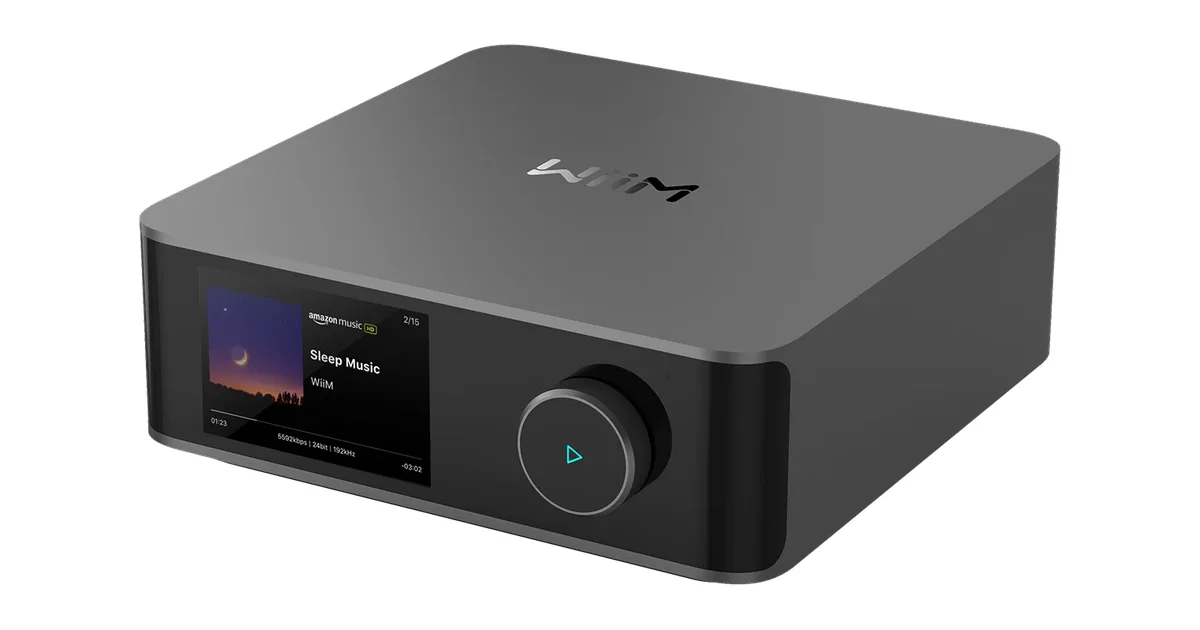
This prevents a common shopping error. A WiiM streamer does not power passive speakers. A WiiM Amp is unnecessary in a room that already has a good receiver with an available input. A wireless speaker endpoint is convenient, but it still needs a stable power location and network path.
For a new passive zone, the WiiM Amp is the straightforward starting point. For an existing amplifier, the WiiM Pro Plus is the more sensible part. For a powered speaker or line-level input, a WiiM Mini can be enough. I would choose the endpoint from the room inventory, not from a feature comparison page.
Decide What Should Be Wired
Wired audio is not automatically better, but fixed players are excellent Ethernet clients when a cable is available. A rack, cabinet, office, or media console usually rewards a wired connection. It removes one roaming client from WiFi and makes the endpoint easier to find when troubleshooting.
I wire rooms during remodels, rooms with accessible attic or basement paths, and zones where synchronized playback matters. I do not open finished walls just to turn a perfectly good wireless endpoint into a wired one. The installation cost is part of the audio decision.
A passive zone needs more than an amplifier. Budget for speaker cable, wall plates, service loops, cable management, and the speakers themselves. For ceiling speakers, plan the listening area rather than putting both speakers beside the nearest wall. In a narrow room, mono coverage can be more useful than a poorly placed stereo pair.
The in-ceiling speaker options in my whole-house guide show the range of the hardware, but the room determines the choice. Keep amplifier access serviceable. Do not bury the only power supply behind a finished ceiling with no way to replace it.
Build the Network Before Grouping
Multi-room playback is less forgiving than browsing because several players must remain reachable and synchronized. I give fixed WiiM endpoints DHCP reservations. This is not mandatory, but predictable addresses make discovery and diagnosis much less mysterious.
I also avoid guest-network isolation for players and controllers. The phone, Home Assistant, and WiiM devices need the network reachability that discovery expects. A player that works in the setup wizard but disappears from the controller later is often on the wrong VLAN or behind client isolation, not defective.
For WiFi zones, I care more about stable coverage than peak speed. Put an endpoint where the signal is reliable at the time music will be used, including the patio or basement if those are real listening areas. If the access point has wired backhaul, use it. A stronger mesh node is not a cure for every multicast or roaming problem.
Test the actual network with one player first. Play a familiar track for ten minutes, change volume, pause, resume, and switch sources. Then add a second player and group them. If the two-player test fails, six players will only produce a more impressive failure.
Add Home Assistant After Playback Works
I add Home Assistant after each endpoint works from the WiiM app. That order separates audio problems from automation problems. Once the player is stable, install the integration, let the devices be discovered, and rename them by room and job. Kitchen Audio is useful. WiiM-7A3F is a maintenance burden.
The exact entities and services depend on the player model and installed integration version. I check the device page instead of copying an old YAML snippet. Playback, volume, source, metadata, and grouping are the useful pieces, but names and capabilities can change.
My normal dashboard exposes play, pause, volume, and a few favorite sources. I keep grouping controls available, but I do not make them the only way to start music. A household member should be able to press a physical control or open the WiiM app if Home Assistant is restarting.
Scenes are a good fit. I create Morning downstairs, Dinner, and Patio with explicit room membership and explicit volume. A fixed volume matters because the last volume from a late-night session should not become the next morning’s surprise. Scenes should establish a predictable state, not merely replay whatever was left behind.
Treat Groups as Temporary Playback State
The rooms are the architecture. A group is a temporary relationship between rooms. The kitchen and living room can play together during dinner and separate when somebody watches television. Home Assistant should change that state without changing the identity of either zone.
When a group acts strangely, I dissolve it and test each player alone. Confirm every endpoint is online, on the expected network, and using compatible firmware. Rebuild a two-player group before rebuilding the whole house. This is faster than pressing the group button repeatedly and guessing.
I also keep television and critical notification behavior separate from casual music. A group that makes a party easy can make a television transition annoying. Name scenes by household outcome, not by implementation details. Party downstairs is clearer than Group kitchen living dining.
Plan Sources and Outages Honestly
WiiM supports multiple sources, but support is not the same as guaranteed offline playback. AirPlay, Chromecast, DLNA, Spotify Connect, and local libraries each have different discovery and dependency behavior. A cloud service that works during setup is not proof that it will work during an internet outage.
I test the sources my family actually uses. I start a local source, remove internet access, and see whether the exact playback path continues. Then I restore the connection and check whether the players recover without manual resets. I document the result instead of promising that the system is local because one feature is local.
Home Assistant scenes should not be the only fallback. The WiiM app, a physical volume control, and the amplifier’s normal input behavior should remain usable. Automation should make ordinary playback easier, not turn it into a dependency on one server.
Announcements need the same restraint. Doorbells and timers can interrupt music, change the source, or fail when a player is busy. I use a dedicated alert endpoint when possible. For an important alert, music is one channel among several, not the safety system.
Budget the Complete Zone
A product sticker hides the cost of a zone. A passive room may need an amplifier, speakers, cable, wall plates, an enclosure, network access, and labor. A wireless room needs the endpoint, power, coverage, and sometimes a better access point. Count the finished room, not only the device in the shopping cart.
WiiM tends to win when speakers already exist, when rooms have different hardware, or when the system needs to grow in stages. Sonos remains attractive when the priority is a polished family experience built from self-contained units. My WiiM and Sonos comparison lays out that trade-off. Flexibility is valuable only if I am willing to own the planning.
I also buy one representative endpoint before committing to a whole-house order. Test the network, sources, Home Assistant behavior, and family usability in one room. A successful single-zone trial is more informative than ten product reviews read in a row.
The Bottom Line
A WiiM whole-house system works when it is designed as a set of understandable zones, not a pile of networked boxes. Choose the room’s endpoint from its speakers and amplifier, wire fixed players when it is easy, reserve addresses, and validate discovery before grouping.
Use Home Assistant for scenes, automation, and room-aware control, but keep the WiiM app and physical controls as fallbacks. Test local playback, internet loss, announcements, and recovery before calling the system finished.
The best build is the one the household can use without knowing whether the kitchen is grouped with the dining room, which VLAN carries the player, or whether Home Assistant just restarted. Hide the complexity, preserve the fallbacks, and let each zone remain useful on its own.