
At a Glance

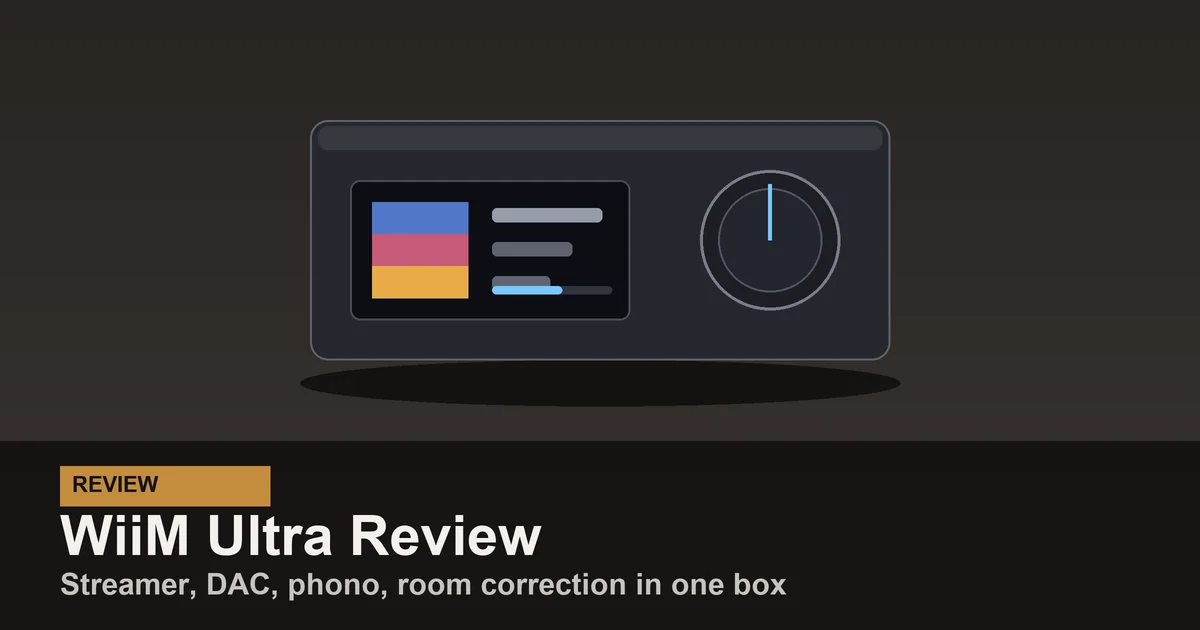
I have both boxes in daily use: a Pro Plus in the living room and an Ultra on my main listening desk. The easy answer is that the WiiM Pro Plus is the better value, while the WiiM Ultra is the better system hub. The useful answer depends on what else is connected to it.
This is not a contest where the more expensive model automatically wins. The Ultra drops AirPlay 2, a feature the Pro Plus keeps. The Pro Plus also gets the same WiiM app, room correction, parametric EQ, streaming services, multi-room platform, and Home Assistant integration. The extra money buys physical inputs, outputs, and controls, not a fundamentally different streaming experience.
My recommendation for most people is still the Pro Plus. Buy the Ultra when you can point to a specific extra connection that will simplify your system.
The Short Decision
Choose the Pro Plus if you use AirPlay 2, already own a good amplifier or powered speakers, and mainly want a transparent streaming source. It is the sensible box to hide behind a stereo and forget.
Choose the Ultra if you want HDMI ARC for a TV, a phono input for a turntable, a headphone jack, proper subwoofer management, or a screen you can control without reaching for your phone. It earns its premium by replacing other hardware.
If you own passive speakers but no amplifier, neither is the complete answer. Look at the WiiM Amp Pro or WiiM Amp Ultra, which add speaker amplification.
What Both Models Get Right
The Ultra and Pro Plus are streaming preamplifiers. Each connects to powered speakers, a power amplifier, or an integrated amplifier and adds modern network playback. Both handle Spotify Connect, Tidal Connect, Amazon Music, Qobuz, Chromecast, DLNA, Roon, and WiiM’s own multi-room system. Both have Ethernet, Wi-Fi, Bluetooth, analog output, optical output, and coaxial digital output.
They also share the software that makes WiiM hardware unusually good. The WiiM Home app is fast, room grouping is straightforward, and both models include automatic room correction plus graphic and parametric EQ. The cheaper unit is not stuck with a cut-down app.
Both work with the official WiiM Home Assistant integration, exposing playback, volume, and source controls as media player entities. I also use WiiM hardware with Music Assistant for synchronized whole-house audio. For automation and multi-room control, this comparison is a tie.
The Differences That Actually Matter
| Feature | WiiM Pro Plus | WiiM Ultra |
|---|---|---|
| Typical price | About $219 | About $329 |
| Internal DAC | AKM AK4493SEQ | ESS ES9038 Q2M |
| AirPlay 2 receiver | Yes | No |
| Screen | None | 3.5 inch touchscreen |
| HDMI ARC input | No | Yes |
| Built-in phono input | No | Yes |
| Headphone output | No | Yes |
| Dedicated subwoofer output | No | Yes |
| Analog input | Yes | Yes |
| Optical input | Yes | Yes |
| Room correction and parametric EQ | Yes | Yes |
| Home Assistant integration | Yes | Yes |
The table makes the Ultra look like an obvious upgrade, but only if those extra rows solve a problem in your system. A phono stage you never use and an HDMI port connected to nothing are not value.
AirPlay 2 Makes the Pro Plus the Apple Pick
The most important difference is also the strangest: the Ultra does not support AirPlay 2 as a receiver. WiiM says this is a hardware limitation, so it is not a feature to buy on the promise of a later firmware update.
The Pro Plus does support AirPlay 2. If your household starts music from iPhones and groups a stereo with HomePods or other AirPlay speakers, this decides the comparison before DAC chips or screens matter. Buy the Pro Plus.
The Ultra still works with Apple Music through other supported paths, and it groups through WiiM, Chromecast, Roon, and Music Assistant. That does not make it an AirPlay receiver. I do not depend on AirPlay grouping, so the omission is harmless in my system. I have also watched buyers discover it after ordering, which is why I put this decision first.
TV System: The Ultra Wins
The Ultra’s HDMI ARC input is the cleanest reason to pay more. Connect the television with one HDMI cable, route its sound through the Ultra to real speakers, and control volume from the TV remote. Music and television then share the same DAC, room correction, amplifier, and speakers.
The Pro Plus can accept TV audio through its optical input, and that works well for a simple stereo setup. HDMI ARC is more convenient because power, input switching, and volume behavior fit the way a living-room system is normally used. If this box will sit under a TV, I would pay for the Ultra.
That premium can also be cheaper than adding a separate HDMI audio extractor or replacing an amplifier only to gain ARC. The right comparison is total system cost, not merely $219 against $329.
Turntable System: It Depends on Your Phono Stage
The Ultra has a built-in moving-magnet phono input. A turntable without its own phono preamp can connect directly, which removes a box, a power supply, and a set of cables. For a compact record and streaming system, that is genuinely useful.
The Pro Plus has an analog line input, not a phono stage. A turntable must have a built-in preamp or pass through an external phono preamp first. If you already own one you like, the Pro Plus does not force you to replace it. If you are starting from scratch, the Ultra’s phono input narrows the real price gap.
Headphones and a 2.1 System: The Ultra Wins Again
The Ultra has a front headphone output and a dedicated subwoofer output with crossover, level, and delay controls. Those connections turn it into a capable desktop or compact living-room preamp. It is especially tidy with powered bookshelf speakers and a subwoofer because bass management lives in the WiiM app.
The Pro Plus has no headphone jack and no dedicated subwoofer output. You can still build a 2.1 system around it if your amplifier, powered speakers, or subwoofer handles the crossover, but the streamer is not managing that part of the signal chain.
If the device will sit within arm’s reach on a desk, the Ultra’s touchscreen also stops feeling cosmetic. Album art, source, playback, and volume remain visible without opening the app. The Pro Plus is better when it can disappear behind the equipment.
DAC Quality: Do Not Overspend for the Chip Alone
The Ultra uses an ESS ES9038 Q2M DAC, while the Pro Plus uses an AKM AK4493SEQ. Both are excellent implementations with noise and distortion far below what most rooms and speakers can reveal. Through a resolving analog system, I give the Ultra a small technical edge in background silence and fine detail. It is not the kind of change that turns an ordinary system into a great one.
Speaker quality, placement, subwoofer integration, and room correction matter more. I would buy the Pro Plus and put the saved money toward those things before choosing the Ultra solely for its DAC.
The distinction matters even less if you plan to use the optical or coaxial output into an external DAC. In that setup, the downstream DAC performs the conversion, so paying more for the Ultra’s internal chip makes little sense. Use the Ultra only if its inputs, screen, or control features still justify it.
Room Correction Is a Tie
Both boxes include automatic room correction, graphic EQ, and parametric EQ. This is important because it is easy to assume the flagship owns the better software. It does not.
In my rooms, correcting a large bass peak produced a more obvious improvement than swapping between these two DACs. Room correction cannot fix reflections or a long reverberation time, but it can tame low-frequency modes that make bass boomy in one seat and thin in another.
Use the analog output if you want the WiiM unit to apply its DSP before conversion. If you send a bit-perfect digital signal to another DAC, plan the signal path carefully because the value of onboard processing changes.
Four Systems, Four Answers
An existing stereo with a good integrated amplifier: Buy the Pro Plus. You need streaming, not another collection of inputs.
An Apple household with HomePods: Buy the Pro Plus. AirPlay 2 matters more than the Ultra’s screen.
A television, turntable, powered speakers, and subwoofer: Buy the Ultra. It can replace the HDMI interface, phono preamp, DAC, preamp, and bass-management box.
Passive speakers with no amplifier: Buy neither streamer by itself. Choose an Amp model so the same chassis can power the speakers.
This is why I do not frame the Ultra as the premium choice for everyone. It is the integration choice. The Pro Plus is the value choice.
What I Would Buy
For a second or third room, I buy the Pro Plus. It sounds excellent, supports AirPlay 2, participates in every WiiM and Home Assistant workflow I care about, and costs less. It is also the model I recommend when someone cannot name a feature they need from the Ultra.
For my main desk or a living-room system built around a television and turntable, I buy the Ultra. The screen is pleasant, but HDMI ARC, phono, headphones, and subwoofer control are what earn the money. My full WiiM Ultra review and WiiM Pro Plus review go deeper on living with each box, but the purchase decision is simpler than either individual review: map the ports to your actual system.
The Bottom Line
The WiiM Pro Plus is the right streamer for most people. It keeps AirPlay 2, includes the same core streaming and room-correction platform, works locally with Home Assistant, and leaves about $110 for the parts of a system that make a bigger audible difference.
The WiiM Ultra is worth more when it replaces more. HDMI ARC, a phono stage, a headphone output, subwoofer management, and the touchscreen can turn it into the center of a cleaner system. If those features connect to gear you own, buy the Ultra. If they do not, buy the Pro Plus and stop shopping.