The most common question I get after people read my whole house audio systems guide is not about speakers. It is: “Can the TV play through this?” Everyone wants the football game in the kitchen while they cook, or the TV in the living room to sound better than its built-in speakers.
The answer is yes, and it is easier than it used to be. But there are real trade-offs around latency, lip sync, and remote control that most guides skip. I have run TV audio into my own multi-room setup for two years, through HDMI ARC on a WiiM and optical before that. This is what works, what to buy, and the mistakes I made.
How TV audio gets into a multi-room system
Every whole house audio platform works the same way at the core. One device in the TV room receives the TV’s audio over a cable, plays it locally, and can share that input as a source to other zones over your network. The details differ by platform.
- WiiM: The WiiM Ultra and WiiM Amp Ultra have HDMI ARC inputs. The WiiM Pro Plus has optical and analog inputs. Any of them can be grouped with other WiiM zones in the app while playing the TV input.
- Sonos: The TV path is a Sonos soundbar such as the Arc, Beam, or Ray. Grouping other Sonos rooms to the soundbar shares the TV audio.
- Denon HEOS: A HEOS-equipped receiver takes TV audio over HDMI, and HEOS can share receiver inputs to other HEOS speakers. Support varies by model, so check the specific receiver.
- Wired matrix systems: A distributed amp like a Juke or a multi-zone receiver usually takes the TV as an analog or optical input and routes it to any zone.
For most people building on a budget, WiiM is the sweet spot. It is the platform I use, and it is what I compared in my Sonos vs HEOS vs WiiM breakdown.
HDMI ARC vs optical: which connection to use
This choice matters more than the streamer you pick.
| HDMI ARC | Optical (Toslink) | |
|---|---|---|
| TV remote volume | Yes, via CEC | Usually no |
| Auto power and input switching | Yes, via CEC | Needs a workaround |
| Audio format for multi-room | Stereo PCM | Stereo PCM |
| Older TV support | 2010s TVs onward | Nearly universal |
| Common pain | CEC quirks between brands | Separate remotes |
HDMI ARC is the better experience. When the TV turns on, the streamer wakes and switches to the TV input. The TV remote changes volume. Nobody in the house needs to learn a new app. With a WiiM Ultra on ARC, this is the setup my family actually uses without asking me for help.
Optical is the fallback. It carries the same stereo audio and works with almost any TV made in the last fifteen years. The cost is control: you are back to two remotes or a learned IR command. If your TV only has optical, a Pro Plus with an optical cable is a solid, cheaper path.
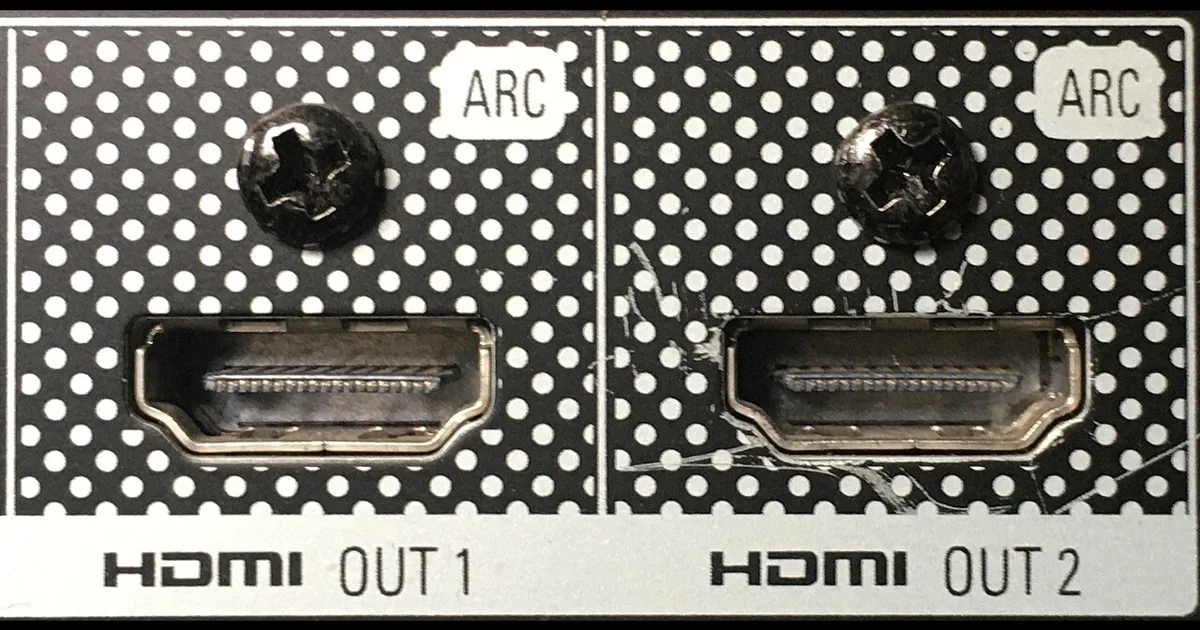
One cable tip: use the TV port labeled ARC or eARC. Plugging into any other HDMI port gives you no audio back. A basic certified high speed HDMI cable is all you need; expensive cables add nothing for audio.
Setting it up on WiiM, step by step
Here is the setup I would do for a living room with passive bookshelf speakers.
- Connect the hardware. Run HDMI from the TV’s ARC port to the WiiM Amp Ultra, and speaker wire to the bookshelf pair. If you already have an amp or powered speakers, use the WiiM Ultra instead and connect its output to them.
- Change the TV’s audio output. In the TV’s sound settings, choose HDMI ARC or “external speaker” as the output and enable HDMI CEC. Every brand names CEC differently: Anynet+, Simplink, Bravia Sync.
- Set the TV audio format to PCM. Many TVs default to passthrough or bitstream, which sends Dolby Digital. A stereo streamer wants PCM. Choosing PCM avoids silence on some streaming apps.
- Enable auto-switching in the WiiM app. Turn on the option to switch to the TV input when a signal arrives. Now turning on the TV is the only step.
- Run room correction. WiiM’s room correction is worth the five minutes, especially for speakers near a wall.
- Test grouping. Start something on the TV, open the WiiM app, and add the kitchen zone to the living room. Listen for sync and lag.
The latency trade-off nobody warns you about
This is the part that surprised me. When the TV room plays alone, audio is in sync with the picture. The moment you group another room, the system has to buffer audio so every zone plays together over Wi-Fi. That buffer is longer than the TV path, so grouped rooms hear the TV slightly late.
In practice, this matters in two ways:
- Other rooms always lag a little. Listening to a game in the kitchen while you cook is fine. Standing in a doorway where you can see the TV and hear the kitchen speakers is not; the echo is distracting.
- The TV room itself may shift when grouped. Depending on the platform and settings, the source room can also pick up some delay while grouped. If lip sync drifts, check for a lip sync or audio delay setting on the TV or streamer and ungroup when you are actually watching.
My rule is simple: group TV audio for listening, not watching. Sports radio style listening, news, and concerts work great across the house. Movies stay in the TV room.
Network quality affects this more than people expect. A congested 2.4 GHz network means bigger buffers and more dropouts. I covered how to fix that in my whole home audio network reliability guide, and wiring the TV room streamer with Ethernet is the single best improvement.
Stereo vs surround: be honest about what you want
Multi-room streamers are stereo devices. If your TV room goal is Dolby Atmos with rear speakers, a WiiM is the wrong tool. Buy a proper surround receiver or a soundbar system and treat the TV room as its own island, then connect that receiver to your multi-room system through a spare input if you want to share audio.
For most living rooms, though, a good stereo pair beats a mid-range soundbar on music and holds its own on dialogue. A WiiM Amp Ultra with a pair of decent bookshelf speakers is one box, one cable to the TV, and a zone that plays Spotify, your streaming services, and the TV. That flexibility is the reason I chose stereo. If you want a sub, the Ultra and Amp Ultra both have a subwoofer output with crossover settings.
Automating it with Home Assistant
If you run Home Assistant, the WiiM integration makes the TV zone smarter. I covered the full setup in WiiM and Home Assistant multi-room audio, but the TV-specific automations I use are:
- Kitchen joins during games. When the living room WiiM switches to the TV input and a sports app is active on the TV, a dashboard button groups the kitchen zone. I keep it manual so nobody gets surprise audio.
- Ungroup when the TV turns off. When the TV’s media player goes off, the automation ungroups all zones so the next music session starts clean.
- Quiet hours volume cap. After 9pm, the TV zone volume is capped so late shows do not wake the kids upstairs.
None of this is required. HDMI ARC alone gets you most of the experience.
Mistakes I made
Using the wrong HDMI port. I spent twenty minutes wondering why I had no audio before noticing the ARC label on a different port.
Leaving the TV on bitstream. Some streaming apps sent Dolby Digital, and the streamer went silent. Switching the TV to PCM fixed it.
Grouping during movies. The kitchen echo made dialogue hard to follow from the couch. Now we group only for background listening.
Running the TV zone on Wi-Fi. Dropouts during grouped playback went away once I ran Ethernet to the TV cabinet.
What it costs
A TV zone is one of the cheaper upgrades in a whole house system. A WiiM Pro Plus with optical is the lowest-cost route if you already have powered speakers. The WiiM Ultra adds HDMI ARC and a screen for an existing amp or powered speakers. The WiiM Amp Ultra adds amplification, so it is the one-box option with passive speakers. For a full room-by-room budget, see my whole house audio cost per room breakdown.
The Bottom Line
Adding your TV to a whole house audio system is worth it, as long as you use it for listening across rooms and keep movie watching in the TV room. HDMI ARC is the connection to use, because CEC turns the TV remote into the only remote anyone needs.
If you have passive speakers, buy the WiiM Amp Ultra. If you already have an amp or powered speakers, the WiiM Ultra is the right box. If your TV only has optical, the WiiM Pro Plus does the job for less. Then group the kitchen for the next game and stop carrying your phone around the house. For the rest of the system, start with my best whole house audio systems guide.