At a Glance
Once your home lab grows past the rack and into the rest of the house, you hit a new problem: cameras and access points that need both network and power, in places where there is no outlet. Running an extension cord to a ceiling-mounted access point or an eave-mounted camera is ugly, unsafe, and sometimes impossible. Power over Ethernet solves it by carrying power and data down a single ethernet cable, and the device that makes it happen is a PoE switch.
I have run cameras and access points off cheap unmanaged switches and off UniFi gear, and the honest truth is that the PoE part is the easy part once you get one number right. The hard-won lesson, and the thing that separates a setup that just works from one you are forever debugging, is planning the power budget before you buy rather than after you have already mounted four cameras and wondered why the fifth will not turn on.
This guide is the shortlist I would actually buy in 2026 to power a home lab’s cameras and access points: five PoE switches ranked by real value, plus the one spec that quietly decides whether your setup works, the total power budget. Get that number right and the rest is easy.
The One Spec That Actually Matters: Total Power Budget
Before I get to the switches, understand the spec that trips up almost everyone. A PoE switch has two power numbers, and the one on the box is usually the less important one.
The first number is per-port power, how many watts a single port can deliver. That is the PoE standard: about 15 watts for plain PoE, 30 for PoE+, 60 or more for PoE++. The second number, the one that actually decides whether your setup works, is the total power budget: how many watts the switch can deliver across all ports combined at once.
Here is the trap. A switch might advertise 30 watts per port, which sounds generous, but have a total budget of only 60 watts. Plug in four cameras at 8 watts each plus a 12 watt access point and you are at 44 watts, fine. Add two more cameras and a second access point and you blow past 60, at which point the switch simply stops powering the last devices you plugged in, often silently. People spend an hour debugging a dead camera that is really just a maxed-out power budget.
So size by total budget, not per-port. Add up every device’s real draw, then buy a switch whose total budget clears that sum with room to grow. For a handful of cameras and an access point, a 60 to 65 watt budget works. If you are building out, the higher-budget picks below save you from re-buying.
The Five I Would Actually Buy
UniFi USW-Lite-8-PoE: Best for a UniFi Setup
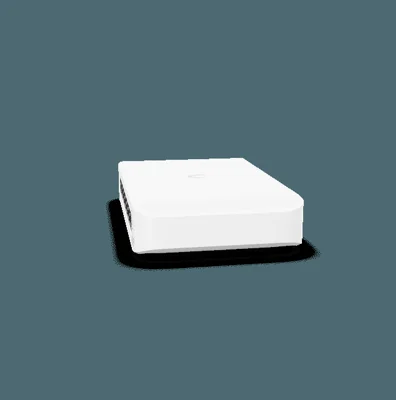
If your cameras are UniFi Protect and your access points are UniFi, the USW-Lite-8-PoE is the obvious pick. Eight ports, four with PoE+, a 52 watt total budget, all managed from the same UniFi Network controller that runs the rest of your gear. That single pane of glass is the whole reason to buy it: one interface for switches, cameras, and access points. Check current price before buying; if you are already in the ecosystem the integration is worth it.
UniFi USW-Pro-Max-16-PoE: Best for a Growing UniFi Lab
When eight ports and 52 watts is not enough, the USW-Pro-Max-16-PoE steps up hard: sixteen ports, PoE++ on several, a much larger power budget, 2.5GbE ports, and SFP+ uplinks so it ties cleanly into a 10G core. It has Layer 3 features and real room to grow. Check current price before buying; it is the switch a serious UniFi camera and access point deployment grows into rather than out of.
TP-Link TL-SG1008P: Best Budget Unmanaged
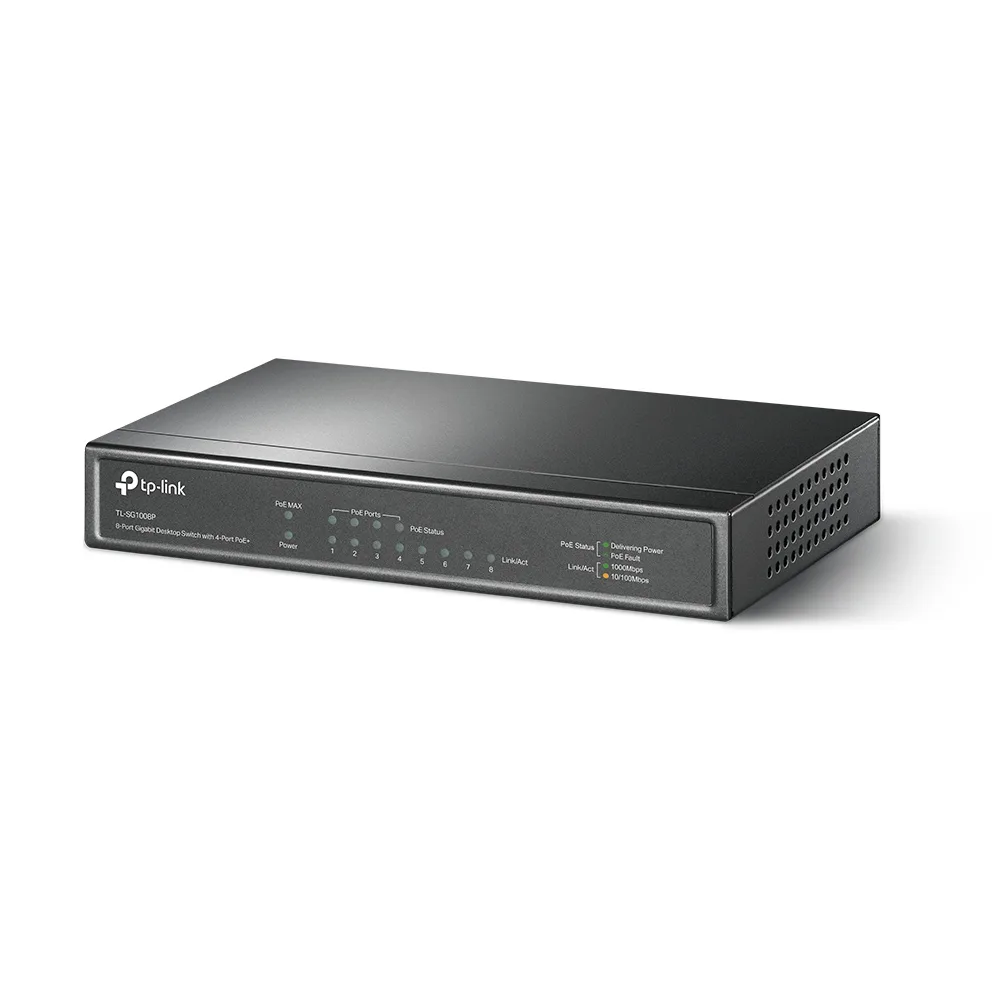
If you just want to power a few devices for the least money, the TP-Link TL-SG1008P is the answer. Check current price before buying. Eight ports, four PoE+, a 64 watt budget, unmanaged, plug it in and it works. You give up VLANs and any management, but for a small brand-agnostic setup where you just need power to a couple of cameras and an access point, it is the cheapest reliable option and it is quiet.
Netgear GS308EPP: Best Budget With High Power
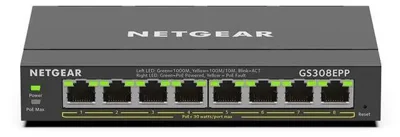
The Netgear GS308EPP is my value pick for most people. Check current price before buying. It gets you eight ports, four PoE+, and a generous 123 watt total budget, which is a lot of headroom for the price and enough to run several power-hungry cameras without sweating the budget math. It is lightly managed through a web interface, so you get VLANs and QoS when you want to isolate cameras, but it stays out of your way when you do not. High power budget plus optional management at a budget price is a hard combination to beat.
Zyxel GS1200-8HP: Best Small Managed Value
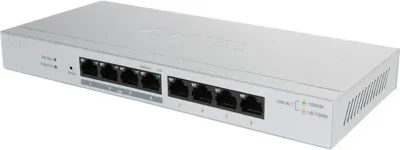
The Zyxel GS1200-8HP stands out because all eight ports are PoE+, not just four, within a 60 watt total budget, and it is web-managed with VLAN and QoS support. Check current price before buying. If you want the flexibility to power a device on any port rather than being limited to four PoE ports, and you want light management for camera isolation, this compact quiet switch is excellent value.
Put Your Cameras on Their Own VLAN
If there is one reason to spend the extra fifteen or twenty dollars on a lightly managed PoE switch over an unmanaged one, it is this: camera isolation. IP cameras are among the least trustworthy devices on a home network. They run old firmware, phone home to servers you did not choose, and have a long history of security holes. You do not want a compromised camera able to see your NAS, your workstations, or your family’s phones.
The fix is a VLAN. On a managed switch like the Netgear GS308EPP or Zyxel GS1200-8HP, you put every camera port on an isolated VLAN that can reach only your recording server and nothing else. The cameras still record, your NVR still works, but a hijacked camera is trapped in its own segment with nothing valuable to see. It is a fifteen minute configuration that meaningfully hardens your network, and it is the single best argument against buying the cheapest unmanaged switch.
This is the same segmentation logic I apply across the lab, keeping cameras and IoT away from the trusted network that runs my compute nodes and NAS.
A Word on Cabling and Runs
PoE is forgiving, but two things trip people up on the physical side. First, distance: standard PoE is rated to 100 meters of cable, which sounds generous until you account for the real path a cable takes through walls, up into an attic, and along a soffit to reach an eave-mounted camera. Those runs add up fast, so measure the actual route, not the straight-line distance, and stay well under 100 meters to keep voltage drop from starving a device at the far end.
Second, cable quality matters more with PoE than with plain data. Use solid-copper Cat5e or Cat6, not the cheap copper-clad aluminum cable that floods the marketplace, because CCA has higher resistance, loses more voltage over a run, and can genuinely run warm under PoE load. For a camera at the end of a long attic run, that difference decides whether the device gets clean power or brownouts intermittently in cold weather. Spend a little more on real copper cable and terminate it cleanly, and the PoE side of your lab becomes something you set up once and forget. This is the same buy-it-once discipline that makes the rest of a well-built home lab low-maintenance.
How to Choose
The decision is mostly about ecosystem and budget headroom. If you are already running UniFi cameras and access points, buy the USW-Lite-8-PoE for the unified controller, and step up to the Pro Max 16 if you are scaling. If you are brand-agnostic and want the best value, the Netgear GS308EPP with its big 123 watt budget and light management is the one I would buy. If you want every port to be a PoE port with management, the Zyxel is the pick. And if you just need cheap power to a couple of devices and will never touch a config screen, the unmanaged TP-Link is all you need—check current price before buying.
The Bottom Line
A PoE switch is what lets your home lab reach out into the house, powering cameras and access points over a single cable with no ugly extension cords. The trick to buying one is ignoring the marketing per-port number and sizing by total power budget instead, adding up your real device draw and buying a switch that clears it with headroom.
For most people I would buy the Netgear GS308EPP: a big 123 watt budget, light management for camera VLANs, and a budget price. UniFi owners should stay in their ecosystem with the USW-Lite-8-PoE, and the truly cost-conscious can power a small setup with the unmanaged TP-Link. Whichever you pick, put your cameras on their own VLAN, and you have a clean, safe, well-powered edge to your lab.