At a Glance
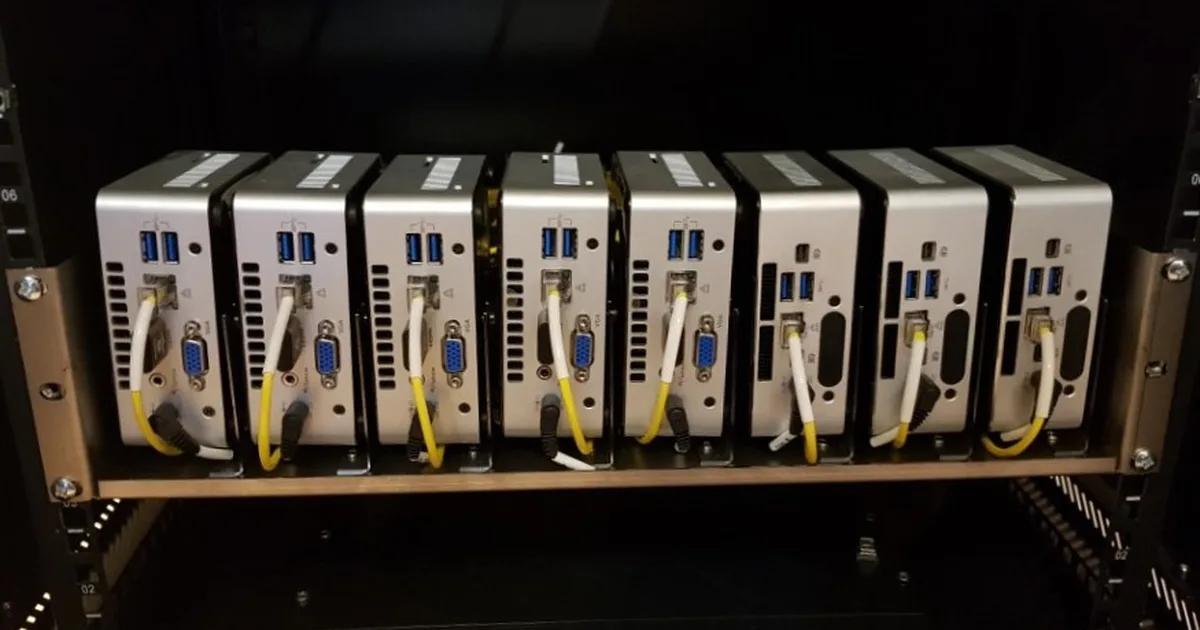
I have bought, wiped, and re-bought more mini PCs than I care to admit, and every one of them ended up running Proxmox within an hour of arriving. There is a specific joy to a machine the size of a paperback that quietly runs a dozen services for the whole house on less power than a light bulb, and once you feel it you stop looking at big noisy towers the same way. This is the roundup I wish I had when I started, the five mini PCs I would actually put money on today for a Proxmox node, and just as importantly, which one is right for which kind of person.
I am not going to pad this with twenty options you will never buy. These are five machines I have either run myself or watched hold up in enough labs to trust, spanning the cheap used office box that anchors most first labs all the way to a small workstation that can be the last node you buy for years. A mini PC is the compute half of a good home lab, and it pairs naturally with a proper NAS for storage and a solid 2.5GbE backbone to move data between them.
What Actually Matters in a Proxmox Node
Before the picks, it helps to know what to ignore. Marketing pushes clock speed and core counts, but a home lab node lives or dies on three quieter things, and once you internalize them the choice gets easy.
First is memory, full stop. Every VM you create claims RAM for as long as it runs, and you will run out of RAM long before you run out of CPU. Sixteen gigabytes is a floor, 32GB is the comfortable number, and a machine with two SODIMM slots that you can grow later is worth more than one with soldered memory you can never touch. I have never once wished for fewer gigabytes.
Second is idle power, because this box runs every hour of every day for years. A machine that idles at 12 watts versus 45 watts is a difference of real dollars on your electric bill over its life, and the modern low-power Intel and Ryzen chips have made silent, cool, cheap-to-run nodes the norm. Check idle draw, not just peak.
Third is expansion, specifically networking and storage headroom. A single NVMe slot and one gigabit port is fine to start, but the minis that let you add a second drive or drop in a 2.5GbE or 10GbE card are the ones you do not outgrow in a year. That single detail, more than raw speed, separates a node you keep from a node you resell.
Quick Sync deserves a mention too. If this node will ever transcode video for Plex or Jellyfin, an Intel chip with Quick Sync does it efficiently and nearly for free, which is why so many home lab minis are Intel even in an AMD-friendly world.
1. Lenovo ThinkCentre M920q Tiny: Best Value Overall
If someone with a modest budget asks me where to start, the answer is almost always a used Lenovo ThinkCentre M920q Tiny, and it has been the answer for years for good reason. These are ex-corporate machines that come off lease by the thousand, which means they are cheap, plentiful, and built to a standard no consumer mini PC touches. You get an 8th or 9th generation Intel Core CPU with Quick Sync, vPro on most units for out of band management, and a chassis engineered to run in an office for a decade.
The practical shape is hard to beat. It takes two SODIMM slots so you can load 32GB or even 64GB, an M.2 NVMe slot plus a 2.5 inch SATA bay for a second drive, and it idles low and stays quiet. Add a common riser and you can even fit a low-profile card. For a first Proxmox node running Home Assistant, a media server, and a stack of containers, this is the machine I have set up for more friends than any other, and not one has outgrown it in the first year.
The only caveats are the ones that come with any used gear. Buy from a seller with a real return policy, expect to replace the little internal fan eventually on a well-used unit, and know that the built-in networking is single gigabit, so a 2.5GbE upgrade means a USB adapter or the riser slot. None of that dents the value. Dollar for dollar of virtualization capability, nothing new comes close.
2. HP EliteDesk 800 G4 Mini: Best Used Alternative
The HP EliteDesk 800 G4 Mini is the ThinkCentre’s twin from across the aisle, and I list it second only because ThinkCentre pricing tends to run slightly better, not because the HP is worse. In many ways it is the exact same recipe, an 8th gen Intel business mini with dual memory slots, NVMe plus SATA, vPro on many configurations, and the same tank-like build. If you find an EliteDesk 800 G4 cheaper than the equivalent M920q on a given day, buy it without hesitation.
What tips some people toward HP is the internal layout and the availability of a proper PCIe riser on certain models, which makes adding a low-profile 10GbE or 2.5GbE card cleaner than on some competitors. The BIOS is business-grade and stable, Linux support is flawless, and Proxmox installs and runs with zero drama. This is a case where you should shop both HP and Lenovo at once and simply take the better deal, because the two are close enough that price is the tiebreaker.
The same used-gear rules apply. Confirm the RAM and drive are actually included at the listed price, since some sellers strip them, and budget a few dollars for a fresh thermal pad and a fan if the unit has seen heavy duty. Treat it as a second body for the same great value the ThinkCentre offers.
3. Beelink SER5 Pro: Best New Budget Node
Not everyone wants to buy used, and the Beelink SER5 Pro is my answer for the person who wants a warranty, a new machine in a box, and strong value without going near eBay. It pairs an AMD Ryzen 5 processor with plenty of cores for the money against a low new price, and for a home lab that is mostly containers and compute rather than media transcoding, the core-per-dollar math is genuinely excellent.
Beelink has quietly become one of the more trusted names in cheap minis, and the SER5 reflects that. It ships with dual-channel RAM you can upgrade, an NVMe slot with room for a second SATA drive, and it runs Proxmox cleanly once you are on a current kernel. Idle power is low, the fan is quiet under a container workload, and you get the psychological comfort of a new unit with support, which matters to plenty of people building their first node.
The honest caveat is the AMD integrated graphics story. If this node’s job includes hardware transcoding for Plex or Jellyfin, Intel’s Quick Sync is still the smoother path, and you may fight driver maturity on the Ryzen side. But if you are running databases, game servers, CI runners, Home Assistant, and a wall of containers, the SER5 delivers more raw compute for the money than the used Intel boxes, and it does it silently and new. If your priority is the lowest possible idle power rather than raw compute, look at an Intel N150 box instead, like the Beelink EQ14, which idles around 6 watts and adds a second 2.5GbE port.
4. Minisforum MS-01: Best Power User Pick
The Minisforum MS-01 is the machine you buy when you want a single node to be the last node for a long time, and it is the most exciting mini in this list by a wide margin. This is not a repurposed office box, it is a purpose-built small workstation aimed squarely at the home lab crowd, and it shows in the spec sheet: a proper Intel Core i5 or i9 mobile workstation CPU, dual 2.5GbE plus dual 10GbE SFP+ ports built in, and room for multiple NVMe drives, including a slot suitable for a bootable mirror.
That networking loadout is the headline. Getting two 10GbE SFP+ ports on a machine this small, with no add-in card required, means the MS-01 can be the fast heart of a lab, feeding a NAS at 10 gigabit and still leaving 2.5GbE for everything else. Add a PCIe slot that can take a low-profile GPU or an HBA, and you have a node that runs a serious VM count, does hardware transcoding, and moves data faster than almost anything else its size.
It is not cheap, and it runs warmer and louder under full load than the low-power minis, because there is real silicon to cool. But if you are consolidating several services onto one capable box, or you want a flagship node that will not feel slow in three years, the MS-01 is the enthusiast’s answer and worth every dollar of its premium. It is the one machine here I would call future proof without wincing.
5. ASUS NUC 14 Pro: Best New Small Form Factor
The NUC line outlived Intel’s ownership and lives on under ASUS, and the ASUS NUC 14 Pro is the polished, warranty-backed, buy-it-new pick for someone who wants the smallest tidy box with current-generation efficiency. It brings a modern Intel Core Ultra or Core CPU with excellent idle power and Quick Sync, in the classic tiny NUC chassis that started this whole category, now with the reliability of a first-party product and real support behind it.
Where the NUC 14 Pro earns its place is efficiency and refinement rather than raw expansion. The newest Intel mobile silicon idles impressively low, which matters on a machine that never turns off, and Quick Sync on the current generation is excellent for a Jellyfin or Plex node. You get dual SODIMM slots, an NVMe slot, and in the taller chassis room for a 2.5 inch drive, which covers a single-node lab comfortably. It is the machine to buy when you want new, small, quiet, and efficient, and you do not need the MS-01’s networking firepower.
The trade-off is value against the used boxes. A new NUC 14 Pro costs meaningfully more than a used ThinkCentre that does much the same job, so you are paying for the newest efficiency, the warranty, and the tidy first-party experience. For plenty of people that is exactly the right trade, especially as a long-lived always-on node where a few watts saved and a clean support story are worth the premium.
How to Choose Between Them
Strip it down and the decision is simple. If value is the priority and you will open a case, buy a used ThinkCentre M920q or EliteDesk 800 G4, whichever is cheaper the day you shop. If you want new with a warranty on a budget and your workload is compute rather than media, the Beelink SER5 is the pick. If you want one powerful node to last years and you care about 10GbE, the Minisforum MS-01 is worth the stretch. And if you want the smallest, newest, most efficient tidy box, the ASUS NUC 14 Pro is the one.
Whatever you pick, load it with 32GB of RAM and an NVMe drive, then remember that compute is only half a lab. Pair the node with real storage on a dedicated NAS and connect the two over a multi-gig network, and you have the shape of a home lab that grows with you instead of against you.
The Bottom Line
There is no single best mini PC for a Proxmox home lab, but there is a best one for you, and it comes down to used versus new and how much networking you need. For most people starting out, a used ThinkCentre M920q is the highest-value entry into the hobby I know of, and it is where I still send friends first. If you would rather buy new, the Beelink SER5 covers the budget and the ASUS NUC 14 Pro covers the small-and-efficient itch. And when you are ready to commit to a node that will not feel slow for years, the Minisforum MS-01, with its built-in 10GbE, is the one I would put my own money on. Buy for memory and expansion, not clock speed, add storage separately, and any of these five will quietly run your whole house for a long time.