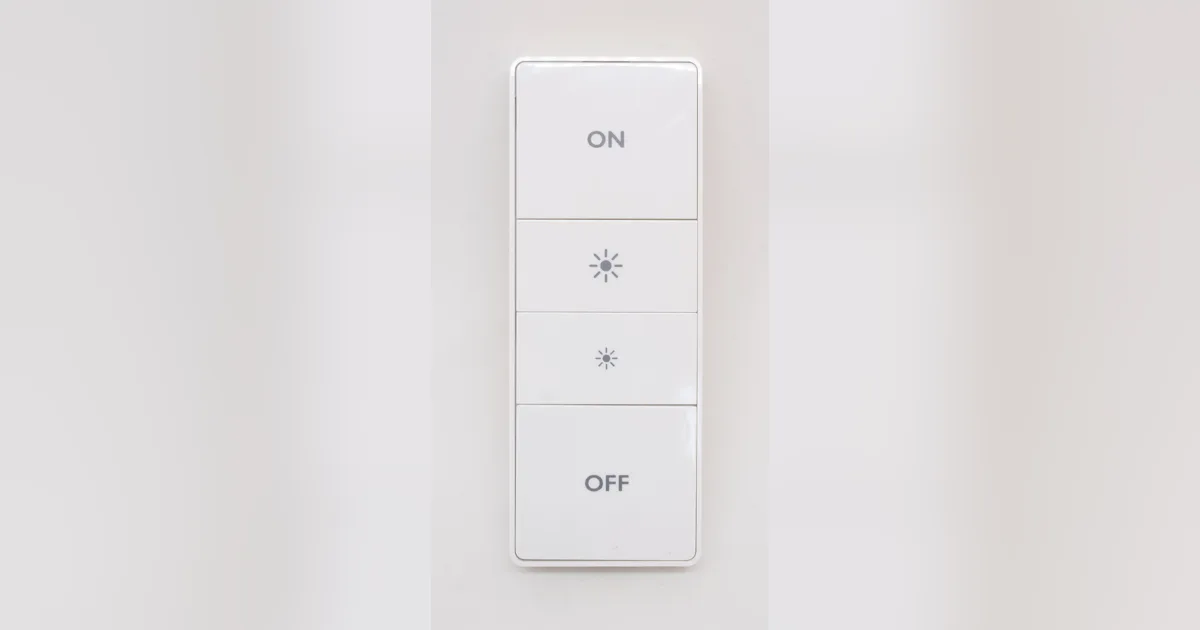
At 11pm last winter I rebooted my Home Assistant VM for an update that hung. For about six minutes, nobody in my house could turn on the hallway lights. My wife was carrying a sleeping kid up the stairs and found a smart remote that did nothing. That is the moment a smart home stops being clever and starts being a liability.
The fix is not a better server. It is Zigbee direct binding: telling a remote or wall switch to send commands straight to a bulb or group over the mesh, with no Home Assistant, no Zigbee2MQTT, and no coordinator in the path. I now bind every light that a human touches. Home Assistant still runs the automations, but the buttons on the wall work even when the whole stack is down.
This guide covers what binding actually does, which hardware cooperates, and the exact steps in Zigbee2MQTT and ZHA. If you are still picking gear, start with my best Zigbee devices for Home Assistant guide, then come back here.
What a Zigbee binding actually is
Normally a Zigbee button press goes on a round trip. The remote sends an event to the coordinator, Zigbee2MQTT or ZHA turns it into an entity or event in Home Assistant, an automation decides what to do, and HA sends a command back out through the coordinator to the bulb. Four pieces of software and one USB stick sit between your finger and the light. If any of them is restarting, the press is lost.
A binding short-circuits that loop. Every Zigbee device has a binding table, a small list that says “when I generate commands on this cluster, send them to that device or group.” Once you write an entry into the remote’s table pointing its On/Off and Level Control clusters at a bulb, the remote addresses the bulb directly. The packets still hop through your mesh routers, but they never visit the coordinator.
Three consequences follow:
- It survives outages. HA updates, VM reboots, a crashed MQTT broker, or an unplugged coordinator do not matter. As long as the remote, the bulb, and the routers between them have power, it works.
- It is fast. No round trip through a server means dimming feels like a real dimmer. Holding a Hue dimmer button to ramp a bound IKEA bulb is smooth, not stepped.
- It is dumb on purpose. A binding does exactly one thing. Time-of-day brightness, occupancy logic, and “turn off everything” scenes still belong in Home Assistant.
I treat binding as the floor and Home Assistant as the ceiling. The floor must always hold.
Hardware that binds well
Binding depends on the sending device supporting outbound bindings and the receiving device understanding standard clusters. In practice, this is what has worked for me:
| Role | Device | Binding notes |
|---|---|---|
| Remote | Philips Hue Dimmer Switch | Binds On/Off and Level cleanly in Zigbee2MQTT; reliable with Hue and IKEA bulbs |
| Remote | IKEA RODRET / STYRBAR | Cheap and good, but must be woken by a button press during binding |
| Wall switch | Inovelli Blue Series 2-1 | Smart bulb mode plus binding is the best wall solution I have used |
| Bulbs | IKEA TRADFRI, Hue, most Tuya | Accept standard group and level commands |
| Coordinator | Any modern Zigbee 3.0 stick | Needed only to create the binding, not to use it |
The Inovelli deserves its own note. In smart bulb mode the switch keeps constant power to the fixture, so the bulbs never drop off the mesh, and its paddle presses are sent through bindings to the bulb group. I covered that setup in depth in my Inovelli Blue 2-1 review. If you are choosing wall switches, my Zigbee light switch guide compares the options.
What does not bind well: scene controllers that only send manufacturer-specific “action” messages, and many Tuya buttons that report presses as a custom cluster. Those are great as Home Assistant triggers and useless for direct control. Before buying a stack of anything, pair one, open its exposes or clusters page, and confirm it lists an outbound genOnOff or genLevelCtrl cluster.
Step by step: binding in Zigbee2MQTT
Zigbee2MQTT makes this the easiest. Here is the exact sequence I use for a Hue dimmer controlling three ceiling bulbs.
- Create a group first. In the Zigbee2MQTT frontend, open Groups, create
hallway_ceiling, and add the three bulbs. Give it a moment so each bulb confirms membership. Group membership, like a binding, is stored on the bulbs. - Wake the remote. Battery remotes are sleepy end devices. They only listen briefly after a press. Press any button right before each step that talks to the remote.
- Open the remote’s Bind tab. Choose the remote as the source, the endpoint (usually 1), the group
hallway_ceilingas the target, and tick onlygenOnOffandgenLevelCtrl. - Click Bind, then press a button immediately. Watch the log for a success message. If it times out, wake it and retry. Two or three tries is normal for IKEA remotes.
- Remove the coordinator binding if you want silence. Many remotes are bound to the coordinator by default. Leave that entry if HA should still see the button presses as events, which I recommend.
- Test with Home Assistant stopped. Stop the Zigbee2MQTT add-on entirely, then press the remote. If the lights respond, the binding is real.
That last step is the one people skip. A binding that only works while Zigbee2MQTT is running is not a binding; it is an automation you forgot about.
For a wall switch like the Inovelli, the process is identical, except the switch is mains powered and always listening, so step 2 disappears. Turn on smart bulb mode in the device’s settings first so the load stays powered.
Step by step: binding in ZHA
ZHA can do the same thing with a little more digging.
- Create a Zigbee group from Settings > Devices & services > Zigbee Home Automation > Groups and add your bulbs.
- Open the remote’s device page, choose the three-dot menu, and pick Manage Zigbee device.
- On the Bindings tab, select the group as the target, choose the clusters to bind, and press Bind group. Press a button on the remote right before you click, to wake it.
- Stop Home Assistant or pull the coordinator, and test.
ZHA’s binding UI is clunkier than Zigbee2MQTT’s, but for a handful of rooms it is fine. If you are still deciding between the two stacks, my Zigbee2MQTT vs ZHA comparison covers the trade-offs. The binding lives on the devices either way, which is one reason I do not fear a stack migration as much as people think. My notes on migrating a Zigbee coordinator without re-pairing apply here too.
Keeping Home Assistant in the loop
Binding does not mean giving up automations. My pattern is to let the binding handle the light and let Home Assistant observe and enrich.
- Leave the coordinator binding in place so HA still receives press events. A long press on the hallway dimmer’s off button still triggers my “goodnight” script, which locks doors and arms the alarm. If HA is down, that extra behavior is missing, but the light still turns off.
- Trigger on the light, not the button. If an automation should run when the hallway lights come on, trigger on the light group’s state rather than the remote’s action. That way it fires no matter whether the change came from a binding, the app, or a voice assistant.
- Configure reporting on cheap bulbs. Some bulbs do not announce state changes caused by a bound remote. In Zigbee2MQTT, set a reporting interval on the bulb’s
genOnOffandgenLevelCtrlclusters so the dashboard stays honest. - Avoid fighting. Do not bind a remote to a group and also have an automation that turns that group on from the same press. You get double toggles and flicker. Pick one owner per action.
Failure modes I hit
Binding is simple, but a few things tripped me up.
Bindings vanish after a re-pair. If you remove and re-pair a device, its binding table is wiped. Re-pairing the bulb also removes it from groups. Keep a short list of what is bound to what, in a note or a Home Assistant markdown card, so recovery is quick.
The mesh still matters. A binding avoids the coordinator, not the routers. If the only path from the remote to the bulb runs through a plug that someone unplugged, the press goes nowhere. My Zigbee router placement guide and mesh health check are the right tools there.
Binding tables are small. Cheap remotes may only hold a handful of entries. Binding to individual bulbs fills them fast. This is the main reason I always bind to groups.
Smart bulbs behind a dumb switch. Binding cannot help a bulb with no power. If a regular wall switch cuts the circuit, the bulb leaves the mesh. Replace the switch with a smart one in smart bulb mode, or cover it with a guard and mount a remote next to it.
Where I bind and where I do not
I bind every light that people operate by hand at night or in a hurry: hallways, stairs, bathrooms, kids’ rooms, and the kitchen. Those are the lights where a dead button causes real problems.
I do not bother binding lights that are fully automated, like porch lights on a sunset schedule or accent lamps tied to presence. If HA is down, nobody notices those for a few minutes. I also do not bind across rooms. A single remote controlling the whole floor belongs in Home Assistant, where I can add logic and confirmation.
The Bottom Line
Direct binding is the single most important reliability upgrade I have made to my Zigbee network. It takes ten minutes per room, costs nothing if your hardware supports it, and turns “the smart home is rebooting” from a household complaint into a non-event.
Start with one room. Create a group, bind a Hue Dimmer or an Inovelli Blue to it, then stop Zigbee2MQTT or ZHA and press the button. When the lights respond with your server off, you will want to do the whole house. For the rest of the hardware, my best Zigbee devices for Home Assistant guide is the shopping list.