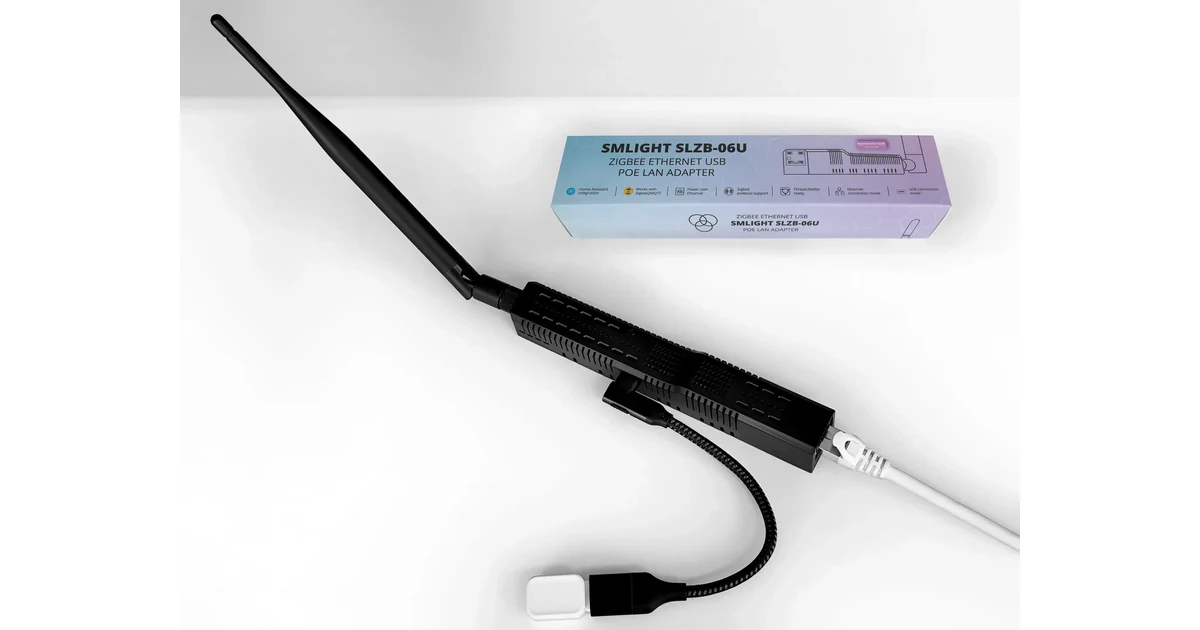
I do not migrate a working Zigbee network because a newer coordinator has a nicer case. I migrate when the current radio is failing, trapped beside a server, or no longer a sensible fit for the Home Assistant host. The cost of getting this wrong is not just an afternoon of pairing. It is every battery sensor in the house becoming a small scavenger hunt.
The good news is that a careful migration can preserve most or all of the network. The bad news is that “backup and restore” is not a universal promise. It depends on the adapter family, firmware, integration, and whether the replacement can reproduce the network identity the devices already know.
This is the procedure I would use before moving from an old USB stick to a newer coordinator, or from a coordinator attached to a retired computer to one attached to the replacement host. It also explains when I would stop trying to preserve the mesh and accept a controlled re-pairing project.
First, decide whether migration is necessary
Start with the radio location, not the shopping list. A SONOFF Zigbee Dongle Plus-E on SONOFF (also on Amazon) on a short USB 2.0 extension cable can be more reliable than an expensive Ethernet coordinator sitting in a bad room. Move the existing radio away from USB 3 devices, metal cabinets, and access points before replacing it.
Migration makes sense when the coordinator itself is unreliable, the host is being replaced, or the radio must move to a better part of the house. It can also be worthwhile when the old adapter is no longer supported by the firmware and software you need. It is not a good weekend project simply because the new model claims a larger device limit.
Make a recovery copy before touching hardware
I make three copies of the information I would need to recover: a Home Assistant backup, the integration’s coordinator backup, and a plain-text inventory. The inventory includes the current adapter model, firmware, serial path, Zigbee channel, network name, and the names of the most important devices. I also export a list of entities and automations that depend on those devices.
The full Home Assistant backup protects the host and add-on configuration. It is not automatically the same thing as a Zigbee network backup. Zigbee2MQTT has its own coordinator backup and configuration files. ZHA stores its own network information through Home Assistant. Use the backup and restore procedure documented for the integration you actually run, not a guide for the other one.
Stop and inspect the backup. A file existing on disk is not proof that it contains a usable network. Note the adapter family and the backup format. Community migration reports repeatedly point to the same trap: backups are not interchangeable across every Texas Instruments, Silicon Labs, and ConBee family. A new radio with a different stack may be excellent hardware and still be the wrong destination for a no-repair migration.
Before proceeding, make sure you can restore the old state. Put the backup somewhere outside the Home Assistant machine, and leave the original coordinator untouched. Do not sell it, flash it, or use it as the test device until the new network has survived several days.
Compatibility is the gate
The safest path is usually same family to same family, with a supported firmware and a documented restore route. Check the current Zigbee2MQTT adapter support list or the Home Assistant ZHA documentation for the exact coordinator. “It is Zigbee 3.0” is not enough information. Zigbee 3.0 describes the protocol, not whether a particular network backup can be restored to a particular radio.
If you are moving between adapter families, assume that re-pairing may be required until the documentation proves otherwise. That assumption changes the plan. You can still do the migration, but you should schedule it like maintenance, label every battery device, and have fresh batteries available.
Do not run the old and new coordinators as if they were a clustered pair. Two USB sticks plugged into one Home Assistant host do not make failover. They make it easier to select the wrong serial device and harder to know which network a device joined. A spare is useful when it is stored with a backup and a written restore procedure, not when it is silently connected beside production hardware.
A low-risk migration sequence
- Pick a quiet maintenance window. Tell everyone that lights and sensors may be unavailable, and disable automations that could make the outage confusing.
- Record the current state. Capture the integration configuration, coordinator path, channel, firmware, and a few screenshots of the mesh and important device routes.
- Create and download the Home Assistant backup and the integration-specific Zigbee backup. Confirm the files are readable and store copies outside the host.
- Update the replacement coordinator only if the supported migration guide calls for it. Do not flash firmware from a random forum post during the same maintenance window.
- Stop Zigbee2MQTT or disable ZHA before disconnecting the original radio. Never let two coordinators compete for the same serial configuration.
- Connect the replacement with a stable path. For USB, use a short extension and keep it away from the host and Wi-Fi hardware. For Ethernet, use wired networking and a reserved address.
- Restore the network backup, preserving the original network identity when the software supports that operation. Start the integration and wait for the network to settle.
- Test a mains-powered router first, then a nearby light, then a distant battery sensor. Do not begin by waking every sleeping sensor in the house.
The first successful device response is encouraging, not conclusive. Walk through the house and test representative devices at different distances. Check that automations still resolve the same entity IDs. Watch logs for failed joins, repeated retries, and a coordinator that appears connected but cannot interview devices.
What usually survives, and what does not
When network identity and device tables restore correctly, device names, entity IDs, and automations can remain intact. Some devices still need time to rediscover routes. Battery sensors may not report until they wake naturally, so do not force a conclusion after five minutes.
A device that was already marginal can expose itself after the move. That does not necessarily mean the migration failed. Check the coordinator placement, powered routers, channel interference, and the device’s battery before repairing anything. The Zigbee device and coordinator guides are useful reference points, but the exact recovery behavior belongs to the integration and adapter combination.
A replacement may not preserve everything when the firmware family changes, the backup is incomplete, the coordinator identity cannot be restored, or a device uses unusual manufacturer behavior. Some older devices are also simply poor migration candidates. Keep a list of exceptions instead of randomly repairing devices and losing track of the boundary between old and new state.
If re-pairing is unavoidable
Treat re-pairing as a controlled rebuild. Start with mains-powered routers so the mesh becomes useful as you work outward. Pair one room at a time, rename the device immediately, and test the automation before moving on. Battery devices should be last because they are slowest to wake and hardest to troubleshoot in a pile.
Keep the old integration disabled and the old coordinator disconnected. A device that appears in the new system but still has an automation pointing at an old entity is a configuration problem, not a radio problem. Search automations and scripts for old entity IDs as you go.
I would not promise “zero re-pairing” to anybody. I would promise a reversible attempt: verified backups, compatible hardware, one production coordinator, a test sequence, and the original radio on the shelf. That is the difference between migration and starting over by accident.
Give the network a settling period before declaring victory. Let battery sensors report on their normal schedule, exercise the automations that matter, and check the mesh after a day rather than immediately after startup. A coordinator can appear healthy while a distant route is still rebuilding. If a problem appears, change one variable at a time and record it. That makes the next migration easier instead of turning troubleshooting into folklore.
The Bottom Line
A Zigbee coordinator migration is safest when it solves a real reliability or host problem and stays inside a documented adapter family. Back up both Home Assistant and the Zigbee integration, preserve the network identity when supported, test representative devices, and keep the original coordinator until the mesh has proved itself. If the hardware families are incompatible, plan for a staged re-pairing project instead of trusting a marketing claim about Zigbee 3.0.