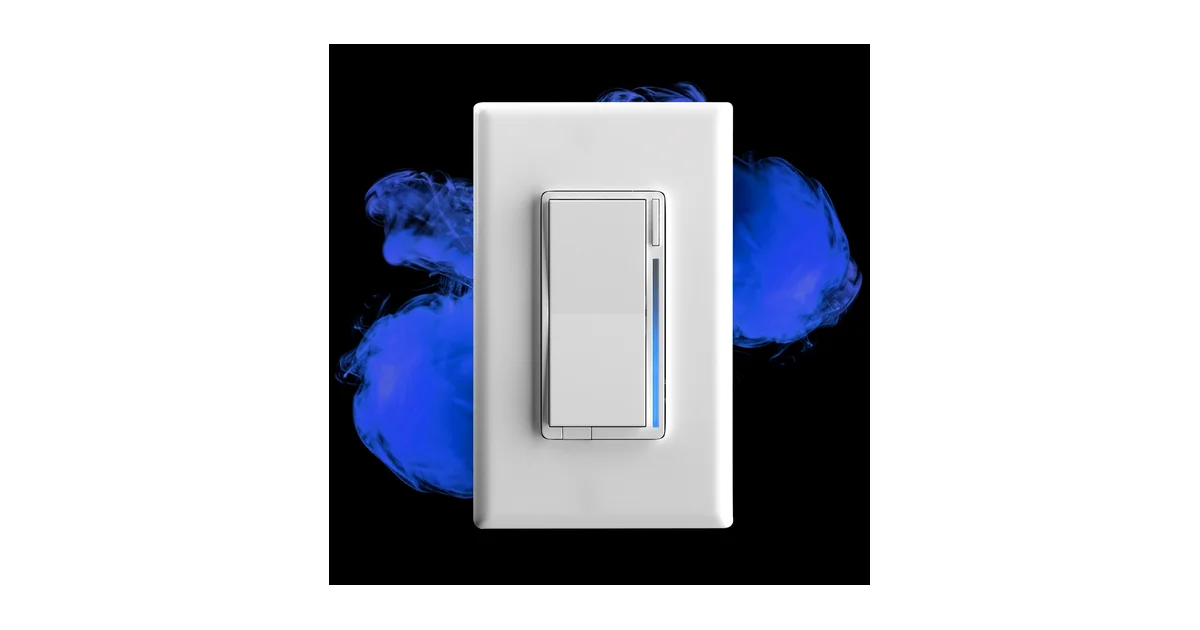
I have wired a lot of smart switches into this house. GE/Jasco relays that bricked on a firmware push, Lutron Caseta that works flawlessly but locks you into a proprietary hub, a drawer full of Shelly relays stuffed behind existing dumb switches. Every one of them was a compromise. Then I put in my first Inovelli Blue Series 2-1 about nine months ago to solve one specific, maddening problem, and I have since replaced eleven switches in the house with them.
This is the review after living with them, not after a weekend. The short version: the Blue Series 2-1 is the best Zigbee wall switch you can buy for Home Assistant in 2026, it fixed the smart-bulb-versus-dumb-switch war for good, and the price and setup curve are the only things standing between it and a perfect score.
The Problem It Actually Solves
Here is the scenario that drove me to it. My living room has four recessed cans with Zigbee bulbs in them. I love being able to warm them to 2200K at night and run them cool and bright for cleaning. The catch is the physical wall switch. When a guest, or one of my kids, or honestly a tired version of me at 11pm, flips that switch off, the bulbs lose power. Now they are not dimmed, not warm, not off-in-a-controlled-way. They are gone. They drop off the Zigbee network entirely, my automations throw errors, and the only way to get them back is to walk over and flip the switch on again.
You have two bad options with a normal switch. Rip the switch out and cap the wires so power is always on, then tape over the hole or install a blank plate and control everything from your phone, which spouses and guests hate. Or leave the switch and accept that half your household will break your smart lighting daily.
The Blue Series solves it with smart bulb mode. In that mode the switch keeps the load energized at all times, so the bulbs never lose their radio. The paddle stops cutting power and instead sends button-press events to Home Assistant. A single tap up can turn the group on to your scene, a single tap down turns it off gracefully via the bulbs, and the bulbs stay online the whole time. It is the best of both worlds: a real wall control that anyone can walk up and use, plus fully addressable smart bulbs that never disappear.
That alone justified the first switch. Everything else the Blue Series does turned out to be gravy.
No Neutral, No Drama
My house was built in the 1980s and about a third of the switch boxes have no neutral wire. That single fact eliminates most smart switches on the market, or forces you into an ugly add-a-wire bypass at the fixture. The Blue Series 2-1 is one of the very few full-featured Zigbee dimmers rated to run in a no-neutral box with no bypass in most installs.
I have eight of my eleven switches in no-neutral boxes and only one of them needed the Aux bypass, a low-wattage bathroom vanity pulling under 25 watts of LED that flickered at the bottom of the dimming range. The bypass is a little capacitor module that installs at the fixture, took ten minutes, and killed the flicker completely. The other seven no-neutral installs just worked.
If you have fought this problem before you understand how rare that is. The usual full-featured no-neutral options are Lutron Caseta, which locks you to a hub and is not local Zigbee, or nothing.
Getting It Into Home Assistant
Let me be honest about the setup, because this is the one place the Blue Series will frustrate a beginner. This is not a plug-and-play device the way a Zigbee bulb is. Plan an hour for your first one and about fifteen minutes each after that once you know the dance.
I run Zigbee2MQTT, and pairing is straightforward: put Z2M in permit-join, then hold the config button on the switch until the LED bar flashes, and it joins in a few seconds. It shows up as Inovelli VZM31-SN with a full exposes list. ZHA works too and reached feature parity for the common stuff in 2025, but Zigbee2MQTT still has the most complete quirk, especially for driving individual LED notifications, so that is what I recommend if you have a choice.
The catch is firmware. Every single Blue Series I have unboxed shipped on old firmware, and the good features, including several smart bulb mode fixes and LED behavior, landed in later builds. Zigbee2MQTT can flash Inovelli firmware over the air directly from the device page. Go to the OTA tab, check for updates, and let it run. It takes several minutes per switch and you should not touch the switch while it flashes. Do this before you configure anything else.
Once it is updated, the parameters open up. There are dozens. The ones you actually care about:
- Parameter 1 (dimming speed) and parameter 5 (minimum level) to tune the dim curve to your bulbs.
- Parameter 258 (switch mode) to flip between on/off relay and dimmer.
- Parameter 52 (smart bulb mode) to enable the constant-power behavior that started this whole review.
You do not need to memorize these. Zigbee2MQTT labels them all in plain English on the device page. But the sheer count is what makes people bounce off their first Inovelli, so go in expecting to read a bit.
The LED Notification Bar Is Not a Gimmick
I assumed the RGB LED bar down the side of the paddle was marketing fluff. It is the feature I now use most after the switch function itself.
The bar is fully addressable from Home Assistant. You can set color, brightness, and effect, and you can fire one-off notifications that override the normal state and then revert. I drive real information onto it:
- The kitchen switch bar glows blue when the garage door is open after dark.
- The mudroom switch pulses red when a water leak sensor trips in the basement.
- The office switch shows a slow purple breathe when I have a meeting starting in five minutes, pulled from my calendar.
Because the switch is at eye level in a room you already walk through, it is a far better ambient display than another phone notification you will swipe away. This is the kind of thing that only works when the whole system is local and fast, which brings me to the best hidden feature.
Zigbee Bindings: Control Without the Hub
This is the feature that separates the Blue Series from almost every other smart switch, and the one most people never turn on.
Normally a smart switch works like this: you press the paddle, the switch sends a Zigbee message to your coordinator, Home Assistant processes an automation, and Home Assistant sends a command back out to the bulb. That round trip is usually fast, but it depends on your hub being up and your automation engine being responsive. If Home Assistant is mid-restart, or you are running a big backup, the lights lag.
Zigbee bindings cut Home Assistant out of the loop. You bind the switch directly to a bulb or a group at the Zigbee level, and now pressing the paddle sends the dim or on/off command straight to the bulbs, device to device, with no hub involved. The latency is imperceptible, and critically, it keeps working even while Home Assistant is completely offline.
I have every smart-bulb switch in the house bound directly to its bulb group. Home Assistant still sees the button events and can layer scenes and notifications on top, but the basic on/off/dim never depends on the hub. My spouse does not know or care that Home Assistant exists, and that is exactly the point. When I do maintenance on the server, the lights still work like normal lights. Setting up bindings in Zigbee2MQTT is a couple of clicks on the device’s Bind tab. This is real local control, and it is why I keep recommending Zigbee over cloud-tethered alternatives.
The Paddle Feel and Other Nitpicks
It is not perfect. A few honest gripes after nine months.
The paddle feel is polarizing. It is a firm, slightly mushy click rather than the crisp snap of a Decora rocker, because there is a lot going on behind that paddle. I got used to it in a day, but I have had two guests comment that it feels cheap. It is not cheap, it just feels different.
The configuration depth that makes it powerful also makes it intimidating. If you hand this to someone who just wants a smart dimmer and does not run Home Assistant, they will be lost. This is a switch for people who tinker.
And the price. At around 50 dollars a switch, plus a bypass here and there, doing a whole house is a real budget line. I did mine a room at a time over most of a year. Compare that to a basic Zigbee smart plug at a fraction of the cost and you feel the premium. You are paying for the no-neutral capability, the LED bar, the bindings, and the build. For the rooms that need those things it is worth it. For a closet light, put in a cheap relay.
One more note: make sure your Zigbee coordinator has headroom. The Blue Series are routers, so they actually strengthen your mesh, but each one is another device on the network. If you are running a weak coordinator, add these and a few other routers and your whole Zigbee network gets more reliable, not less.
The Bottom Line
The Inovelli Blue Series 2-1 is the switch I wish I had bought years ago. It ended the smart-bulb-versus-wall-switch war in my house with smart bulb mode, it slotted into 1980s no-neutral boxes that reject almost everything else, and the LED bar and Zigbee bindings turned out to be features I use every single day rather than spec-sheet filler. It is a proper local Zigbee device with no cloud, no proprietary hub, and no subscription.
The price and the setup curve are the only reasons it is not a five-star product. This is enthusiast gear, and it asks for an hour of your attention on the first install. Give it that hour and you get the best Zigbee wall switch on the market for Home Assistant. If you run smart bulbs and have ever cursed at a wall switch, buy one, wire it into your worst room, and see if you do what I did and come back for ten more.
You can check the current price of the Inovelli Blue Series 2-1 on Amazon. Pair it with a solid coordinator and a handful of good Zigbee bulbs and you have a lighting setup that survives hub reboots, guests, and tired midnight versions of yourself.