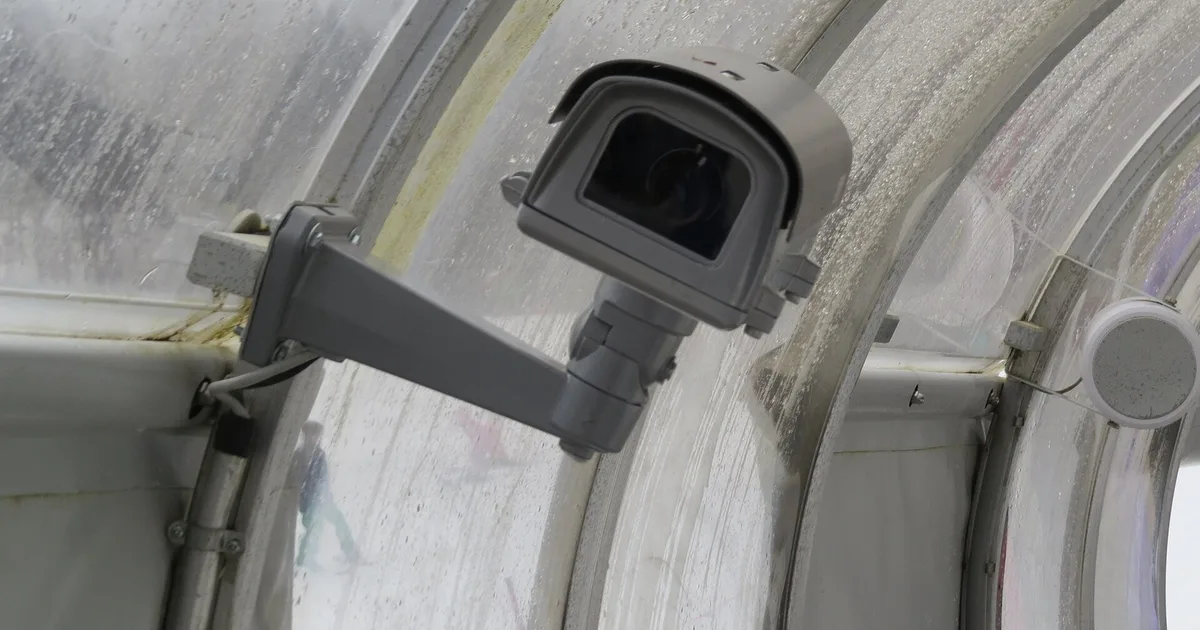
The first real snowfall of the year is when my phone tells me who set up their cameras badly. Mine included. One November I got 140 “person detected” notifications overnight from a single driveway camera. There was no person. There was snow, lit up by the camera’s own infrared LEDs, drifting past the lens like a swarm of glowing moths.
I run PoE cameras around the house feeding Frigate and Home Assistant, mostly Reolink RLC-811A bullets. They are great nine months of the year. Winter is the stress test: snow, ice, short days, long nights on IR, and cold that finds every bad cable joint. This is the checklist I now run every fall so the cameras stay useful and the alerts stay quiet. If you are still choosing hardware, start with my best outdoor security cameras for Home Assistant guide.
Why Snow Breaks Camera Alerts
It helps to understand the failure before fixing it, because the fix is not “lower the sensitivity.”
At night, most outdoor cameras switch to infrared. The IR LEDs sit in a ring right around the lens. Anything close to the camera reflects that light straight back. A snowflake two feet from the lens becomes a bright white blob crossing the frame, bigger on the sensor than a person standing at the end of the driveway. Rain does the same thing, and so do spiders, which love the warmth of an IR ring in the fall.
Pixel-change motion detection has no idea what a snowflake is. It sees a large bright region changing fast and fires. Cheap “smart” detection is not much better, because a big blurry blob moving vertically can score as a person for a frame or two. Multiply that by thousands of flakes per hour and you get my 140-notification night.
Daytime has its own problems. Snow on the ground turns the whole scene bright and flat, the auto exposure drops, and faces in shadow go dark. Wind blows snow off branches and roofs in sheets that trigger motion zones. And the sun sits low all winter, so it shines straight into cameras that were fine in July.
So the work splits into four parts: alert on the right things, light the scene properly, keep the glass clear, and make sure the power and cabling survive the cold.
Step 1: Alert on Objects, Never on Raw Motion
This is the change that ended 95 percent of my winter noise. Motion is a trigger to look, not a reason to notify.
In Home Assistant with the Reolink integration, each camera exposes separate binary sensors for motion, person, vehicle, and animal. My automations only use the person and vehicle sensors. The plain motion sensor is still there for recording, but nothing pings my phone from it.
With Frigate, the same idea goes further. Motion only tells Frigate where to run the object detector. Alerts come from tracked objects, and you can make those much harder to fake:
cameras:
  driveway:
    objects:
      track:
        - person
        - car
      filters:
        person:
          min_area: 2500
          min_score: 0.6
          threshold: 0.78
    zones:
      driveway_zone:
        coordinates: 0.12,0.98,0.88,0.98,0.80,0.45,0.20,0.45
        inertia: 3
        objects:
          - person
          - car
    review:
      alerts:
        required_zones:
          - driveway_zone
What each piece does in snow:
min_areathrows away tiny detections. A flake near the lens is big, but a flake further out is not, and this filters the distant ones.thresholdis the median score a tracked object needs before Frigate treats it as real. A blob that scores 0.62 for one frame never gets there.- Zone
inertiarequires the object to be in the zone for several consecutive frames. Snow drifting across the zone does not stick around long enough. required_zonesmeans a “person” floating in the sky above the driveway never becomes an alert.
The exact pixel values depend on your resolution and where you draw the zone, so tune them against real footage. Frigate’s debug view shows the bounding boxes and areas live, which makes it easy to see what a snowflake scores on your camera.
I also tightened motion settings a little in winter, raising the motion contour_area so tiny flakes do not wake the detector for every frame. That is a CPU win more than an alert win, and it matters if you run several 4K cameras on one detector. My Frigate and Coral setup covers the detector side.
Step 2: Add a Home Assistant Sanity Layer
Even good detection has bad nights. A short layer of logic in Home Assistant catches the rest.
My driveway notification automation has three extra conditions in winter:
- Cooldown. After one notification, the automation waits five minutes before it can fire again for the same camera. A real person still gets announced. A snow squall produces one ping, not forty.
- Weather-aware quieting. When my weather entity reports snow, person alerts from the two most exposed cameras go to a lower-priority notification channel that does not make a sound. They still record. I just do not get woken up.
- Corroboration at night. Between midnight and 5 a.m., a person alert from the driveway only becomes a loud notification if a second sensor agrees: the side door contact, the garage tilt sensor, or the Reolink doorbell also detecting someone. Two independent sensors rarely both hallucinate.
The cooldown is simple. In the automation, set mode: single and end the action list with a delay of five minutes. Any trigger that arrives during the delay is dropped. For the weather condition, a state condition on your weather entity being snowy or snowy-rainy is enough.
None of this replaces fixing detection. It just means the occasional bad night is an annoyance instead of a reason to turn notifications off, which is the real failure mode. A camera system you have muted is not a security system.
Step 3: Move the Light Away From the Lens
Software filters the flakes after the fact. Lighting stops them from being bright in the first place.
The physics is simple: light that bounces off a snowflake straight back into the lens is what makes it glow. If the light comes from a few feet to the side, the flake still reflects it, but mostly away from the camera. The image goes from a starfield to normal-looking snow.
Three ways to get there, cheapest first:
- Use an existing porch or flood light and switch the camera to color at night. Reolink cameras let you set day/night mode manually. On a well-lit driveway I lock the camera to color mode and let a Home Assistant automation keep the porch light on dim from dusk to dawn. Detection actually improves, because the model sees color and contrast instead of IR mush.
- Add a separate IR illuminator. A standalone 850nm IR illuminator mounted three or four feet from the camera, then built-in IR turned off, is the classic fix. It also doubles your effective night range.
- Switch off IR on cameras with a spotlight. Cameras with a built-in white spotlight still have the light next to the lens, so this helps less than you would hope. It is better than IR for snow but not as good as offset lighting.
One warning on the porch light approach: if the light is a smart bulb on a Zigbee or Z-Wave switch, make sure your outdoor automation survives a Home Assistant restart. I set the light’s power-on behavior at the switch level, so a reboot leaves it on rather than off.
Step 4: Keep the Glass Clear
A perfect detector cannot see through ice.
Hoods first. Most bullets ship with a short sunshade. Extend it if you can, or add an aftermarket rain and snow hood. The goal is keeping falling snow and freezing rain off the front glass. It also blocks the low winter sun, which fixes the washed-out mornings at the same time.
Mount angle matters. A camera pointing slightly down keeps water running off the glass. A camera pointing level or up collects droplets that freeze into a smear. If your camera is mounted under an eave, you are already ahead; the eave is the best hood there is.
Skip domes in snow country. Dome cameras put a plastic bubble in front of the lens. Frost forms on it, snowflakes stick to it, and any droplet sitting on the curve becomes a blurry spot in the image. My one dome camera lives on the covered porch for exactly this reason. Everything exposed is a bullet or a turret with a recessed lens.
Clean before the season. Wipe the glass with a microfiber cloth and plain water in the fall. A dusty or pollen-coated lens scatters IR far more than a clean one, which makes the snow glow worse. While you are up there, knock down spider webs; they cause the same false alerts in October that snow does in January.
Step 5: Cold-Proof the Power and Cabling
Cold weather problems with PoE cameras are almost never the camera itself. They are the stuff between the camera and the switch.
Seal the connector. The RJ45 joint at the camera pigtail is the weak point. Water gets in during a thaw, freezes overnight, and the connection goes intermittent. Use the weatherproof cable gland that came in the box (most people throw it away), and put a dab of dielectric grease on the contacts before closing it up. Then tuck the joint inside a junction box or the wall rather than leaving it dangling.
Use outdoor-rated cable. Indoor Cat6 jacket gets brittle in the cold and cracks where it flexes in the wind. Anything run outside should be outdoor-rated Cat6, and it should be solid copper, not copper-clad aluminum. CCA cable has higher resistance, and higher resistance means more voltage drop on a long run feeding a camera that is working its hardest on a cold night.
Recheck your PoE budget. Winter nights are the worst case for power. IR runs for fourteen hours instead of nine, cameras with heaters switch them on, and PTZ models hunt more in wind. A switch that was fine in summer can tip over its budget in January, and the symptom is a camera that reboots at dusk. I covered the math in PoE camera power budget; the short version is to stay under about 75 percent of the total budget at worst-case night draw.
Watch for it in Home Assistant. I have an automation that alerts if any camera’s entity goes unavailable for more than three minutes. In winter, that alert is how I learn about a waterlogged connector days before I would have noticed the camera was dead. If your PoE switch is managed, the per-port power readings are also worth graphing once; you will see the evening step as IR turns on.
Know your camera’s operating range. Every manufacturer lists an operating temperature on the spec sheet. Most mainstream PoE bullets handle a normal northern winter fine, partly because a powered camera produces a little of its own heat. If you live somewhere with routine deep cold, check that number before buying, and favor models that list a built-in heater.
Step 6: Fix Exposure for Bright Snow and Low Sun
A sunny morning after a storm is the hardest lighting a camera sees all year. The ground is white, the sky is bright, and the person walking up your path is a dark shape in the middle.
Two settings help on Reolink and most other cameras:
- Turn on backlight compensation or WDR for any camera facing a bright scene. It lifts the shadows so faces and plates are readable against the snow.
- Use a day/night schedule instead of auto. Auto switching gets confused at dawn and dusk when snow reflects so much light. A fixed schedule, or a Home Assistant automation that flips the mode at sun elevation thresholds, stops the camera from flapping between color and IR and generating motion events every time it switches.
Frigate’s detector does not care much about pretty pictures, but it does care about contrast. A person who is a recognizable silhouette scores far higher than a person who is a dark smudge.
My Fall Camera Checklist
This is the list I run in early November, about an hour for five cameras:
- Wipe every lens and knock down webs.
- Check every hood is on and pointed so the glass is shaded.
- Open each outdoor connector box, look for moisture, re-grease if needed.
- Review last winter’s Frigate events for each camera and adjust
min_areaand zones. - Confirm person and vehicle sensors, not motion, drive every notification.
- Turn on the snow-aware quiet channel and the five-minute cooldown.
- Check the PoE switch budget at night with IR on.
- Set day/night schedules and backlight compensation on cameras facing snow.
If I only had time for one item, it would be number five. Object-based alerts are the difference between a camera system that survives winter and one that gets muted by Thanksgiving.
The Bottom Line
Snow does not break outdoor cameras. It breaks lazy alerting. Infrared reflecting off flakes near the lens is the root cause of most winter false alerts, and the fix is layered: alert on tracked objects with sensible size, score, and zone filters in Frigate or the Reolink integration, add a cooldown and weather awareness in Home Assistant, and move the light source away from the lens.
The physical side is cheap and boring: hoods, a downward angle, bullets instead of domes, sealed and greased connectors, outdoor solid-copper Cat6, and a PoE budget with real headroom for long IR nights. Do it once in the fall and your cameras keep doing their job through February instead of training you to ignore them.
If you are building out from scratch, my picks are in best outdoor security cameras for Home Assistant and best Frigate-compatible cameras. And while you are winterizing, the same weekend is a good time to set up freeze protection in Home Assistant for the pipes.
Hero photo: ABUS security camera in Annaberg, Austria, by GT1976, CC BY-SA 4.0 via Wikimedia Commons.
