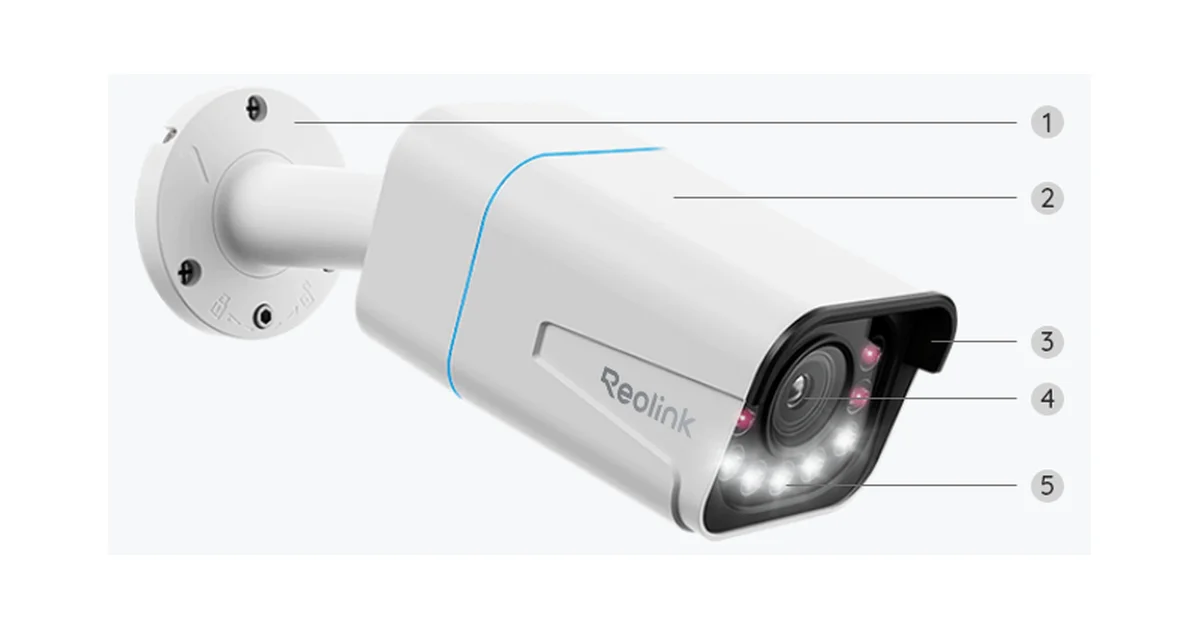
The most common camera question I get is not about resolution or night vision. It is some version of “my fourth camera will not turn on” or “one camera reboots every night around dusk.” Nine times out of ten the cause is the same: the PoE switch ran out of power budget, and it did so quietly.
I run four Reolink RLC-811A cameras off one PoE switch that also feeds my Home Assistant box and Frigate, and I have made exactly this mistake on an earlier build. This is how I size a switch for cameras now, with real numbers and a simple rule that keeps the setup boring. If you are still picking cameras, start with my outdoor security cameras for Home Assistant guide, then come back here to power them.
Two Numbers on Every PoE Switch
Every PoE switch spec sheet has two power numbers, and people read the wrong one.
The first is per-port power, set by the PoE standard the port supports. Plain PoE (802.3af) delivers up to 15.4 watts at the switch port, and the device on the far end can count on about 12.95 watts after cable loss. PoE+ (802.3at) delivers up to 30 watts at the port and about 25.5 at the device. PoE++ (802.3bt) goes higher still.
The second is total power budget: the most the switch can deliver across all ports combined. This is the number that decides how many cameras you can run. A switch can proudly support 30 watts per port and still only have a 60 watt total budget. Four ports at full PoE+ would need 120. The per-port number tells you which devices can plug in. The total budget tells you how many can run at once.
When you shop, put the total budget in the first column of your comparison. The examples I keep coming back to from my PoE switch guide: the TP-Link TL-SG1008P has four PoE+ ports and a 64 watt budget. The Netgear GS308EPP has PoE+ on all eight ports and a 123 watt budget. Twice the powered ports and nearly double the cameras you can safely run at night.
What Cameras Actually Draw (and When)
Camera draw is not constant, and that is what trips people up. A fixed PoE camera has a daytime draw and a nighttime draw, and the difference is mostly infrared.
During the day, a camera is running its image sensor, encoder, and network. That is the low point. At dusk, the IR LEDs switch on, and on models with a white-light spotlight, motion can light that up too. Draw climbs noticeably. In winter, a camera with a heater adds another chunk when it gets cold. Pan-tilt-zoom models add motor current every time they move.
So the honest way to describe a camera is a range, and the number to plan with is the top of that range. For the RLC-811A, it is a standard 802.3af device and stays well under 12 watts even with IR and spotlight on. My working planning numbers, which line up with the guidance in my switch guide, look like this:
| Camera type | Planning draw (worst case) |
|---|---|
| Fixed bullet or turret, IR only | 6 to 9 W |
| Fixed 4K with spotlight (like RLC-811A) | about 12 W |
| Camera with heater | 15 to 20 W |
| PTZ camera | 15 to 25 W |
| Wi-Fi 6 access point on the same switch | 10 to 15 W |
If the manufacturer publishes a max power figure, use that instead of my table. If they do not, measure it.
How I Measure Real Draw
Most managed and lightly managed PoE switches show per-port power in their web interface. The GS308EPP does, and it is the single most useful screen for this job. Check it at noon, then again an hour after dark. The difference is your IR load. If you see a camera jump well above the others at night, that is the one to watch.
On an unmanaged switch there is no per-port readout, so I measure the whole switch at the wall with a Kill A Watt meter. Read the switch with nothing plugged in, then add cameras one at a time and note each jump. Wall power includes the switch’s own conversion loss, so it reads a bit high, which is fine. High is the safe direction to be wrong in.
Do this once on a cold night if any camera has a heater. Heater draw is the spike people forget, because in October everything looks fine and in January a camera starts dropping offline at 3 a.m.
The Sizing Rule I Use
Here is the whole method:
- Add up worst-case night draw for every powered device on the switch: cameras, access points, anything else.
- Divide by 0.75. That is the minimum total budget you want. It keeps you at about 75 percent load on your worst night.
- Round up to a real switch. Then check that every port you need supports the right standard for its device.
A worked example from my own house. Four RLC-811A cameras at about 12 watts each is 48 watts. Add a Wi-Fi 6 access point at roughly 12 watts and I am at 60. Divide by 0.75 and I want at least 80 watts of budget.
The 64 watt TL-SG1008P fails twice here: it only has four PoE ports, so the access point would need its own injector, and four cameras alone would already put it near its limit at night. That is exactly the setup that reboots a camera at dusk. The 123 watt GS308EPP, with PoE+ on all eight ports, runs the same load at under half its budget with room for two more cameras later. For a camera build, that headroom is the whole point.
Quick reference, assuming about 12 watts per camera at night:
| Total switch budget | Cameras I would actually run |
|---|---|
| 52 to 65 W | 3 to 4 |
| 120 W class | 7 to 8 |
| 150 W and up | 8 or more (often port-limited instead) |
What Running Out Looks Like
Running out of PoE budget almost never produces a clear error. You get symptoms instead:
- A new camera never powers up. The switch saw the request, checked its remaining budget, and declined. The link light may even come on for data while the camera stays dark.
- A camera reboots at dusk. Daytime draw fit, nighttime IR pushed the total over, and the switch shed a port. In Frigate or Home Assistant this shows up as a stream that drops for a minute around sunset every day.
- The wrong camera goes down. Many switches drop the highest-numbered port first. If your most important camera is on port 8, it will be the first to go. Some managed switches let you set port priority. Use it, and put the driveway camera on a high-priority port.
If you see the dusk reboot pattern, check the power budget before you blame the camera, the cable, or the firmware. It is almost always the budget.
Cable and Distance Still Matter
Budget math assumes the power actually reaches the camera. Ethernet’s 100 meter limit applies to PoE too, and long runs lose a little power as heat along the way, which is exactly why the device-side figures (12.95 W for PoE, 25.5 W for PoE+) are lower than the switch-side ones. Use solid copper cable, not copper-clad aluminum, which has higher resistance and runs warmer under PoE load. For runs that leave the house, I use outdoor-rated solid copper Cat6 and a drip loop at the camera.
If a camera works on a short test cable at the bench but browns out on its real run, suspect the cable before the switch.
Switch, NVR, or Injector?
There are three ways to power a camera, and the budget question applies to all of them.
- Reolink NVR PoE ports. Simple and self-contained, but the NVR has its own fixed budget and ties your cameras to its ports. I covered the trade-offs in Reolink NVR vs Frigate.
- A PoE switch. My default. Cameras go on the switch, and then Frigate, an NVR, and Home Assistant can all read the same streams. You can also put the cameras on their own VLAN if the switch is managed.
- A single PoE injector. Fine for one far-off camera, and Reolink sells the RLC-811A bundled with one. An injector has its own budget for exactly one port, so it is a clean way to add a power-hungry camera without touching the switch math.
Plan for the Camera You Will Add Next Year
Nobody stops at four cameras. The side yard comes next, then the garage, then the one pointed at the mailbox. Every one of those adds 6 to 12 watts at night. Buying a switch with real headroom now is cheaper than replacing it in a year and re-terminating every cable in the rack. If you are weighing a couple of switches that are close on price, take the one with the bigger total budget. Of every spec on the box, it is the one I have actually run out of.
The Bottom Line
The number that decides how many Reolink cameras a PoE switch can run is the total power budget, not the per-port rating. Plan with worst-case night draw (about 12 watts for a 4K camera with IR or spotlight on, more for heaters and PTZ), keep the total at or under 75 percent of the switch budget, and measure once after dark to confirm. For a four to six camera build, I would buy the Netgear GS308EPP for its 123 watt budget and eight PoE+ ports, and save the small 64 watt switches for two or three cameras. Get that one number right and your cameras stop rebooting at dusk.