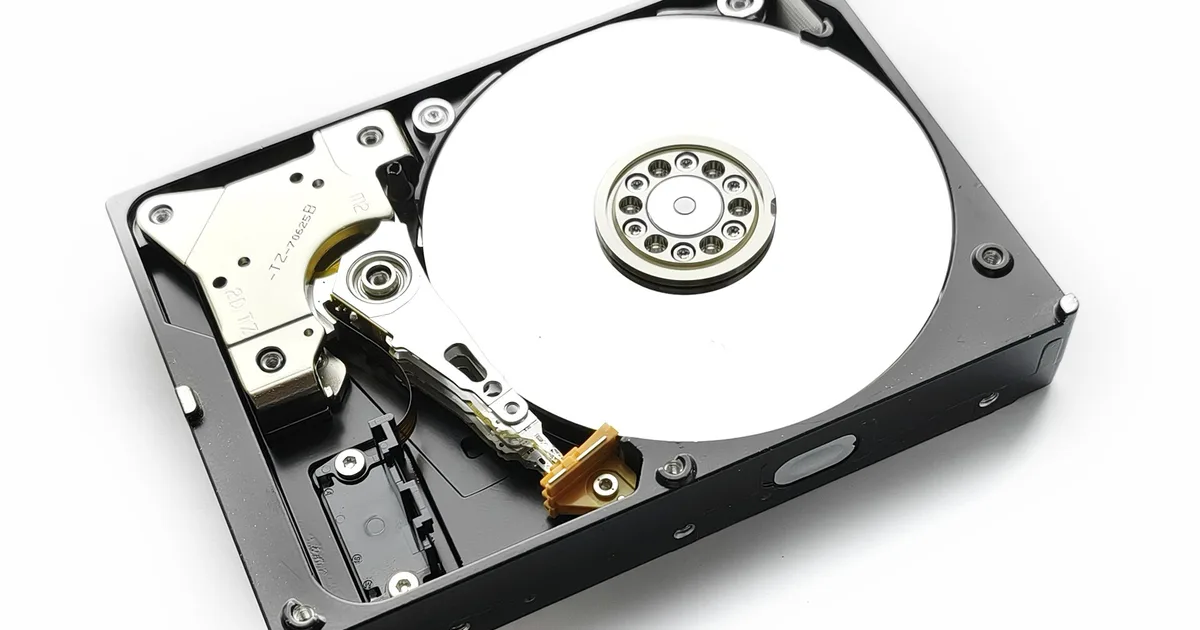
The cheapest hard drive in any search result is often the worst one you can put in a NAS. Not because it fails, but because of how it writes. Shingled magnetic recording, or SMR, packs more data onto a platter by overlapping tracks like roof shingles. It is a fine technology for a backup disk that gets written once. It is a terrible one for an array that has to rebuild itself after a failure.
I learned this the boring way: a parity rebuild on my home server that should have taken about a day ran for most of a week because one drive in the mix was SMR. Nothing broke. It just crawled, and I spent that week with an array that could not survive a second failure.
The “best NAS drive” question is all over r/homelab again this fall, and the answer that keeps rising to the top is a simple rule: CMR only. It is a good rule. Here is how SMR fails, how to check any model in two minutes, and the CMR drives I buy. If you are still picking the box itself, start with my best budget NAS for self-hosting guide.
What SMR Actually Does
A normal hard drive uses conventional magnetic recording, or CMR. Each track sits next to its neighbors with a little gap. The head can rewrite any track without touching the others.
An SMR drive overlaps the tracks. The write head is wider than the read head, so the drive can lay a new track partly on top of the previous one and still read both. That squeezes more capacity out of the same platters, which is why SMR drives are cheaper per terabyte and often thinner and lighter.
The catch is rewriting. You cannot change one shingled track without disturbing the one lying on top of it. So the drive groups tracks into zones, and changing data in a zone means reading the zone, merging the change, and rewriting the whole thing.
To hide that, drive-managed SMR drives keep a fast CMR cache area. Writes land there first, and the drive moves them into the shingled zones during idle time. For a desktop, that works well. You save a few gigabytes, the drive tidies up later, and you never notice.
Why a NAS Breaks the Trick
A NAS does not give the drive idle time when it matters most.
Rebuilds and resilvers are one giant sustained write. When a disk dies and you replace it, the new disk gets written end to end, often many terabytes in a row, with no pause. On an SMR drive the cache fills in minutes, and from then on every write waits on read-modify-write cycles. Throughput can fall from well over 100 MB/s to a small fraction of that and stay there.
ZFS is especially unforgiving. In 2020, owners of WD Red drives found that resilvers on ZFS ran for days, and in some cases drives stalled long enough that ZFS marked them as faulted. That episode is why WD now sells plain WD Red, which is SMR, separately from WD Red Plus and WD Red Pro, which are CMR. It is also why the TrueNAS community is blunt about it: do not use SMR in a pool.
Unraid parity is the same problem in a different shape. Unraid writes every change to parity, and a parity check or rebuild reads or writes the full disk. An SMR parity drive slows every array write and turns a rebuild into a multi-day event. My week-long rebuild was exactly this.
The danger is the window, not the speed. A slow rebuild is not just annoying. Until it finishes, your array has no redundancy. A second failure during that window loses data. Every extra day the rebuild takes is a day you are exposed.
Where SMR is fine: a USB backup disk you write to once a week, a cold archive drive, or an Unraid data disk that mostly stores media you write once and read many times. Even there, I would not choose it on purpose for a home server. The savings are small and the failure is slow and silent.
How to Check Any Drive in Two Minutes
Retail listings rarely say SMR. Some say nothing; some bury it in a spec PDF. Here is the order I check in.
1. Get the exact model number. Not “WD Red 4TB.” The part number, like WD40EFPX or ST4000VN006. Marketing names get reused across generations; part numbers do not. On Amazon it is usually in the product details table. If a listing will not tell you the model number, skip it.
2. Look it up on the manufacturer’s CMR/SMR list. After the 2020 backlash, Western Digital, Seagate, and Toshiba all published lists of which of their drives use which recording method. Search for “
3. Check the drive yourself once it arrives. On Linux, smartctl -i /dev/sdX prints the model, and cat /sys/block/sdX/queue/zoned shows host-managed or host-aware for drives that admit to zoning. Drive-managed SMR, the kind sold to consumers, usually reports none, so this check catches only some of them. The model lookup is the real test.
4. Watch for the red flags. Thin 2.5-inch drives at high capacities, desktop lines sold on price, “archive” drives, and many drives pulled from external USB enclosures are the usual SMR suspects. A drive that is unusually light or unusually cheap per terabyte for its capacity deserves a second look.
One more trap: shucking. Pulling the bare drive out of a cheap external USB enclosure is a popular way to save money, and larger external models have often contained CMR enterprise-class drives. Smaller ones often have not, and the drive inside can change between production runs with no change to the box. If you shuck, check the model of the drive you actually got before it goes in the array.
The Drives I Actually Buy
Every drive here is CMR according to its maker. I buy by capacity and noise, not brand loyalty, and I always buy a little bigger than I think I need, because a NAS fills up faster than anyone plans.
Seagate IronWolf: my default for most builds
The Seagate IronWolf line is CMR across the range, rated for NAS duty in multi-bay enclosures, and widely available. The smaller capacities run at 5400 rpm class speeds and stay quiet, which matters if the NAS lives in an office or a closet near a bedroom. IronWolf Pro adds a longer warranty and higher workload rating if you want the margin. This is what I recommend to most people building a four-bay box.
WD Red Plus: the safe Western Digital pick
WD Red Plus is the CMR replacement for the old WD Red, and it is quiet, cool, and reliable in small NAS units. The one rule: make sure the listing says Plus or Pro. Plain WD Red is the SMR line, and sellers do mix them up in titles and photos. Check the part number every time.
Toshiba N300: often the value pick
The Toshiba N300 does not get as much attention as the other two, and that is often why it is priced lower. It is a 7200 rpm CMR NAS drive, so it is a bit louder and warmer, but it is quick and has a good reputation in the home lab crowd. If the NAS lives in a basement or a rack, the extra noise does not matter.
Seagate Exos or WD Ultrastar: big arrays and big capacities
At 12TB and up, enterprise drives like Seagate Exos and WD Ultrastar frequently cost about the same per terabyte as NAS-branded drives, and sometimes less, especially recertified units with a seller warranty. They are built for 24/7 duty in large chassis. The trade-off is noise: they are 7200 rpm, the seeks are audible, and I would not put them on a desk. In my server in the basement, they are what I buy for parity.
Watch for one exception in this tier: some very high-capacity drives aimed at data centers use host-managed SMR. Those are generally sold to hyperscalers and will be clearly labeled as SMR on the spec sheet, but if a crazy-cheap 20TB-plus listing shows up, check before you click buy.
Already Have an SMR Drive in Your Array?
Do not panic and do not rip it out tonight. Plan the swap instead.
- If it is your Unraid parity drive, replace it first. Buy a CMR drive at least as large as your biggest data drive, swap parity, and let it rebuild. Then the old SMR drive can become a data disk or a backup disk.
- If it is in a ZFS pool, replace it with
zpool replaceonto a CMR drive during a quiet week, and do not start other heavy jobs while it resilvers. One SMR disk in a mirror is survivable; a pool full of them is a rebuild waiting to go wrong. - If it is a single-disk backup target, leave it. That is the job SMR is good at.
Either way, make sure your backups are current before you start any rebuild. A slow rebuild is the moment you find out whether your backup plan actually works. And put the NAS on a UPS with a clean shutdown configured; my NUT graceful shutdown guide covers that, because a power cut in the middle of a multi-day rebuild is the worst version of this story.
The Bottom Line
SMR is not a defect. It is a trade that makes sense for archive and backup disks and makes no sense for parity, mirrors, or any array that has to rebuild. The failure mode is a rebuild that crawls for days while your data sits unprotected, which is exactly when you least want to wait.
My rule is the same one r/homelab keeps landing on: CMR only in the array. Check the exact part number against the manufacturer’s CMR and SMR list before buying. For most home servers, buy Seagate IronWolf or WD Red Plus (never plain WD Red), consider the Toshiba N300 when it is cheaper, and move to Exos or Ultrastar once you are buying 12TB and up for a box that lives somewhere noise does not matter.
If you are planning the rest of the build, pair the drives with a box from my budget NAS guide or my silent 2.5GbE N100 NAS build.
Hero photo: hard disk drive platter by Mk2010, CC BY 4.0 via Wikimedia Commons.
