At a Glance
I have run a NAS in my house for the better part of a decade, and in that time the box in the closet has quietly become the most important piece of hardware I own. It holds every photo my family has taken, every document I would cry to lose, the Plex library that keeps the TV happy, and a growing pile of self-hosted apps that replaced a dozen cloud subscriptions. So when someone asks me which NAS to buy on a budget in 2026, I do not treat it as a small question. This is the machine your digital life sits on, and the market shifted hard this year in a way that changes the old easy answer.
The short version is this. The reflexive advice for years was just buy a Synology, and for Plex in particular that advice is now wrong. Synology gutted hardware transcoding on its newest models and tightened its drive compatibility, so the brand that used to be the safe default is the one I now steer media-focused buyers away from. In its place, UGREEN and TerraMaster came in with Intel chips, real Quick Sync transcoding, faster networking, and open enough software that you can run their OS or wipe it for TrueNAS. These are the five budget NAS options I would actually put my own money on today, and just as importantly, which one fits which kind of person.
What actually matters in a budget NAS in 2026
Before the picks, let me tell you what I look at, because spec sheets are noisy and most of the numbers do not matter. Three things decide whether a budget NAS is good, and everything else is detail.
The first is the CPU, specifically whether it has Intel Quick Sync. If you plan to run Plex or Jellyfin and stream to phones, tablets, or an older TV, your NAS will need to transcode, which means re-encoding video on the fly into a format the client can play. Quick Sync is Intel’s hardware engine that does this cheaply and quietly, and a small Intel chip with Quick Sync will out-transcode a much beefier CPU that lacks it. This single feature is why the recommendations moved this year. An ARM-based NAS or a crippled-GPU Synology will choke on the exact job most people buy a NAS to do.
The second is drives and bays. A NAS is storage first, and how many drives it holds decides how much you can store and how safe that storage is. Two bays gives you a mirror, which survives one dead disk. Four bays gives you room to grow and better redundancy math. I nudge most people to four bays even if they start with two drives, because expanding later is painful and drives are the cheapest part of the whole equation over the life of the box.
The third is the software and how locked down it is. A prebuilt NAS lives or dies on its operating system and app store. Synology’s DSM is still the nicest software in the category, which is the whole reason people put up with the hardware regressions. UGREEN and TerraMaster ship younger software that is improving fast, and crucially they let you wipe it and install TrueNAS or Unraid if you would rather own the stack. That escape hatch matters, because it means the hardware is never wasted even if you outgrow the vendor’s OS.
UGREEN NASync DXP4800 Plus: the best all-around pick
This is the one I hand people who ask for a single answer. The UGREEN NASync DXP4800 Plus is a four-bay NAS built around an Intel Pentium Gold with Quick Sync, so it handles real 4K HDR transcodes that Synology’s current lineup cannot touch. It takes up to 64GB of DDR5, has two M.2 NVMe slots for a fast cache or all-flash pool, and it is the only NAS on this list with built-in 10GbE alongside a 2.5GbE port. That combination of transcoding muscle, memory headroom, and networking is genuinely rare at this price.
What sells me is the flexibility. UGREEN’s own NASync software has matured into a clean, Synology-style experience with an app store, photo sync, and backup tools, so you can treat it as a turnkey appliance out of the box. But because it exposes standard hardware, you can also wipe it and run TrueNAS Scale or even Unraid, turning it into a proper virtualization and storage host. You are not locked in, which is exactly what I want from a box I plan to keep for five years. Check current price before buying: it is not the cheapest thing here, but it is the one I would least likely regret, and it is the machine that pairs perfectly with a compute-focused mini PC Proxmox node.
UGREEN NASync DXP2800: the best cheap Plex box
The UGREEN NASync DXP2800 is the value play, and it is the model I see recommended over and over in the self-hosting communities right now. Check its current price before deciding what to spend on your first server. It is a two-bay unit on an Intel N100, which is the same efficient little chip powering half the good budget mini PCs on the market, and critically it includes Quick Sync. That means a NAS that transcodes Plex properly, sips power, and stays quiet enough to live on a shelf in a living room.
You give up bays and expansion compared to the DXP4800 Plus. Two drives means a mirror and not much room to grow, and there is a single M.2 slot rather than two. But for a household that wants a Plex server, phone photo backups, and a handful of self-hosted apps, this is plenty, and the N100 has enough headroom to run a few Docker containers without complaint. This is the NAS I recommend to friends who are nervous about the hobby and do not want to overspend before they know they will stick with it. It does the core job well and leaves the door open to upgrade later.
TerraMaster F4-424 Pro: the best base for TrueNAS or Proxmox
If you already know you want to run TrueNAS, Unraid, or Proxmox and treat the vendor OS as disposable, the TerraMaster F4-424 Pro is the smart buy. It packs an Intel Core i3 N305, an eight-core chip that is a real step up from the N100 in both raw compute and transcoding headroom, into a four-bay chassis with dual M.2 slots and support for 32GB of DDR5. On paper it undercuts the UGREEN four-bay while giving you nearly as much hardware.
The reason I frame it as a TrueNAS base rather than a general recommendation is TerraMaster’s own software, TOS, which is functional but the weakest of the prebuilt operating systems here. The good news is that the F4-424 Pro exposes a standard UEFI BIOS, so you can plug in a USB stick and install TrueNAS Scale or Proxmox VE cleanly, and that is exactly how most enthusiasts run it. Do that and you get a powerful, open four-bay box that will happily host a ZFS pool, a stack of containers, and a couple of VMs; check current price before buying. If you want a turnkey appliance experience, buy UGREEN. If you want a strong x86 foundation to build your own stack on, this is the value leader.
Synology DS224+: still fine, but know what you are buying
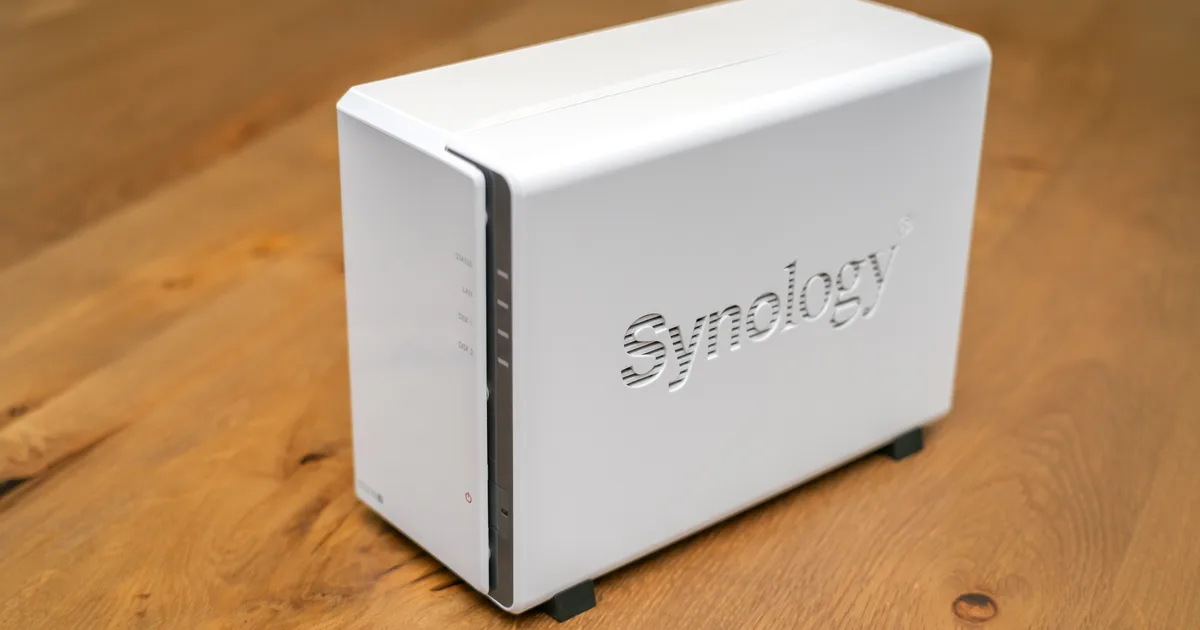
I cannot write this list without addressing Synology directly, because it is still what most people type into a search box first. The Synology DS224+ is a competent two-bay NAS with an Intel Celeron J4125 that does include Quick Sync, and its DSM software remains the best in the business for backups, Time Machine targets, and the excellent Synology Photos app. If your priority is a rock-solid, low-fuss backup and file-sync appliance for the family, it earns its place and I still recommend it in that role.
But be clear-eyed about why it is on this list and where it sits. This is an older-generation model, and the reason I point media buyers at UGREEN instead is the direction Synology has taken its newer units, stripping usable transcoding and locking down drive compatibility. The DS224+ still transcodes because it predates that shift, but it is a two-bay box with limited memory and a CPU that will feel its age on heavy 4K libraries. Buy it for what DSM does beautifully, which is quietly protecting your data. Do not buy it expecting it to be the transcoding monster the UGREEN and TerraMaster boxes are, and do not assume the newer Synology models are a safe upgrade, because for Plex they are a step backward.
The DIY TrueNAS build: the best value per terabyte
For the person who cares most about maximum storage for the least money and enjoys the tinkering, nothing prebuilt beats rolling your own. A DIY TrueNAS build can start with an Intel N100 mini PC or a small ITX board, a few sticks of RAM, and either a drive cage or a cheap HBA card to add SATA ports. Put TrueNAS Scale on it and you get ZFS, the same enterprise-grade filesystem the expensive units run, with snapshots, checksums, and self-healing, and you get it with zero license fees and zero app lock-in.
The honest trade is time and support. You are the one choosing parts, flashing an HBA, and reading forum threads when a pool will not import. There is more upfront friction than plugging in a UGREEN and clicking through a wizard. But the payoff is real. Dollar for dollar and terabyte for terabyte, a DIY box wins, especially once you get to six or eight drives where prebuilt units get expensive fast. This is also the build I point people to when they want ECC memory for maximum data integrity, since most prebuilt budget units do not offer it. If you already have a spare mini PC lying around, the marginal cost to turn it into a capable NAS is small, and it is a fantastic way to learn how storage actually works before you spend real money.
How to pick between them
Cut through all of it with a few questions. If you want one box that does everything well and you do not want to think hard, buy the UGREEN DXP4800 Plus. If you want the cheapest thing that still transcodes Plex properly, buy the UGREEN DXP2800. If you are set on TrueNAS or Proxmox and want the strongest x86 base for the money, buy the TerraMaster F4-424 Pro. If your job is backups and file sync for the family and you love polished software, the Synology DS224+ is still a fine appliance. And if you want the most storage per dollar and enjoy the build, roll a DIY TrueNAS box.
Whatever you choose, remember two things I learned the expensive way. First, a NAS with no backup is not a backup, so plan for a second copy of anything irreplaceable, whether that is a cloud sync or an external drive you rotate. Second, protect the box from power problems with a proper UPS for your NAS, because a hard shutdown mid-write is one of the few things that can genuinely corrupt a storage pool. The NAS is the foundation, and it is worth building on carefully.
The Bottom Line
The story of NAS buying in 2026 is that the safe default changed. For years the answer was Synology, and this year that answer broke for anyone who cares about Plex, because Synology stripped the transcoding and tightened the drive locks that made its boxes worth the premium. UGREEN and TerraMaster stepped straight into that gap with Intel chips, real Quick Sync, faster networking, and software open enough to run their OS or your own. If I had to spend my own money today on one budget NAS to anchor a self-hosting setup, it would be the UGREEN NASync DXP4800 Plus, with the DXP2800 as the value pick and a DIY TrueNAS box for anyone who wants to build. Buy the one that matches how you actually work, put a backup and a UPS behind it, and it will quietly run your digital life for years.