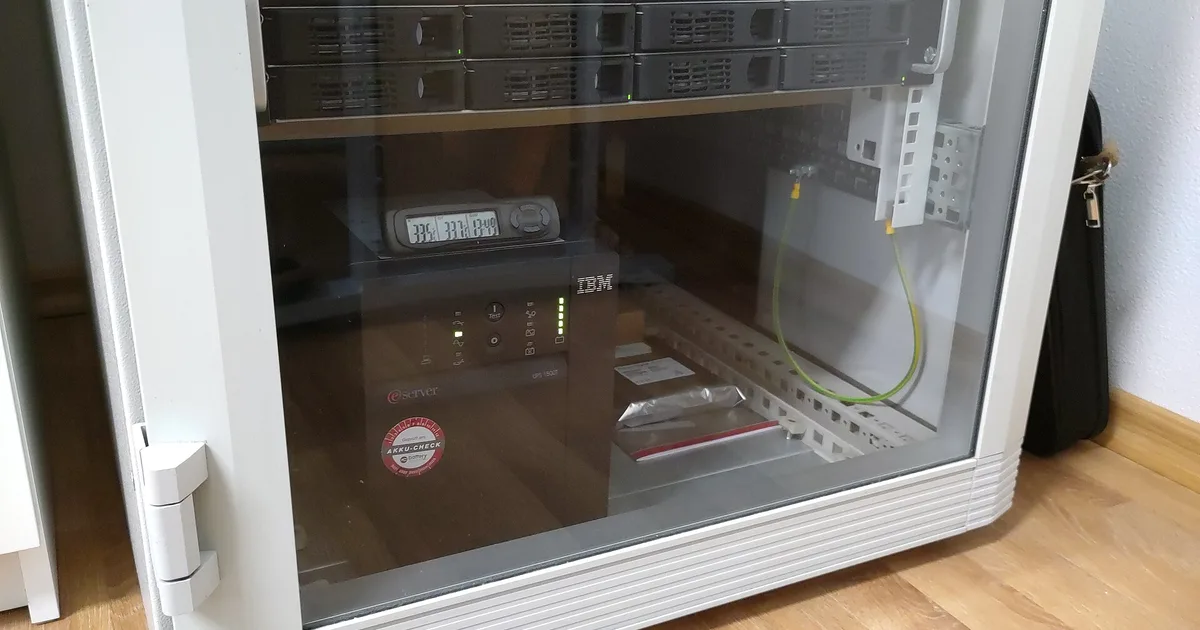
Every few months my UPS gets a little louder about its battery. Not literally, but the self test runtime shrinks, the replace battery light comes on a year earlier than expected, and I end up ordering another sealed lead acid brick. That cycle is exactly why lithium iron phosphate UPS units are one of the most asked about home lab purchases right now. A recent r/homelab thread asking for the best UPS to buy in 2026 kept returning to the same idea: buy the LiFePO4 unit once and forget about batteries for a decade.
That pitch is mostly right, but not for every rack. This post is the follow up to my guide to choosing a UPS for a NAS and home server. Here I am answering a narrower question: when does paying extra for LiFePO4 actually make sense, and what do you need to check before trusting one with your NAS?
The short answer
A LiFePO4 UPS is worth it if three things are true: you would otherwise replace lead acid batteries at least twice over the next decade, the UPS lives somewhere warm (a closet, a rack, a garage), and the model you are considering speaks standard USB HID so your shutdown software can see it. If any of those is false, a good line interactive lead acid unit is still the better value.
What actually changes with lithium iron phosphate
The UPS electronics are the same idea either way: an inverter, a charger, and a transfer relay. The chemistry changes the battery, and the battery is the part that wears out.
| Sealed lead acid (SLA) | LiFePO4 | |
|---|---|---|
| Typical standby life | 3 to 5 years | 8 to 10 years |
| Cycle life | a few hundred deep cycles | 2,000 or more |
| Heat sensitivity | high; life halves roughly every 8 to 10 C above 25 C | much lower |
| Weight | heavy | roughly half to a third |
| Usable capacity | limited depth of discharge | most of rated capacity |
| Upfront price | lower | typically 1.5x to 2.5x |
| Replacement battery | cheap, widely available | often proprietary or not user serviceable |
The heat row is the one home labs underestimate. A UPS sitting at the bottom of a closet rack next to a NAS and a switch can easily run warmer than a room. Lead acid batteries hate that. A battery rated for five years in a cool office may give you three in a warm network closet. LiFePO4 tolerates that environment far better, which is why the long life claims hold up in the places home labs actually live.
The cost per year math
Ignore the sticker for a moment and look at ten years of ownership. Using rough 2026 street prices for a 1,500 VA class unit:
- Lead acid line interactive UPS: about $200 to $250 up front, plus two replacement battery sets at $50 to $90 each over ten years. Total roughly $300 to $430, plus two battery swaps and two trips to recycle the old ones.
- LiFePO4 UPS: about $350 to $550 up front, likely no battery replacement in ten years. Total roughly $350 to $550.
So lithium is not cheaper. It is roughly break even to modestly more expensive over a decade, in exchange for fewer battery failures, less weight, and no surprise “replace battery” alarm during a storm. If your lead acid batteries die early because of heat, lithium moves toward cheaper. If your UPS sits in a cool basement and lasts five years per battery, lead acid stays cheaper.
That framing is why I do not tell everyone to switch. I tell people with warm closets, heavy daily cycling (frequent brownouts), or a strong dislike of maintenance to switch. You can browse current LiFePO4 UPS options on Amazon and compare stated watt hours rather than VA.
The checklist before you buy a lithium UPS
The LiFePO4 market is newer and more uneven than the mature APC and CyberPower lead acid lines. These are the checks I would make on any model before it protects a NAS.
1. USB HID shutdown support
This is the dealbreaker. A UPS that cannot tell your NAS it is on battery is a power strip with a timer. Look for explicit support for the standard USB HID power device class, or for listings in the Network UPS Tools hardware compatibility list. Synology, TrueNAS, Unraid, and Proxmox (through NUT) all rely on that interface.
Some budget lithium units ship with a vendor app and a USB port that reports only a subset of values, or that reports battery charge incorrectly because the vendor reused lead acid firmware tables. My NUT graceful shutdown guide shows the exact upsc output I expect to see: ups.status flipping to OB, a sane battery.charge, and a battery.runtime that moves when load changes. If any of those is missing, the shutdown trigger will be unreliable.
2. Pure sine wave output
Most modern NAS and server power supplies use active PFC, which can misbehave on stepped approximation output. Some cheap lithium units save money here. Insist on pure sine wave on battery.
3. Transfer time and topology
Line interactive with a transfer time of 10 milliseconds or less is the norm for home lab UPS units. Some lithium products are really portable power stations with a “UPS mode” that switches in 10 to 30 milliseconds. A good PC power supply rides through about 16 milliseconds at full load, so a 30 millisecond transfer can reboot a server. Test it before relying on it. I compared the trade offs in my portable power station vs UPS post.
4. Watt hours, not VA
Two units sold as 1,500 VA can have very different battery capacity. Lithium vendors usually state watt hours directly; use that number, subtract 10 to 15 percent for inverter losses, and divide by your measured load to estimate runtime. A NAS, router, switch, and access point drawing 120 watts on a 600 Wh battery gives a realistic 4 hours or so, which is far more than you need to shut down cleanly.
5. Battery management and cold storage
LiFePO4 should not charge below freezing. That matters only if the UPS lives in an unheated garage or shed, but if it does, check that the battery management system blocks charging in the cold. Also check whether the battery is user replaceable. Ten years is long, and a module you can swap is better than a sealed unit you must recycle whole.
6. Warranty that matches the claim
A vendor promising a ten year battery should back it with more than a two year warranty. I treat a long warranty as the best signal that the life claim is real.
When I would stay with lead acid
Lithium is not a moral upgrade. I would keep buying a conventional line interactive unit in these cases:
- The UPS sits somewhere cool. A basement rack at 18 to 20 C lets SLA batteries reach their rated life.
- You need proven shutdown integration today. The mainstream CyberPower pure sine wave units and APC Back-UPS Pro line have years of NUT and Synology support. That track record is worth more than battery chemistry for a primary NAS.
- The budget is tight. Spending an extra $200 on the UPS instead of a second backup drive is the wrong trade. Backups protect data; a UPS protects uptime.
- You already own a good UPS. A fresh replacement battery for an existing unit is the cheapest uptime upgrade there is.
Big vendors now sell lithium ion versions of familiar lines too. APC lithium models cost more than the newer LiFePO4 brands, but they bring known USB behavior, which is the thing I care about most.
How I would switch a running home lab
If you decide to move to lithium, do it like any other infrastructure change: one controlled step at a time.
- Measure the load first. Plug the rack into a power meter and record idle and peak watts. That number decides capacity, not the VA on the box.
- Bench test the new unit. Connect it to a spare laptop or test machine running NUT, pull the input plug, and confirm
upscreports on battery status, charge, and runtime correctly. - Move one device, then the rest. Start with the switch and router, then the NAS, and confirm NUT still sees the UPS after each move.
- Run a real shutdown test. Follow my UPS battery test routine: unplug the input, let the shutdown threshold trigger, and confirm every client powers off in order.
- Wire it into Home Assistant. My UPS monitoring with NUT and Home Assistant guide turns the battery and load values into alerts, so a failing battery or overloaded outlet shows up on your phone instead of during an outage.
- Recycle the old batteries properly. Lead acid UPS batteries are accepted by most battery and hardware store recycling programs.
The Bottom Line
A LiFePO4 UPS is a good buy for a home lab that lives in a warm closet, cycles often, or belongs to someone tired of replacing batteries every three years. Over ten years it costs about the same as a lead acid unit plus two battery swaps, weighs far less, and fails less often. It is not worth it if the UPS sits somewhere cool, the budget is better spent on backups, or the model cannot prove clean USB HID shutdown support. That last check is the one that matters: buy the lithium UPS that NUT can see, test the shutdown path before you trust it, and the long battery life becomes a real advantage instead of a marketing line.