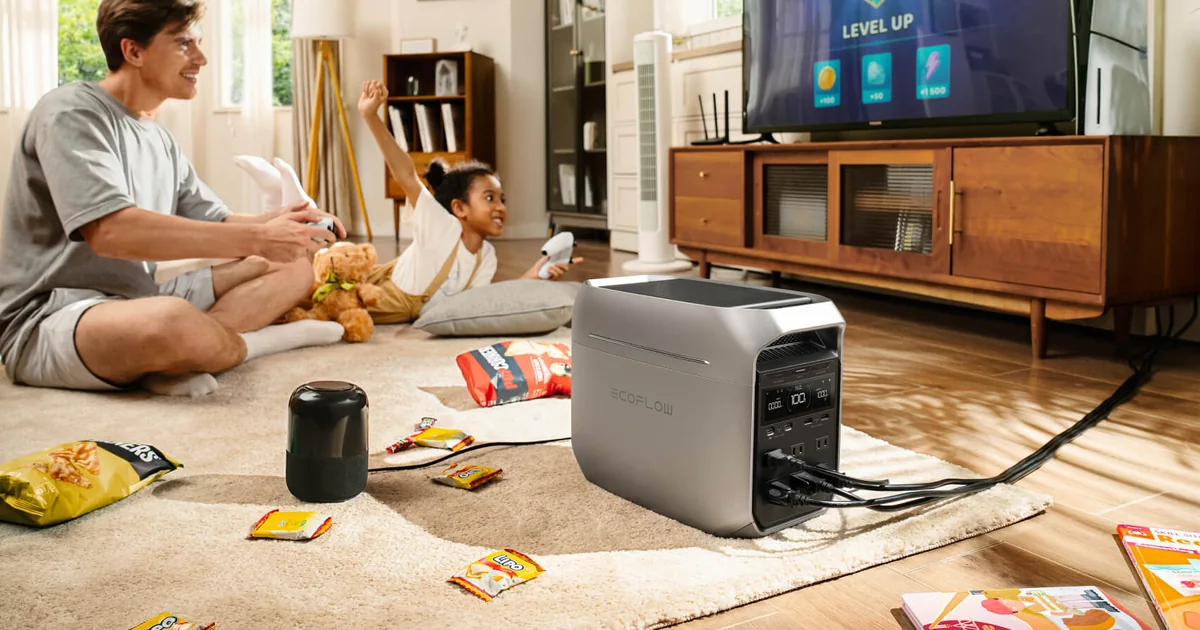
Portable power stations have become enormous batteries with quiet inverters, fast charging, and enough outlets to run a small rack for hours. That makes the normal home-lab UPS look almost silly. Why buy a 1500VA box that gives a server ten minutes when a lithium iron phosphate power station can keep the same load alive through most of an afternoon?
Because runtime is only one part of the job. A real UPS must catch the outage before the server notices, tolerate 24-hour plugged-in service, protect the load from ugly utility power, and tell the machines to shut down before its battery dies. Portable power stations vary wildly on those details, even when the product page puts “UPS” in large type.
The answer is not a blanket yes or no. Newer models with a published 10 millisecond transfer can work well for a NAS, network stack, or modest server. Others are better treated as long-runtime emergency power, not as the device protecting a filesystem during a brownout. Here is the test I use before trusting either category with a home lab.
A UPS Does Four Jobs, Not One
Battery capacity gets all the attention because watt-hours are easy to compare. A power station may hold 1,024Wh while a desktop UPS holds a fraction of that. At a 150-watt rack load, the power station can offer several hours instead of several minutes.
But a home-lab UPS has four jobs. It bridges short interruptions, regulates voltage, reports its status to software, and provides enough time for a clean shutdown. Long runtime helps only after the first job succeeds. A two-hour battery that lets the server reboot during the transfer has already failed.
Traditional line-interactive UPS units are built around this narrow mission. They pass normal utility power, correct some voltage problems, and switch to battery quickly when input leaves an acceptable range. Many include USB communication understood by Network UPS Tools, Synology, TrueNAS, Unraid, and other server platforms.
Portable stations start from a different mission: store a lot of energy, move easily, recharge from several sources, and power ordinary appliances. The best new models add fast backup behavior, but features that are routine on a computer UPS may still be model-specific. That includes automatic shutdown communication, supported always-connected use, surge behavior while bypassing utility power, and which outlets participate in the fast transfer mode.
This is why I would not replace a known UPS based on capacity alone. Compare the four jobs first. If the power station wins three and omits graceful shutdown, plan how the server will know the battery is nearly empty before calling the design complete.
Transfer Time Is the First Gate
When utility power fails, a standby device needs time to detect the event, open or close relays, and supply the load from its inverter. That gap is transfer time. An online double-conversion UPS continuously powers the protected outlet through its inverter, so its transfer is effectively 0 ms. Line-interactive UPS units and portable stations normally have a small gap.
A published 10 ms transfer is promising for typical NAS units and server power supplies. EcoFlow specifies less than 10 ms for the DELTA 3 Plus, and Anker specifies 10 ms for the SOLIX C1000 Gen 2. Those are the class of models I would consider for direct home-lab backup.
A 20 or 30 ms EPS transfer is a more conditional proposition. A lightly loaded power supply may ride through it; another adapter may not. The label “UPS” or “EPS” does not settle the question, and neither does a successful test with a lamp. A lamp will tolerate a gap that reboots a NAS.
Check the manual for the exact model, outlet, and operating mode. Some large stations have several outlet groups with different transfer behavior. Others publish a bypass-power limit that is lower than the inverter’s headline output. If the manual does not state transfer time and continuous connected use clearly, I treat that as a no for direct server protection.
The Shutdown Cable Is the Bigger Difference
A dedicated UPS usually connects to one server or NAS over USB. That machine reads battery charge, load, and on-battery state, then shuts down cleanly when a threshold is reached. With Network UPS Tools, it can also tell the rest of the rack to shut down.
Many portable power stations expose battery status only through a phone app. That is useful for a person watching an outage, but it is not the same as a local shutdown signal a NAS can trust at 3 a.m. A long battery can make this weakness easy to ignore. If the outage lasts longer than expected, the server still suffers a hard power cut, only several hours later.
Some recent products are closing the gap. EcoFlow advertises HID communication for the DELTA 3 Plus to signal a supported NAS before depletion. That makes it unusually relevant to this use case. I would still verify compatibility with the exact NAS operating system rather than assuming that a USB port and a marketing line equal working NUT support.
If the power station cannot communicate locally, there are workarounds, but they add systems that also need backup power. Home Assistant can detect a utility outage through another UPS or a powered sensor and send shutdown commands. A server can monitor a network device that disappears when utility power fails. Those can work, but they are less direct than the UPS telling its attached host that it is on battery.
My rule is simple: a storage server needs an automatic shutdown path. If the power station cannot provide one that I can test, I keep a small sine wave UPS on the NAS and use the large battery elsewhere.
Continuous Duty, Heat, and Battery Behavior
A power station that works during one unplug test is not automatically approved for years of pass-through service. The manual should explicitly allow the mode you intend to use while the unit remains connected to utility power and a load around the clock.
Check what happens when the battery reaches its charge limit, when the inverter is idle, and when wall voltage is high or low. Check whether fans run during bypass, whether a firmware update can disable AC output, and whether the station restarts its outlets automatically after a complete discharge and utility restoration. These details decide whether an unattended rack recovers after a long outage.
Lithium iron phosphate batteries are attractive here because they offer high cycle life and much more capacity per pound than the sealed lead-acid batteries in common UPS units. They also come with a battery-management system, firmware, app settings, and temperature limits. More intelligence creates useful controls, but it also creates more states to test.
A traditional UPS is boring by design. Replacement batteries are inexpensive, local monitoring is mature, and automatic restart behavior is well understood. A power station earns its higher price when you will actually use its extra capacity, portability, or solar charging. If it will live permanently under a rack and provide only five minutes before shutdown, buy the simpler tool.
Size the Load Before Chasing Watt-Hours
Measure the rack with a Kill A Watt or a trustworthy metered PDU. Record normal draw and the highest load you can reproduce, including disk spin-up, backups, transcoding, and PoE devices coming online.
Then compare that peak with the power station’s AC output and bypass ratings. The 2,000-watt number on the front of a portable station may describe inverter output while battery-powered. Its supported pass-through or fast-transfer outlet may have a different limit. Stay comfortably below the lowest relevant rating.
For runtime, divide usable watt-hours by load watts, then allow for inverter losses and the reserve you set to protect battery life. A nominal 1,024Wh station will not deliver all 1,024Wh to AC equipment. I would plan conservatively rather than promise a rack an exact number of hours from the label.
The other sizing question is priority. A 100-watt NAS, 60-watt PoE switch, and 20-watt router can consume almost twice as much as the NAS alone. Decide whether the outage goal is graceful shutdown, keeping internet service alive, or both. Those are different battery budgets.
The Unplug Test I Would Run
Never trust the first outage to the weather. Once the battery is charged and the rack is connected within its limits, create a maintenance window and test the exact setup.
Start with the rack idle. Keep the power station connected to the equipment and remove utility input from the station. Do not turn off its output. The NAS, server, switch, and router should continue without a reboot, link drop, or disk error. Confirm the station reports battery operation and that any shutdown integration sees the event.
Restore utility power and verify the station returns to bypass or charging normally. Then repeat the test while the server is under a realistic load. Run a storage scrub, file transfer, or CPU workload that raises power draw without risking important data. A power supply can have less ride-through margin at higher load, so an idle-only test proves too little.
Next, test the end of the event. Lower the shutdown threshold temporarily or use the product’s test function so the NAS receives a battery warning and shuts down cleanly. Verify the remaining machines follow in the right order. The storage server should stop before networking disappears if it depends on a network shutdown signal.
Finally, test recovery. Restore wall power after the protected systems are off. Confirm AC output returns, network gear boots, and servers follow their configured power-restoration behavior. A design that shuts down cleanly but stays dark until someone presses a button is acceptable only if that is the behavior you chose.
Repeat a short transfer test after firmware changes. Power-station firmware can affect inverter and outlet behavior, so this is one place where release notes deserve attention.
The Hybrid Design Is Usually Better
The cleanest home-lab setup often uses both device types without chaining their AC paths. Put the NAS and write-heavy servers on a purpose-built UPS with local USB or network communication. Put the modem, router, access points, and perhaps a small low-power server on a portable station with long runtime.
That split matches each tool to its strength. The UPS protects storage immediately and coordinates shutdown. The power station keeps internet and WiFi running through a longer outage, can move to another household load when needed, and may recharge from solar or a vehicle. One battery does not have to satisfy every requirement.
I would not casually plug a UPS into a power station or a power station into a UPS. Some combinations work, but charging circuits, neutral and ground behavior, waveform detection, and bypass relays can interact in surprising ways. Use a chained design only when both manufacturers support it and you have tested every transfer state.
For a small rack that draws under 200 watts, the hybrid route can also be cheaper than buying a huge online UPS. A modest pure sine wave UPS handles the critical machines, while a 1kWh portable station earns its price across the home instead of sitting unused for years.
If all you need is enough time for an automatic shutdown, skip the portable station. My UPS sizing and NUT setup guide covers that simpler build. The large lithium battery becomes worthwhile when long network uptime or multi-purpose emergency power is an actual goal.
My Decision Rule
Use a traditional line-interactive UPS when the load is a NAS, VM host, database server, or anything that must shut down automatically. It remains the default because communication and predictable power behavior matter more than runtime.
Consider a portable power station when its manual confirms a transfer time your equipment can tolerate, its designated outlet supports the load, continuous connected operation is allowed, and you have a tested shutdown path. The current 10 ms class is far more credible for this than older 20 to 30 ms EPS designs.
Choose an online double-conversion UPS when the equipment requires 0 ms transfer, utility power is unusually poor, or the workload is important enough that a single failed transfer is unacceptable. It costs more and uses more energy, but it removes the transfer-time question.
Use the hybrid layout when you want both clean server shutdown and hours of network availability. Keep the sensitive write-heavy gear on the UPS and give long-runtime loads to the power station.
The Bottom Line
A portable power station can replace a UPS for some home labs, but battery size is the least interesting qualification. The exact unit needs a published transfer time, approved continuous operation, enough bypass capacity, predictable outlet recovery, and a local way to trigger a clean shutdown.
Models such as the EcoFlow DELTA 3 Plus and Anker SOLIX C1000 Gen 2 publish 10 ms class transfers, which puts them in the conversation for a NAS or small server. It does not make the test optional. Pull utility input at idle and under load, verify there is no reboot, prove the shutdown signal works, and test recovery after depletion.
For storage and virtualization, I still prefer a conventional sine wave UPS with NUT support. It is cheaper, simpler, and built around the exact failure I need it to prevent. For keeping the network alive for hours, or for a battery that will also serve the rest of the house, a portable station is the better energy reservoir.
The strongest answer is often both, on separate loads. Let the UPS protect the data and let the power station protect the runtime. That design costs more than picking one box, but every dollar has a clear job and neither device has to pretend it is something it is not.