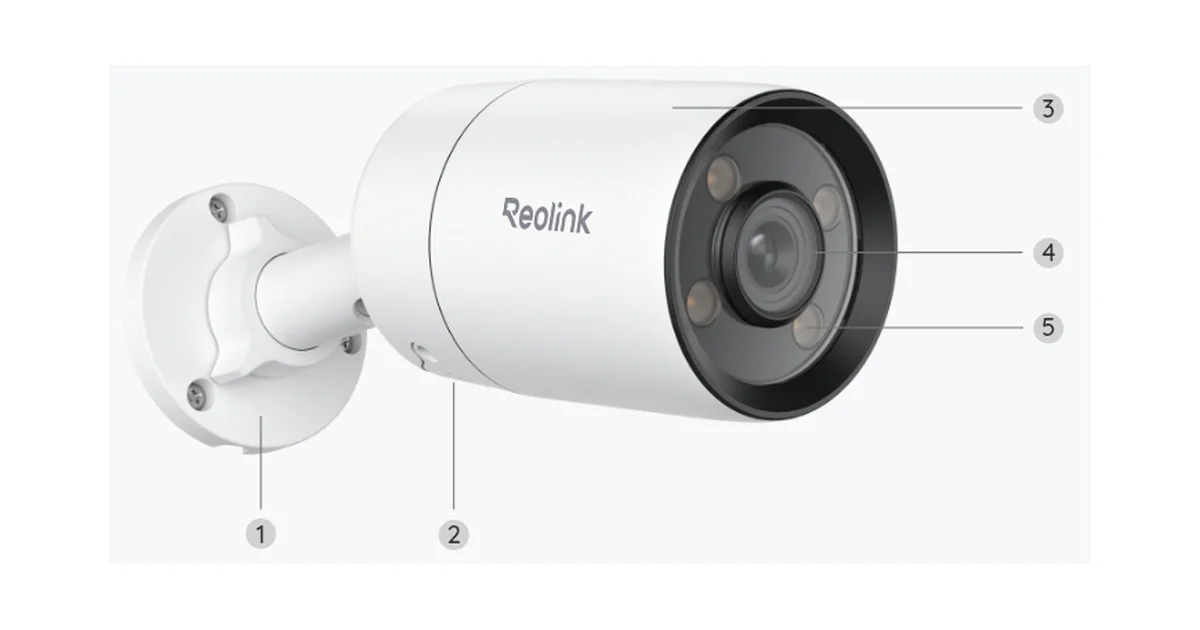
I have opinions about outdoor cameras, and most of them are complaints. The cloud-only ones want a monthly fee to look at my own driveway. The cheap WiFi ones drop off the network every time the microwave runs. And almost none of them see color at night, which is the one thing you actually want when you are squinting at a grainy gray blob trying to figure out whether that is a raccoon or a person.
The Reolink CX410 fixes most of that for under a hundred bucks. It is a 2K PoE camera with a genuinely large sensor, an F1.0 aperture, and Reolink’s ColorX processing, which together produce real full-color footage in light levels where other cameras have long since flipped to infrared. It runs over Power over Ethernet, so it is one cable and it does not care about your WiFi. And critically for how I run my house, it exposes a plain RTSP stream that Frigate and Home Assistant read without any cloud round trip.
I have had one bolted to the corner of my garage for months. Here is how it actually holds up.
What Makes the Night Vision Different
Every camera company claims great night vision, so let me be specific about what is different here. Most budget cameras use a small sensor and a slow lens, so when the sun goes down they fire up infrared LEDs and give you a black-and-white image. Infrared works, but it flattens everything into ghostly grayscale, and colored details like a red car or a blue jacket just vanish.
The CX410 goes a different direction. It pairs a 1/1.8 inch sensor, which is genuinely large for this price class, with an F1.0 aperture that lets in a huge amount of light. The result is that in most residential conditions, where there is a streetlight, a porch bulb, or even just ambient sky glow, the camera stays in full color all night. I can read license plate colors, tell what someone is wearing, and see the actual color of a delivery van at 2 a.m. That is a real functional upgrade, not marketing.
When the light drops below what even that sensor can handle, the camera can switch to infrared or trigger a soft warm spotlight. I mostly leave the spotlight off because it is not bright enough to genuinely light a yard, and it draws attention to the camera. As a deterrent flash when motion triggers, it is fine. As a floodlight, it is not one, and you should not buy this expecting one.
PoE Is the Whole Point
I will not run a security camera on WiFi if I have any other option, and the CX410 is why. The PoE version takes a single Ethernet cable that carries both power and data. One run from a PoE switch or injector to the camera, and you are done. No wall wart near the eaves, no WiFi dropouts, no re-pairing dance after a router reboot.
Reliability has been the payoff. My WiFi cameras average a reconnect every few days. The CX410 has an uptime measured in months. It gets a static DHCP reservation on my camera VLAN, it pulls power from the switch, and it simply does not fall off the network. For something whose entire job is to be recording when you need it, that boring consistency is worth more than any feature on the spec sheet.
If you are wiring more than one camera, this is also where a proper managed PoE switch earns its keep, both for the power budget and for keeping cameras on their own isolated network segment.
Getting the RTSP Stream Into Frigate
This is the part I care most about, and it is where the CX410 quietly beats a lot of pricier cameras. It speaks standard RTSP, so you do not need Reolink’s cloud, an ONVIF bridge, or any proprietary middleware to pull video. Frigate connects directly.
You do have to provision the camera once through the Reolink app to set a username and password and get it on your network. After that, ignore the app and the cloud account entirely. Give the camera a static IP via a DHCP reservation, because if that address changes your stream URL breaks.
The CX410 publishes two useful streams: a high-resolution main stream for recording and a lower-resolution sub stream that is perfect for Frigate’s constant object-detection pass. Point detection at the sub stream to keep CPU and Coral load low, and record from the main stream so your saved clips are full quality. The stream paths follow Reolink’s normal convention, with the main stream at h264Preview_01_main and the sub stream at h264Preview_01_sub, both under an rtsp:// URL that includes the camera credentials and IP.
In Frigate’s config you define the camera with both stream roles, assign detect to the sub stream and record to the main stream, and let the built-in detector do its thing. Because the CX410 does its own person, vehicle, and pet detection on-camera, you can also feed those events into Home Assistant as a fast first-pass trigger and let Frigate handle the more precise object detection and clip storage. I run both: the camera’s own detection wakes things up instantly, and Frigate confirms and records.
Once it is in Frigate, Home Assistant sees it automatically through the Frigate integration, complete with live view, event snapshots, and clips. From there it is a normal Home Assistant camera entity that you can drop on a dashboard, put in automations, or send snapshot notifications from when someone walks up the driveway.
Living With It
After months on the garage, a few real-world notes. Weather sealing has been fine through rain and a hard freeze, which is what the IP66 rating promises but you never quite believe until you watch it survive a storm. The 2K resolution is the right call for this sensor size. It is sharp enough to identify faces and plates at driveway distances without generating the enormous bitrate a 4K camera would, which matters when you are storing continuous recordings.
The two-way audio and built-in siren are there, and they work, but I rarely use them. The siren is loud enough to startle, not loud enough to be a real alarm. Two-way talk has the usual half-second lag that makes conversations awkward. These are bonus features, not reasons to buy.
Mounting and Placement Notes
A few things I learned bolting this to the house that the box does not tell you. Mount it high enough to be out of easy reach, roughly nine to ten feet, but angle it down so faces land in the frame rather than the tops of heads. The included bracket has enough articulation for most corners, and the base has a proper cable channel so you can route the Ethernet cleanly through the wall instead of leaving a loop dangling.
Give some thought to where a little ambient light falls, because that is what the ColorX sensor feeds on. Pointing it at a completely dark corner with zero spill defeats the whole reason you bought it. A porch light, a streetlight, or even reflected moonlight is enough for full color. If you have a truly black spot, that is where the warm spotlight or infrared fallback earns its place, so plan the mix per camera.
One last practical tip: label your camera runs at the switch. Once you have three or four PoE cameras on a patch panel, an unlabeled setup turns every future change into a guessing game. Thirty seconds with a label maker now saves an hour later.
The one genuine annoyance is the mandatory app provisioning step. You cannot fully configure the camera from Frigate or Home Assistant alone. You need the Reolink app once to set credentials and network settings. It is a five-minute chore, and then you never open it again, but a fully local-from-the-box setup would be nicer.
How It Compares
Against the usual budget outdoor cameras, the CX410 wins on the one axis that matters most to me, which is color night vision, and it does not give up anything important to get there. A cheaper Reolink like the older RLC-410 saves you maybe twenty dollars and gives you standard infrared night vision, so you lose color and the big sensor. Stepping up to a floodlight camera gets you actual illumination but doubles the price and usually the power draw.
If you want to scale to a full multi-camera setup, the CX410 slots neatly into a Reolink NVR like the RLN8-410 for hands-off recording, but I would still route it through Frigate for the smart detection and Home Assistant integration. The camera is happy doing both at once: it can send its main stream to an NVR and its sub stream to Frigate simultaneously.
The point is that at this price you are usually choosing between reliability, image quality, and local control, and picking two. The CX410 is one of the few that gives you all three. PoE reliability, a big sensor with real color at night, and a clean RTSP stream that answers to whatever local system you want to run.
The Bottom Line
The Reolink CX410 is the outdoor PoE camera I hand people when they ask what to buy for a local-first Home Assistant and Frigate setup. It costs under a hundred dollars, it sees in color at night when most cameras give up and go gray, it runs over a single reliable Ethernet cable, and it exposes a standard stream that plugs straight into Frigate with no cloud in the loop. The warm spotlight is weak and the one-time app provisioning is mildly annoying, but neither of those changes the recommendation. If you are building out cameras that you actually own and control, start here and buy several. You can pick up the CX410 on Amazon and have it watching your driveway in color by the weekend.