For a couple of years the smartest thing in my laundry room was a little white puck called SmartDry that stuck to the side of the dryer and told my phone when the load was done. It worked well, right up until it did not work at all. On September 30, 2022, the company behind it, Connected Life Labs, shut down and turned off the servers the sensor phoned home to. The hardware on my dryer was physically perfect. It just had nothing left to talk to. A device I paid for stopped working because a business closed, and there was nothing I could do about it.
That is the story of half the smart home, and I am tired of it. So this is the build log for laundry-done notifications that live entirely on my own network, answer to nobody’s cloud, and cannot be switched off by a company having a bad quarter. Two cheap sensors, a couple of Home Assistant automations, and a system that has now outlived the thing it replaced. I will also cover the boxed, no-fuss alternatives at the end, because not everyone wants to think about debounce timers, and that is a completely reasonable place to land.
Why Laundry Is Worth Automating At All
If you have never missed a load of laundry you can skip this paragraph, but I suspect you have. Wet clothes left in the washer overnight smell like a mistake and have to be run again, which wastes water, power, and an hour of your morning. A dryer that finished three hours ago has set every wrinkle you own into permanence. The whole value of a laundry notification is that it turns a chore you have to remember into a chore the house reminds you about, and it does it at the one moment that matters: the second the machine stops.
The trick is that washers and dryers are terrible at telling you anything themselves. Most of them end a cycle with a single feeble beep you cannot hear from the next room, and the “smart” ones want you to install yet another manufacturer app and trust yet another cloud account to relay a message your own network could carry for free. We can do better with parts that cost less than the detergent.
Step 0: Figure Out What You Are Working With Before You Buy
Do not order anything until you have answered three questions, because the wrong part for your machine is a return at best and a hazard at worst.
- Is your dryer gas or electric? A gas dryer plugs into an ordinary 120V wall outlet. An electric dryer plugs into a large 240V outlet (usually a NEMA 14-30 or 10-30, the fat four- or three-prong kind). This decides whether a smart plug is even an option.
- What does the dryer outlet physically look like? If it is the big 240V receptacle, put the idea of a smart plug out of your head right now. No standard smart plug fits it, and adapting one to carry a 240V, 30-amp load is a genuine fire risk. Electric dryers get a vibration sensor, full stop.
- Do you already run Zigbee or Z-Wave? If yes, buy sensors that join your existing mesh. If you are starting from zero, a single Zigbee USB coordinator running Zigbee2MQTT is the one-time cost that every sensor in this post shares.
Here is the short version of the buying logic, because it saves people from the most common mistake:
- Any dryer (gas, electric, 120V, 240V, old and dumb): use a vibration sensor. It does not care about voltage because it is stuck to the outside of the machine.
- A washer, or a 120V gas dryer: use a power-monitoring smart plug. The machine’s power draw is a cleaner signal than its vibration.
- A high-inrush 120V appliance you want on a plug (some gas dryers, a shared laundry-room circuit): use a heavy-duty switch built for the surge, not a lightweight plug.
The Hardware, and Why Each One
I run two sensors, one per machine, because washers and dryers fail at telling you they are done in different ways.
The dryer gets a vibration sensor
The ThirdReality Zigbee Vibration Sensor is the piece that makes this build universal. It sticks to the side of the dryer with the included adhesive, joins Home Assistant over Zigbee through ZHA or Zigbee2MQTT, and reports motion while the drum tumbles and stillness when it stops. Because it reads physical vibration and not electricity, it works on a 240V electric dryer, a gas dryer, or a thirty-year-old machine with a mechanical dial and no smarts whatsoever. That is the whole reason I reach for it on the dryer: one part, every machine.
One setup note that the r/homeassistant crowd learned the hard way. Out of the box the sensor has a loud built-in alarm that shrieks when it detects movement, which is exactly backwards from what you want. Turn the siren off, set sensitivity high, and let Home Assistant do the notifying. You want the sensor silent and the automation smart.
The washer gets a power-monitoring plug
Washers are sneakier than dryers. A wash cycle has quiet stretches, the soak phases and the pauses between agitation and spin, where the machine barely moves. A vibration sensor watching a washer will call the load done during a mid-cycle lull and then look foolish when the spin kicks in five minutes later. Power draw does not lie the same way. Even during a soak the machine pulls a small holding current, and when the cycle truly ends the draw falls to near zero and stays there.
So the washer goes on the ThirdReality Zigbee Dual Smart Plug, which reports live wattage per outlet straight into Home Assistant and doubles as a Zigbee repeater to strengthen your mesh. It is the same plug I recommend in my energy-monitoring roundup, and here it does double duty: it tells you when the wash is done and it quietly logs how much a load actually costs. Any Zigbee plug with energy monitoring works if you prefer a different brand, as long as it exposes a real power entity in watts.
The heavy-duty option for high-inrush machines
Most washers are gentle on a smart plug, but some 120V gas dryers and shared laundry circuits draw a nasty inrush surge at startup that can trip or cook a lightweight plug over time. For those, the Zooz ZEN15 Power Switch is the honest answer. It is a Z-Wave plug built specifically for high-current appliances like AC units, sump pumps, and gas dryers, with power monitoring accurate enough to drive the same “draw dropped, load is done” automation as the Zigbee plug. If your washer or gas dryer has ever popped a cheaper plug, this is the one that survives. It will not fit a 240V electric dryer either, so the vibration sensor rule still stands there.
Step 1: Get the Sensors Into Home Assistant
Pair the vibration sensor and the plug through your Zigbee coordinator the same way you would any other device. In Zigbee2MQTT you hit “permit join,” hold the sensor’s pairing button, and it shows up; in ZHA it is the “add device” flow. Once paired you will have, at minimum, a binary vibration entity for the dryer sensor and a power sensor reading watts for the washer plug. Rename them to something obvious like binary_sensor.dryer_vibration and sensor.washer_power so the automations read cleanly.
Before writing a single automation, watch the numbers for one real load of each. Run the washer and note its idle-versus-running wattage; mine idles under 4W between phases and pulls well over 100W when it is working, so a threshold of “below 4W for three minutes means done” is safe. Run the dryer and confirm the vibration sensor flips to motion while it tumbles and clears within a minute of the door staying shut. Five minutes of watching now saves you a week of false alarms later.
Step 2: The Automations
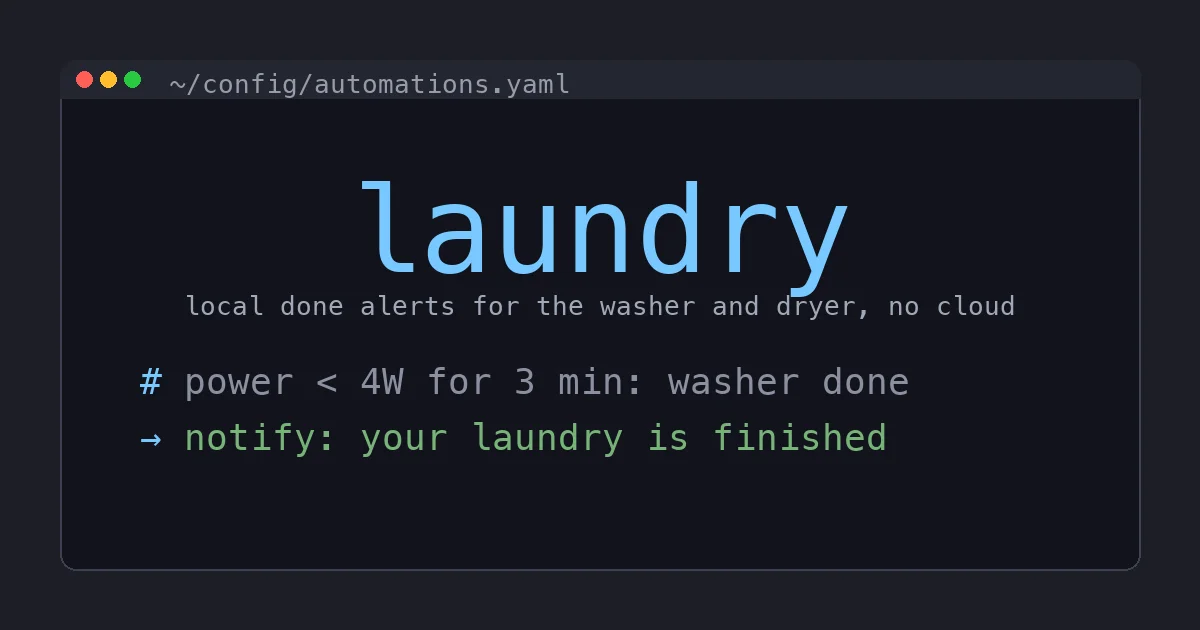
Here is the washer automation in plain Home Assistant YAML. The logic is “the machine was clearly running, then its draw fell to nearly nothing and stayed there for three minutes, so the load is done.” The three-minute wait is what keeps a mid-cycle soak from triggering a premature alert.
automation:
  - alias: "Washer finished"
    trigger:
      - platform: numeric_state
        entity_id: sensor.washer_power
        below: 4
        for:
          minutes: 3
    condition:
      - condition: state
        entity_id: input_boolean.washer_running
        state: "on"
    action:
      - service: notify.family
        data:
          title: "Laundry"
          message: "The washer is done. Move it to the dryer."
      - service: input_boolean.turn_off
        target:
          entity_id: input_boolean.washer_running
The input_boolean.washer_running helper is the piece that makes this reliable. A second automation flips it on when the washer’s power draw climbs above, say, 50W, marking that a real cycle has started. Without that latch, the washer sitting idle at 0W all day would technically satisfy “below 4W” forever and could misfire. The boolean means the “done” alert can only fire after a genuine run.
The dryer is simpler because tumbling is unambiguous:
automation:
  - alias: "Dryer finished"
    trigger:
      - platform: state
        entity_id: binary_sensor.dryer_vibration
        to: "off"
        for:
          minutes: 5
    condition:
      - condition: state
        entity_id: input_boolean.dryer_running
        state: "on"
    action:
      - service: notify.family
        data:
          title: "Laundry"
          message: "The dryer is done. Go rescue your shirts."
      - service: input_boolean.turn_off
        target:
          entity_id: input_boolean.dryer_running
The five-minute stillness window matters. Dryers pause and reverse direction mid-cycle, and some have a wrinkle-guard tumble that fires minutes after the real end. Waiting five minutes of continuous stillness before declaring victory rides through all of that. If you want to get fancy, repeat the notification every ten minutes until the dryer door opens, which the community swears by for households that ignore the first ping.
Step 3: Make the Notification Impossible to Ignore
A phone notification is fine, but the reason I built this is that my phone is not always on me. Because everything is local, the “done” action can do anything Home Assistant can do. Mine announces the finished load over the Voice PE speakers in the kitchen and living room using local text to speech, so the house literally says “the dryer is done” out loud. No cloud TTS, no Alexa, no account. You can just as easily flash a light, send it to a wall tablet, or push it to a specific person based on whose phone is home. That flexibility is the entire dividend of keeping the pipeline local instead of trapped inside a laundry-brand app.
The Boxed Alternative If You Do Not Want To Build This
Not everyone wants helper booleans and debounce timers, and that is fair. If you would rather buy an outcome than build one, the honest easy path is a Zigbee power-monitoring plug plus one of the community “appliance finished” blueprints. You import the blueprint, point it at the plug, and it walks you through the thresholds with a UI instead of YAML. It is still fully local, still no cloud, and it gets you 90 percent of what I built with none of the editor time. The blueprint route is genuinely good, and I recommend it to anyone who wants the result without the tinkering.
What I will not send you back to is a cloud-tethered laundry gadget. SmartDry is the cautionary tale that opened this post, but it is not alone. Every WiFi washer that routes its “cycle done” alert through a manufacturer server is one corporate decision away from going silent the same way SmartDry did. A twelve-dollar vibration sensor on your own Zigbee mesh cannot be discontinued. That is the whole point.
The Bottom Line
Laundry notifications are the rare smart home project that pays for itself in a single rescued load of towels, and they are almost embarrassingly cheap to do locally. Put a ThirdReality vibration sensor on the dryer because it works on every machine ever made, put a power-monitoring plug on the washer because power draw reads a wash cycle more honestly than vibration, and reach for the Zooz ZEN15 if your machine is a high-inrush brute that eats lesser plugs. Wire up two automations with a running-state latch and a sensible debounce, and you are done.
The best part is not the notification. It is that this system answers only to you. When the next promising laundry startup shuts down its servers and bricks another few thousand sensors, the puck on your dryer will keep working, because the only cloud it ever needed was your own. That is what local control buys you, and it is worth every minute of the build.