I have wanted a voice assistant that does not narc on me for years. Every Echo and Nest Mini in my house was a hot mic with a privacy policy I did not write. I ripped the last of them out eighteen months ago and went silent, literally, because the local options at the time were a soldering project and a prayer.
That changed. The Home Assistant Voice Preview Edition plus a local LLM is now a genuinely good voice assistant that never phones home. Wake word to lights-on, with zero packets leaving my network. This is the build log.
What “Fully Local” Actually Means Here
A voice command goes through four stages, and the whole game is keeping all four on hardware you own:
- Wake word. The device listens for “Okay Nabu” (or a custom phrase) and only wakes up when it hears it. The Voice PE does this on-device with its own audio processor. Nothing streams until you say the magic words.
- Speech to text (STT). Once awake, it streams audio to your Home Assistant server, where faster-whisper turns it into text.
- Intent or conversation. Home Assistant matches the text against its built-in intents (turn on, set to, what is the temperature) or hands it to a conversation agent. That agent is where a local Ollama model comes in for anything beyond canned commands.
- Text to speech (TTS). Piper turns the response back into audio and the device speaks it.
Every commercial assistant runs stages 2 through 4 in someone else’s data center. This build runs all of them in my office closet. The only thing the Voice PE talks to is my Home Assistant box on the LAN.
The Hardware
You do not need much. Here is what I run, with notes on where you can cut corners.
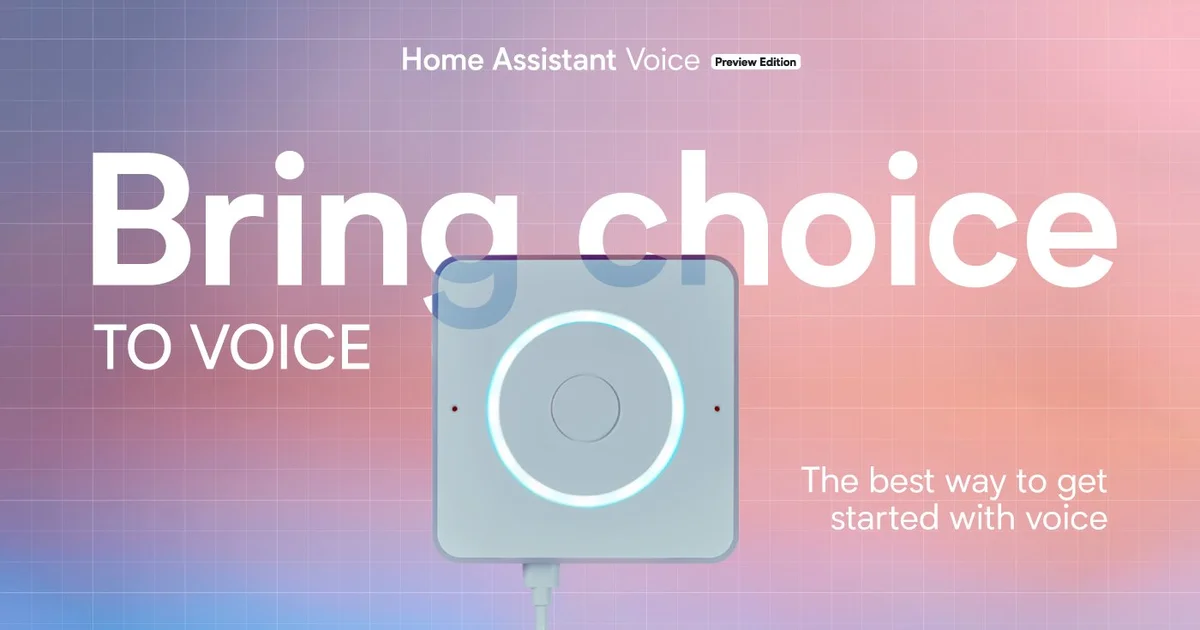
- Home Assistant Voice Preview Edition. This is the microphone-and-speaker puck. It is an ESP32-S3 with dual mics, a real audio DSP for noise suppression, a physical mute switch that cuts the mics in hardware, and a speaker that is fine for spoken responses and bad for music. Roughly $60. One per room you want to talk to.
- A Home Assistant server. My voice pipeline runs on the same box as my HA install: a fanless Intel N100 mini PC with 16GB of RAM. The N100 handles wake word, whisper (small model), and Piper without breaking a sweat. If you are already running HA on a Pi, the Pi can do STT and TTS, just slowly.
- Optional: a GPU box for the LLM. This is the only part that wants real silicon. I run Ollama on a separate machine with a used NVIDIA RTX 3060 12GB. If you skip the conversational LLM and only want device control, you do not need this at all. The built-in intent engine handles “turn on the kitchen lights” with no model required.
- A Thread border router, if your Voice PE is Thread-connected gear elsewhere. I use the Home Assistant Connect ZBT-2 for Zigbee and Thread, though the Voice PE itself connects over Wi-Fi.
Total damage if you already run Home Assistant: about $60 for one Voice PE. The GPU is the splurge, and it is optional.
Step 1: Flash and Adopt the Voice PE
This part is almost insultingly easy, which was not the case a year ago.
- Plug the Voice PE in with USB-C.
- Open Home Assistant on your phone or browser. Within a minute it pops up a “New device discovered” card for the Voice PE.
- Click adopt. It connects to your Wi-Fi (2.4GHz, like every ESP device) and pulls its firmware. No app, no account.
- It walks you through picking a wake word and a voice pipeline. Leave the pipeline on the default for now. We are about to build a better one.
When this finishes you can already say “Okay Nabu, turn on the office lights” and it works, using Home Assistant Cloud for STT and TTS if you have a Nabu Casa subscription. We are going to replace that cloud dependency entirely.
Step 2: Install Whisper and Piper Locally
Home Assistant ships these as official add-ons that speak the Wyoming protocol, which is the glue that connects voice services to the Assist pipeline.
In Home Assistant, go to Settings, Add-ons, Add-on Store and install:
- faster-whisper (speech to text)
- Piper (text to speech)
- openWakeWord (only if you want custom wake words processed on the server; the Voice PE does wake word on-device, so this is optional)
Start the whisper add-on and open its configuration. The model choice is the one knob that matters:
# faster-whisper add-on config
model: small-int8
language: en
beam_size: 1
On an N100, small-int8 gives you a good accuracy-to-speed ratio: it transcribes a short command in well under a second. If you have a GPU box, point whisper at it and jump to medium for noticeably better accuracy on accents and across-the-room speech. The tiny model is fast but it will mishear “bedroom” as “bathroom” often enough to annoy you.
For Piper, pick a voice and move on:
# Piper add-on config
voice: en_US-lessac-medium
length_scale: 1.0
The lessac-medium voice is natural enough that guests do not realize it is local. There are dozens of voices; audition a few in the add-on docs.
Step 3: Build the Assist Pipeline
Now wire the pieces together. Go to Settings, Voice assistants and create a new assistant:
- Conversation agent: Home Assistant (the built-in intent engine) for now
- Speech to text: faster-whisper
- Text to speech: Piper
Assign this pipeline to your Voice PE under the device settings. Say “Okay Nabu, what time is it.” If Piper answers in that local voice, you have a fully local assistant for built-in commands. Pull your internet and try again. It still works. That moment is the whole reason I did this.
For a lot of people, this is the finish line. Device control, timers, “what is the temperature in the nursery,” shopping list, all of it runs on the built-in intents with no LLM in sight. It is fast because there is no model to wait on.
Step 4: Add a Local LLM as the Conversation Agent
The built-in intent engine is rigid. It understands “turn on the lights” but not “it is gloomy in here.” If you want the assistant to handle fuzzy, conversational requests and answer general questions, you bolt on a local LLM through Ollama.
On the GPU box, install Ollama and pull a model:
# On the machine with the GPU
curl -fsSL https://ollama.com/install.sh | sh
ollama pull llama3.2:3b
ollama serve
Confirm the model is actually using the GPU and not falling back to CPU:
ollama ps
# PROCESSOR column should read 100% GPU, not CPU
That ollama ps check is the single most common thing people get wrong. If it says CPU, your answers will take ten seconds instead of one, and you will blame the model when it is really a driver problem.
Back in Home Assistant, install the Ollama integration (Settings, Devices and Services, Add Integration, Ollama). Point it at the box running Ollama on port 11434. Pick llama3.2:3b as the model and enable “Assist” so it can control your devices. Then go back to your voice pipeline and switch the conversation agent from “Home Assistant” to your new Ollama agent.
The prompt template matters. In the Ollama integration options, give it a system prompt that tells it it is a home assistant and to be terse:
You are a voice assistant for a smart home.
Answer in one or two short sentences.
You can control devices that are exposed to you.
If you do not know, say so. Do not make up device states.
Keep it short. Long system prompts make small models slower and wobblier. “Do not make up device states” earns its place: without it, a 3B model will cheerfully tell you the garage is closed when it has no idea.
What It Gets Right
After a few months living with it, the wins are real:
- Privacy is absolute. The mute switch cuts the mics in hardware, not software. And even unmuted, the audio only ever reaches my own server. I can watch the traffic. It goes to one IP on my LAN and stops there.
- Outage-proof. Internet down? Voice still works. This is not a hypothetical; my ISP is mediocre and the local assistant has never once cared.
- Fast for device control. Built-in intents answer before the cloud assistants finish waking up. “Okay Nabu, lights off” to dark is genuinely quicker than the Echo it replaced.
- It is mine. Custom wake words, custom responses, custom intents wired to my own automations. The assistant says “the coffee is on” because I wrote an intent that says that.
What Still Bites
I am not going to pretend it is finished. The Preview Edition name is honest.
- The speaker is weak. It is fine for “your timer is up” and bad for anything you would call listening. If you want music, line it out to a real speaker or pair it with one. I covered local multi-room audio in my piece on life after Sonos.
- The LLM path adds latency. Built-in intents are instant. Routing through even a fast local 3B model adds a beat. For pure device control I keep the built-in agent; the LLM is for the rooms where I actually ask questions.
- Far-field pickup is good, not magic. Across a quiet room, great. Over a running faucet or a loud TV, you will repeat yourself. The dual-mic DSP helps a lot but it is not a Hollywood boom operator.
- Setup assumes Home Assistant fluency. This is not a thing you hand a non-technical relative. If you do not already run HA, the Voice PE is not your on-ramp.
The Bottom Line
The Home Assistant Voice Preview Edition is the first local voice assistant I can recommend without a list of caveats longer than the praise. Paired with faster-whisper and Piper, it gives you Alexa-grade device control with zero cloud dependency for about $60 a room. Add a local Ollama model on a cheap used GPU and it answers real questions too, still without a single packet leaving the house.
If you already run Home Assistant and you have been waiting for local voice to stop being a soldering project, the wait is over. Buy one Voice PE, give it an afternoon, and pull your internet cable to feel the difference. If you do not run Home Assistant yet, start there first, because this is the reward at the end of that road, not the beginning.
I am not putting a hot mic from a trillion-dollar ad company back in my kitchen. I do not have to anymore.