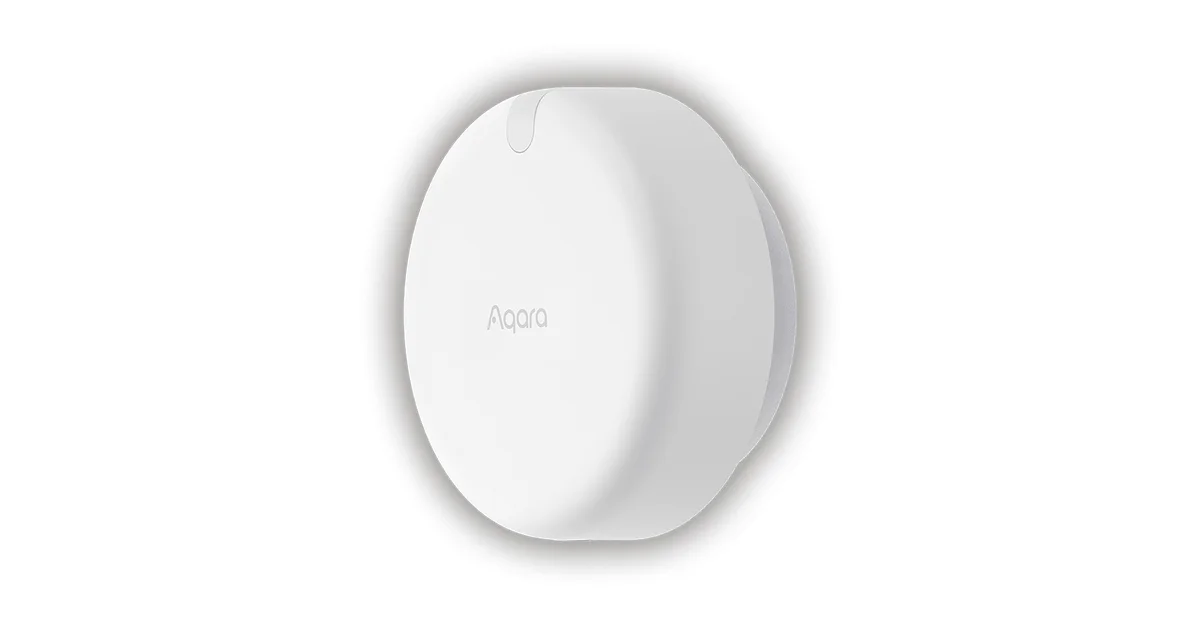
The Aqara FP2 became useful in my house only after I stopped treating it like a motion sensor. A motion sensor answers a short question: did something move? The FP2 is trying to maintain a map of people in a room. That makes it better for a seated person and much easier to configure badly.
The hardware is not the hard part. The hard part is deciding which presence facts Home Assistant should trust, how long a person must remain in a zone before an automation reacts, and what the house should do when the radar has an ambiguous view. My Aqara FP2 review covers the device itself. This guide focuses on a stable zone design.
Start with the room, not the automation
Before opening the Aqara app, draw the room from above. Mark the sensor, doors, windows, sofa, bed, desk, and any large reflective or moving object. The map does not need to be architectural. It needs to show what the radar can see and where a person is likely to sit.
I begin with one broad zone called room_presence. That binary fact is the foundation for lights, climate, and notifications. Only after it behaves correctly do I add a second zone such as desk or sofa. A zone should answer a household question, not merely trace the edge of a rug.
For example, living_room_presence can turn on a low evening scene, while sofa_presence can keep the reading light on. Those are useful distinctions. Four zones that split the sofa into cushions are not.
The Aqara FP2 on Amazon is a room sensor, not a security camera. Plan the mount for coverage and stable state, not for an attractive product shot.
Mounting is the first calibration
Mount the FP2 where it has a clear view and will not be bumped. A high wall position often gives a useful room view, but the correct height depends on the room, furniture, and the orientation recommended by Aqara. Keep the cable strain-free and avoid hiding the unit behind a television or metal trim.
The most common setup error is pointing the sensor at a doorway and then expecting it to understand the whole room. A person crossing the doorway can become the dominant target. A second error is placing it beside a fan, curtain, or reflective surface that creates a repeatable false target.
After mounting, let the room remain ordinary. Do not tune while standing in front of the sensor. Walk through the room, sit where people normally sit, and leave the room. The map should be tested with furniture, lights, and pets in their normal positions.
If the sensor is moved later, treat that as a new installation. Even a small angle change can shift zone boundaries enough to invalidate every automation built on them.
Build zones conservatively
I use three rules for zones:
- A zone must have a clear real-world purpose.
- Its boundary must leave room for radar uncertainty.
- Its state must not be the only input to an important action.
A boundary through a doorway is usually a bad boundary. Put the door in a small transition area or leave it in the larger room. Otherwise a person standing in the doorway can make the room alternate between occupied and empty.
Keep the whole-room zone larger than the furniture footprint. Someone leaning back on a sofa should remain in the sofa zone even if the radar target drifts a little. Tight zones look precise in a diagram and behave fragilely in a house.
I name zones by room and use, such as office_desk and office_room, rather than zone_1 and zone_2. Clear names matter when an automation fails months later and the entity history is the only evidence.
Turn presence into stable Home Assistant state
Do not make a light turn off the instant the FP2 says a zone is empty. Radar systems can lose a target for a moment when someone is behind furniture or at the edge of coverage. Add a delay and use a separate occupancy helper when the action matters.
For a bathroom light, a short clear delay may be reasonable. For heating, audio, or a security notification, I use a longer confirmation window. The exact number depends on the room. The principle is consistent: enter quickly, leave slowly.
A useful automation pattern is:
- turn on when room presence becomes active;
- keep the light on while room presence remains active;
- start a timer when the room becomes clear;
- turn off only if the timer finishes and a second condition agrees.
That second condition can be a door state, a normal schedule, or another sensor. A cheap PIR motion sensor near the exit is often a helpful sanity check. It does not need to duplicate the FP2. It needs to catch the case where the radar loses someone who is still in the room.
For important automations, expose the decision as a helper or template sensor with a readable name. Seeing living_room_occupied_for_lighting in a trace is much easier than reconstructing why three raw zone entities produced a scene change.
Tune one failure at a time
The first hour should be observation, not automation. Watch the FP2 while the room is empty, while one person moves, while one person sits still, and while two people cross paths. Note the false target and change one setting or one zone boundary. If you change sensitivity, mounting angle, and furniture at once, you lose the ability to learn from the result.
Keep a short test log. I record the date, room state, observed target, and change. This sounds excessive until a firmware update or a seasonal furniture change makes the old behavior disappear. A few lines of notes are cheaper than repeatedly guessing.
Pets deserve their own test. A cat on a sofa may be harmless in one zone and a persistent occupant in another. If an animal causes false presence, do not blindly lower sensitivity until people disappear too. Repositioning the sensor or enlarging the room zone is often a better compromise.
Mirrors and glossy furniture can also create confusing behavior. If a false target appears in the same location every time, treat it as a room geometry problem. Software settings cannot always compensate for a reflection or an obstruction.
Presence is not identity
The FP2 can report that a target is in a zone. It cannot make a reliable household identity decision by itself. Do not use “person in office” as proof that Justin is in the office, or “no target” as proof that a child has left the house.
Use presence for comfort actions: lights, music, a display, or a temperature adjustment. Use door sensors, phone presence, locks, and explicit alarm states for security decisions. A radar target that briefly disappears is acceptable for a reading lamp. It is not acceptable as the only condition for unlocking a door.
This separation also keeps automations explainable. The room light responds to the room. The alarm responds to a security mode. When one sensor becomes unreliable, you can fix one layer without making the entire house unpredictable.
What I would automate first
My first FP2 automation is a gentle light scene with a schedule and a clear delay. I then add a media or dashboard action that happens only when the room is occupied for a sustained period. These are easy to notice and easy to undo.
I wait before automating HVAC. Presence can be valuable for a room that is often used, but short visits and open doors make climate decisions noisy. Require sustained occupancy and include a temperature condition. If the room is empty, set a reasonable setback rather than turning the equipment on and off with every radar update.
I avoid automating locks, garage doors, and emergency notifications from zone state alone. The FP2 is a useful context signal, not a household authority.
Keep the dashboard understandable
Expose the whole-room presence sensor prominently and hide the raw tracking entities from the everyday dashboard. Raw targets are useful while tuning, but they invite somebody to build an automation around a diagnostic detail that may change after a firmware update.
I also add a small diagnostic card showing the last change, the current zone, and the timer used for clearing. When a light stays on, the family can see whether the room is genuinely occupied or whether the clear timer is still running. That turns a mysterious automation into something people can report accurately.
Review the setup after moving furniture. A new bookcase, television, or curtain can change the radar view even when the FP2 itself has not moved. Seasonal room changes deserve a quick walk-through before you trust the old zone boundaries again.
The Bottom Line
The Aqara FP2 works best when its zones describe broad, meaningful parts of a room and Home Assistant adds time before acting on them. Start with one room zone, mount the sensor carefully, observe normal behavior, and add furniture-specific zones only when they solve a real automation problem.
Use presence for comfort and convenience. Combine it with other signals for anything safety-critical. The FP2 can make a seated person visible to Home Assistant in a way a PIR cannot, but good results still come from conservative boundaries, deliberate delays, and one change at a time.