
At a Glance
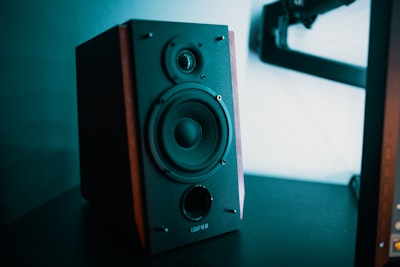
I spent years assuming whole-home audio was a rich-person hobby. Every time I priced it out, the number came back looking like a used car. Six rooms of Sonos, with the amps and the architectural speakers, sailed past three grand before anyone had played a single song. So I did what any stubborn engineer does: I decided the whole category was overpriced and set out to prove it.
I was mostly right. You can wire real sound into every room that matters for a fraction of what the polished brands charge, and the compromises are smaller than the marketing wants you to believe. Here is exactly how I did it, what each zone actually cost, and where I think spending more is worth it.
The core idea: separate the brain from the muscle
Sonos and its competitors sell you an all-in-one appliance. The streamer, the amp, and sometimes the speaker all live in one sealed box, and you pay a premium for that integration in every single room. The trick to cheap whole-home audio is refusing that bundle. You split the job into two cheap parts:
- A streamer (the brain) that pulls music off your network and turns it into an audio signal.
- An amp and speakers (the muscle) that turn that signal into sound.
Once you separate those, competition does the work for you. Streamers have gotten shockingly good and cheap. Amps built on Class D chips cost less than a nice dinner. Passive speakers have been a mature, brutally competitive market for decades. You are cherry-picking the best value in three separate races instead of buying one company’s opinion of all three.
WiiM is the streamer that broke the price wall
If there is one product that makes this whole approach work, it is the WiiM line. A WiiM Pro Plus is a small box that speaks AirPlay 2, Chromecast, Spotify Connect, Tidal Connect, DLNA, and its own app, and it does it with a DAC that genuinely competes with gear costing several times more. I wrote a full WiiM Pro Plus review because it deserved one, but the short version is that it is the anchor of every serious zone in my house.
The reason it matters for multi-room is grouping. Because WiiM supports open protocols, you are not locked into a proprietary sync system. Group multiple WiiM units over AirPlay 2 or Chromecast, mix in a HomePod or an Apple TV, and you have synchronized playback across brands. No single vendor owns your ceiling.
You have two ways to deploy it:
- WiiM Pro Plus plus a separate amp. Maximum flexibility, best sound per dollar, slightly more boxes.
- WiiM Amp. Streamer and a 60W-per-channel amp in one unit. Fewer cables, a little more money, still cheaper than the closed alternatives.
For my main listening rooms I use option 1. For a den where I wanted one clean box on a shelf, I used option 2.
The amp nobody expects to be this good
If you go the separates route, you need a power amp, and this is where the budget-audio world gets almost silly. A Fosi Audio V3 costs about a hundred bucks and drives real bookshelf speakers to genuinely loud, clean levels. Class D amplifier chips have democratized power. The measurable performance of these tiny amps embarrasses receivers that cost ten times as much a decade ago.
Feed the WiiM’s line output into the Fosi, run speaker wire to a pair of passives, and you have a complete stereo zone that sounds like actual hi-fi. This is the pairing I recommend to anyone who asks me where to start. It is the highest sound-per-dollar configuration I have found, full stop.
Speakers: buy passive, and buy smart
Passive bookshelf speakers are the most competitive corner of audio. You have decades of designs, endless competition, and a used market flooded with excellent gear. My workhorse recommendation is the Micca RB42, a compact speaker with a warm, full-bodied sound that has become a budget-audio legend for good reason. But you have real options here, and I went deeper on this in my roundup of the best passive bookshelf speakers under $500.
The point is that any decent passive speaker will outclass the drivers baked into a smart speaker of the same price, because the smart speaker is spending your money on Wi-Fi radios and microphones instead of on sound. Buy passives, drive them with a cheap amp, and let the streamer handle the smarts.
Used and refurb gear is a cheat code
Here is the part nobody selling you new hardware wants to mention: audio gear ages incredibly well. A speaker built in 2015 sounds exactly as good today as it did then. Amps and speakers have no batteries to degrade, no software to expire, no cloud service to shut off. That makes the used market pure profit for the patient buyer.
Where I actually shop:
- Used bookshelf speakers on local marketplace listings. People upgrade constantly and dump perfectly good speakers for a third of retail.
- Manufacturer refurbished streamers and amps. WiiM and others sell refurb units with full warranties at a real discount.
- Estate and moving sales for older receivers you can repurpose as amps in low-priority zones.
The one category I buy new is the streamer, and only because the software and protocol support genuinely improves year over year. Everything downstream of the streamer, I happily buy used.
Echo and Nest for the zones nobody critiques
Not every room deserves a real system. My bathroom does not need a DAC. The hallway does not need bookshelf speakers. For these background zones, a single Echo Dot at fifty dollars is the correct answer. It gives you voice control, it groups with other Echos for synced background audio, and it sounds perfectly fine for the ambient purpose it serves.
I am not precious about this. Mixing a $50 Echo in the kitchen with a $400 WiiM stereo zone in the living room is not a compromise, it is good engineering. Spend money where ears are paying attention, and spend nothing where they are not. Nest speakers do the same job if you live in Google’s world instead of Amazon’s.
The honest tradeoff: Echo and Nest zones live in their own multi-room grouping worlds, separate from your AirPlay or Chromecast WiiM groups. In practice this matters less than you would think, because the rooms you group together for a party are usually your good zones anyway.
DIY wiring basics (it is easier than you fear)
The word “wiring” scares people off, and it should not. For a bookshelf setup, wiring means running two-conductor speaker cable from the amp to each speaker. That is the entire skill.
A few things that will save you grief:
- Gauge: 16 AWG speaker wire handles almost every in-room run. Step up to 14 AWG for runs over roughly 50 feet.
- Polarity: Positive to positive, negative to negative, every single connection. Get this backwards on one speaker and your bass will vanish into thin, hollow sound. It is the single most common mistake.
- Terminations: Bare wire works fine, but banana plugs make swapping gear painless and look tidy.
- In-wall runs: If you are going inside walls, buy cable rated for it (CL2 or CL3). It is a code and safety thing, not an audiophile thing.
Nothing here requires an electrician. If you can wire a lamp, you can wire a stereo zone.
What each zone actually costs
Here is the honest math, per zone, new prices:
| Zone type | Gear | Approx. cost |
|---|---|---|
| Background (filler) | Echo Dot | $50 |
| Budget stereo | WiiM Pro Plus + Fosi V3 + used speakers | ~$320 |
| Solid stereo | WiiM Pro Plus + Fosi V3 + Micca RB42 | ~$370 |
| Clean all-in-one | WiiM Amp + bookshelf speakers | ~$450 |
Now compare that to a single Sonos Amp, which costs around $700 before you attach a single speaker. Two Sonos zones with speakers can cost more than my entire six-room house did. I covered the broader landscape in my best whole-home audio systems guide, and the escape route specifically in life after Sonos.
Do the arithmetic across a whole house. Three real listening zones and three background zones costs roughly $1,200 to $1,400 built my way. The equivalent Sonos setup clears $3,500 easily. That gap is not a rounding error, it is a vacation.
Why you genuinely do not need Sonos
I want to be fair. Sonos is good. The app is polished, the setup is trivial, and the sync is rock solid. If money is truly no object and you value zero-thought convenience above all else, buy it and be happy.
But most people paying Sonos prices are not paying for better sound. They are paying for a closed ecosystem, a slick app, and the comfort of a single logo on every box. You are also betting on a company that has, more than once, deprecated hardware and broken its own app in updates. Open protocols like AirPlay 2 and Chromecast are not going anywhere. A WiiM plus a dumb amp plus dumb speakers has almost nothing to break, and every part is independently replaceable.
That independence is the real luxury. When a streamer improves, I swap a $200 box, not a whole room. When a speaker deal appears, I grab it. My system is not a monolith I have to buy and replace all at once. It is parts, and parts are cheap.
The Bottom Line
Cheap whole-home audio is not a compromise, it is just refusing to buy the bundle. Split the brain (a WiiM streamer) from the muscle (a cheap Class D amp and passive speakers), lean on the used market for everything except the streamer, and drop a $50 Echo into the rooms nobody listens to critically. Do that and you get real, synchronized, great-sounding multi-room audio for a third of the Sonos number.
Start with one zone: a WiiM Pro Plus, a Fosi V3, and a pair of bookshelf speakers. Live with it for a week. Once you hear what $370 buys when you stop paying the convenience tax, you will wire the rest of the house yourself, and you will enjoy doing it.