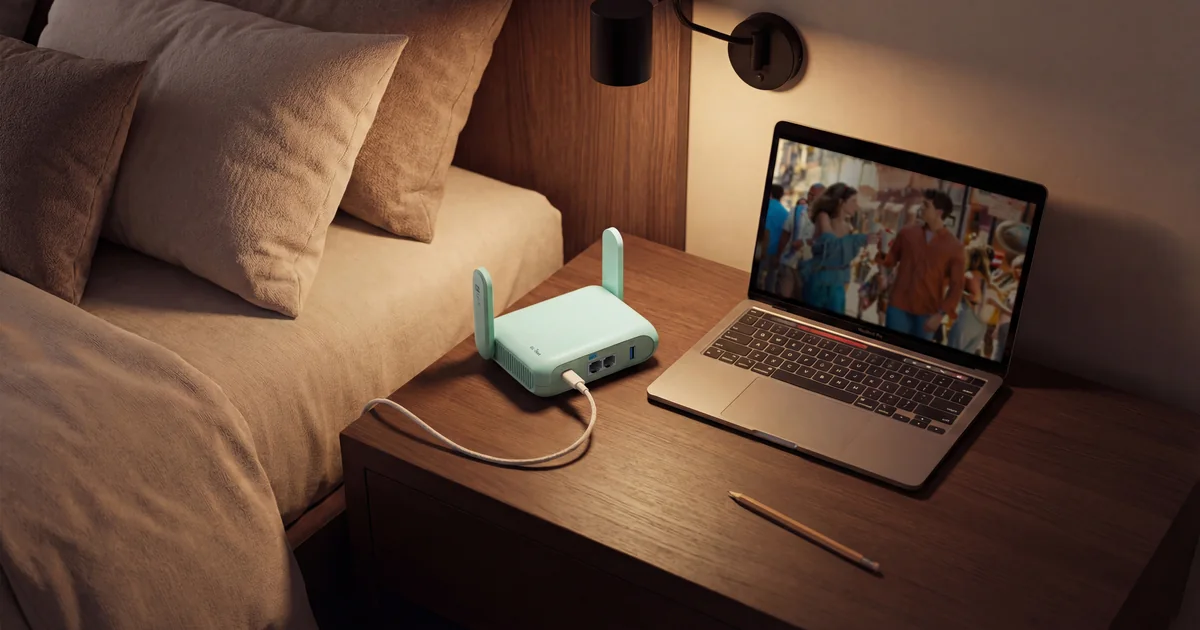
Travel routers used to be a niche full of tiny plastic boxes with slow processors and confusing firmware. In 2026, multiple Wi-Fi 7 travel models sit on Amazon’s frequently updated router bestseller list beside normal home routers.[1] Faster CPUs, modern ports, and useful VPN throughput finally caught up with the marketing.
The new generation combines USB-C power, 2.5GbE, modern VPN acceleration, hotel WiFi repeater modes, phone tethering, and enough CPU to run useful OpenWrt services without turning every encrypted connection into dial-up. I care more about those changes than the Wi-Fi 7 logo.
I would not replace a good Wi-Fi 6 travel router just because a bigger number exists. I would buy one of these if I needed fast WireGuard back to home, wanted one trusted network for a family’s devices, or needed a portable lab edge with wired multi-gig ports. Here is what changed and how I would choose between the three models leading this small category.
What a Travel Router Actually Does
A travel router does not create internet service out of thin air. It connects upstream through hotel WiFi, an Ethernet jack, a phone’s USB tether, or a separate cellular modem. It then creates a private network for your laptop, phone, tablet, streaming stick, and anything else you brought.
That solves three annoying problems. First, every device already knows your private network name and password. You complete the hotel’s captive portal once instead of teaching six devices a new network. Second, your devices sit behind your own firewall instead of directly on a public network. Third, one router can send the whole travel network through WireGuard or OpenVPN without configuring every client separately.
It is also useful at home. A travel router can become a temporary isolated network for questionable hardware, a portable access point for a lab bench, a client bridge for an Ethernet-only device, or a small WireGuard gateway between locations. The same box that fixes hotel WiFi can earn its shelf space the other eleven months.
Why Wi-Fi 7 Is Not the Main Upgrade
The BE3600 label on all three models describes a theoretical combined radio rate across 2.4 and 5 GHz. None includes a 6 GHz radio. That sounds like a compromise, but it makes sense in a travel router. Hotels rarely give you clean 6 GHz conditions, and a third radio adds cost, power draw, and heat.
Wi-Fi 7 still brings features such as Multi-Link Operation and 4K QAM when both router and client support them. Real hotel speed remains limited by the upstream connection, interference, channel width, and the hotel’s own rate limits. A 3.6 Gbps label cannot turn a 40 Mbps captive portal into fiber.
The radio sits inside a much better platform. Dual 2.5GbE ports on both GL.iNet models make the box useful on a desk or lab network. USB 3.0 accepts storage, a tethered phone, or a compatible modem. USB-C PD means one charger can power the router and other travel gear. Most importantly, the new CPUs can encrypt traffic much faster.
VPN performance is why I care. An older travel router may repeat hotel WiFi perfectly and then collapse to double-digit throughput when a VPN turns on. A travel router that cannot keep up with the encrypted connection is a bottleneck you packed yourself.
GL.iNet Beryl 7: The Performance Pick
The GL.iNet Beryl 7, model GL-MT3600BE, is the model I would buy for performance and value. GL.iNet publishes up to 1,100 Mbps for WireGuard and up to 1,000 Mbps with OpenVPN-DCO. It also has two 2.5GbE ports, USB 3.0, USB-C PD power, a quad-core 2.0 GHz MediaTek processor, and 512 MB each of memory and flash storage.[2]
Those are lab-router specifications in a travel body. The two multi-gig ports matter if the box doubles as a small wired gateway. The CPU and storage matter if you install packages, run AdGuard Home, maintain several VPN profiles, or add scripts instead of treating the device as a sealed appliance.
Beryl 7 also avoids the touchscreen and fold-out antenna design of Slate 7. That makes it lighter and simpler. A screen is convenient when standing in a hotel room, but it is another part I do not need once the network is configured. I would rather put the money and power budget into the processor.
The reason not to rush is software maturity. Recent community discussion around Beryl 7 includes buyers weighing its new performance against the deeper troubleshooting history of older models.[5] That is a fair concern. New networking hardware often spends its first months collecting firmware fixes. If a trip is mission critical, set it up and exercise every path at home before trusting it abroad.
GL.iNet Slate 7: The Better Interface
The GL.iNet Slate 7, model GL-BE3600, is the polished choice. It has the same headline dual-band Wi-Fi 7 rate, two 2.5GbE ports, USB 3.0, and USB-C PD support, but adds a touchscreen and fold-out antennas. The screen can show connection status, generate a WiFi QR code, monitor speed, and toggle a VPN without opening the app.[3]
The screen earns its space when several people use the router. A spouse or coworker can confirm the upstream link and switch a VPN without knowing the admin address. In a hotel, visible status is faster than guessing whether the repeater joined the network or the captive portal is still blocking traffic.
The tradeoff is performance and size. GL.iNet publishes up to 490 Mbps for WireGuard and 385 Mbps for OpenVPN-DCO on Slate 7, far below Beryl 7’s claimed figures.[3] Slate 7 has 1 GB of memory, which helps with packages, but its Qualcomm processor is tuned more toward the interface and radio platform than maximum VPN throughput.
I would choose Slate 7 when direct controls reduce friction for the people traveling with me. I would choose Beryl 7 when the router is mine, the web interface is fine, and encrypted speed matters more than a screen.
TP-Link Roam 7: The Mainstream Pick
The TP-Link Roam 7, model TL-WR3602BE, is the less nerdy alternative. It supports router, hotspot, USB modem, access point, range extender, and client modes, with built-in OpenVPN and WireGuard support. TP-Link gives it one 2.5GbE WAN port, one gigabit LAN port, USB 3.0, and USB-C power that works from a 5V/3A power bank.[4]
The port layout is the clearest hardware compromise. Beryl 7 and Slate 7 can move multi-gig traffic through both wired sides. Roam 7 drops the LAN side to gigabit. That does not matter on most hotel internet connections, but it limits the box as a portable multi-gig gateway or bench router.
TP-Link wins on familiarity. The interface is aimed at ordinary router buyers, not OpenWrt tinkerers. If the goal is to join a hotel network, enable a VPN, connect family devices, and stop thinking about it, that narrower ambition can be a feature.
I would buy Roam 7 for someone who wants a travel appliance. I would buy either GL.iNet model for someone who sees a travel router as a tiny programmable network edge.
The Captive Portal Is Still the Annoying Part
The hardware got faster. Hotel sign-in pages did not get smarter.
My setup order would be wired Ethernet first, hotel WiFi repeater second, and phone tethering as the fallback. If the room has a live Ethernet jack, use it. A cable avoids repeating an already congested radio channel and usually gives the most stable upstream link.
When WiFi is the only option, join the hotel network from the travel router, connect a laptop or phone to your private SSID, and open a plain HTTP page to trigger the captive portal. Complete the room-number, last-name, or terms screen once. Every device behind the router should then share that authorized upstream connection.
Some portals bind access to the hardware address of the first device that signed in. If the router does not receive access, clone the phone or laptop address that successfully completed the portal. Keep the original value recorded so you can undo the change later. This is troubleshooting, not a setting to flip randomly.
A travel router can also confuse networks that isolate clients aggressively or limit one session per guest. Test the portal before unpacking everything. If it fails, tether through a phone rather than spending the first hour of a trip reverse-engineering a hotel network.
Configure It Before Leaving Home
A travel router is infrastructure. Treating the first hotel night as installation time is how a useful tool becomes another gadget everyone resents.
Before the trip, I would update stable firmware, change the administrator password, create the private SSID, load VPN profiles, set the correct time zone, and test every upstream method I expect to use. That means Ethernet, WiFi repeater, and USB tethering. If a streaming stick is coming, connect it at home and confirm it can reach the internet through the router.
Use a unique admin password, not the same password as the WiFi network. Disable remote administration from the upstream side. Turn off services you do not use. If you install OpenWrt packages, keep the list short. A travel router is not where I want an experimental package dependency breaking DNS the night before a work call.
For VPN, I prefer WireGuard because its configuration is compact and the protocol performs well on small hardware. A tunnel back to home gives access to self-hosted services and makes the travel network appear from the home connection. A commercial VPN is a different tool for changing the public exit location. Both work, but know which problem you are solving.
Always keep a bypass path. A toggle button can disable the tunnel when a banking site, streaming service, or captive portal rejects it. A VPN kill switch is valuable for devices that must never leak outside the tunnel, but it will make the internet look broken when the remote endpoint is down. Label that behavior so other travelers know what happened.
What I Would Pack With It
The router is only useful if the small support kit survives real travel. I would pack:
- A compact USB-C charger with enough output for the router
- A short Cat6 cable for hotel Ethernet and bench use
- A second short USB-C cable for phone tethering or power
- A tiny USB drive with exported configuration backups
- A paper or offline note containing the local admin address and recovery steps
Do not assume every USB-C charger works equally well. Beryl 7 and Slate 7 support PD input, while Roam 7 is designed around 5V/3A power.[2][3][4] Test the exact charger and cable together under load. A marginal cable can create intermittent reboots that look like firmware bugs.
I would skip a dedicated case unless the router has exposed antennas or shares a bag with heavy adapters. Slate 7’s folding antennas deserve more protection than Beryl 7’s compact body. The best travel kit is the one small enough to remain in the backpack.
Who Should Upgrade
Upgrade from an old travel router if VPN throughput is the bottleneck, if you need 2.5GbE for portable lab work, or if USB-C power and modern tethering eliminate adapters you currently carry. The jump can be meaningful because the CPU, ports, and firmware platform improve together.
Do not upgrade a solid Wi-Fi 6 model used only on slow hotel internet. If it already handles the captive portal, keeps the family’s devices connected, and runs WireGuard faster than the upstream service, Wi-Fi 7 changes nothing important. Keep it until a real limitation appears.
If buying new, my decision is simple:
- Beryl 7 for the fastest published VPN performance, dual 2.5GbE, and the best hardware value
- Slate 7 for a touchscreen, visible status, and controls that non-networking travelers can use
- Roam 7 for a mainstream interface and a simpler appliance experience
That is not a ranking of radio speed. All three advertise the same BE3600 class. It is a choice between performance, interface, and simplicity.
Sources
[1] https://www.amazon.com/Best-Sellers-Computer-Routers/zgbs/pc/300189?tag=jpkio-20 | Amazon Best Sellers in Computer Routers [2] https://www.gl-inet.com/en-us/products/gl-mt3600be | GL.iNet Beryl 7 official product page [3] https://www.gl-inet.com/en-us/products/gl-be3600 | GL.iNet Slate 7 official product page [4] https://www.tp-link.com/us/home-networking/wifi-router/tl-wr3602be | TP-Link Roam 7 official product page [5] https://www.reddit.com/r/GlInet/comments/1quynr9/brume_3_and_beryl_7_combo_for_home_vpn_while.json | Recent GL.iNet community discussion of Beryl 7
The Bottom Line
Wi-Fi 7 did not suddenly make hotel internet fast. It gave travel routers the hardware platform they should have had years ago: useful VPN throughput, USB-C power, multi-gig Ethernet, USB 3.0, modern radios, and enough storage to run more than a bare repeater.
The GL.iNet Beryl 7 is the one I would buy. Its published WireGuard and OpenVPN-DCO performance is far ahead of Slate 7, it has dual 2.5GbE ports, and it skips the touchscreen I do not need. The GL.iNet Slate 7 is better when a visible interface and direct VPN controls matter more than maximum throughput. The TP-Link Roam 7 is the sane mainstream pick for someone who wants a router, not a tiny OpenWrt hobby.
Configure it at home, test the captive portal workflow, carry a known-good charger and cable, and keep a way to bypass the VPN. One private network that every device already knows is far more useful than a hotel-room speed-test win.