At a Glance
I have run both Zigbee stacks in Home Assistant, and the answer to this comparison is less tribal than the internet makes it sound. ZHA is the sensible default for a new installation. Zigbee2MQTT is the more configurable tool, and it earns that complexity when device support or network separation matters.
The radio matters more than the logo. Put a coordinator behind a metal server in a basement and either integration will look unreliable. If you want the hardware shortlist first, start with my best Zigbee devices for Home Assistant. Put a supported coordinator in open air, away from USB 3 noise, and give the mesh powered routers, and both can run for months without drama. Decide on the software after you decide where the radio belongs.
The short answer
Choose ZHA if Home Assistant is the center of your house and you want the fewest moving parts. It is installed from the normal integration screen, uses Home Assistant’s device and automation model, and avoids adding an MQTT broker just to turn on a light.
Choose Zigbee2MQTT if you need a device that ZHA does not support well, want the richest device-specific settings, or want the Zigbee service to live separately from Home Assistant. It is especially attractive in a home lab where MQTT already carries messages between services.
Neither choice is a range upgrade. If your mesh is flaky, troubleshoot placement, interference, channels, and routers before reinstalling software.
What ZHA gets right
ZHA’s biggest advantage is that it feels like part of Home Assistant rather than a neighboring project. Add the integration, select the coordinator, and devices appear in the same area and device screens as the rest of the house. Automations use the same triggers and entities you already know.
That integration makes recovery easier for casual users. There is one dashboard, one backup system, and one place to look when a sensor becomes unavailable. Home Assistant backups can include the Zigbee configuration, although I still record the coordinator model, firmware, channel, and network details separately.
ZHA has enough diagnostic information for normal troubleshooting. You can inspect device availability, routes, signal quality, and battery state. For a home with switches, plugs, contact sensors, motion sensors, and temperature sensors, it is a strong fit.
The trade-off is device support. ZHA support depends on Home Assistant’s device handlers, and a newly released product may expose fewer controls than it does in Zigbee2MQTT. That gap changes over time, so check the current compatibility documentation for the exact model rather than assuming the brand tells you the whole story.
What Zigbee2MQTT gets right
Zigbee2MQTT has a larger reputation for device breadth and exposes a deep set of product-specific options. That matters when a device technically pairs but hides useful features in a simpler integration. It also gives you a web interface and MQTT topics that are valuable when you already operate several independent services.
The separation is useful. Home Assistant can restart while the Zigbee service and coordinator remain conceptually separate. You can move the MQTT broker or Zigbee2MQTT container to another host without redesigning the rest of the house. That is an advantage for a serious home lab, but it is also another service, another configuration file, and another backup target.
MQTT adds a clear failure boundary. If the broker is down, Zigbee2MQTT cannot deliver state to Home Assistant. If the coordinator socket is wrong, the service cannot start. Those errors are diagnosable, but they are not free. A beginner who picked Zigbee2MQTT because a forum called it more reliable may accidentally create more places for reliability to fail.
Coordinator hardware comes first
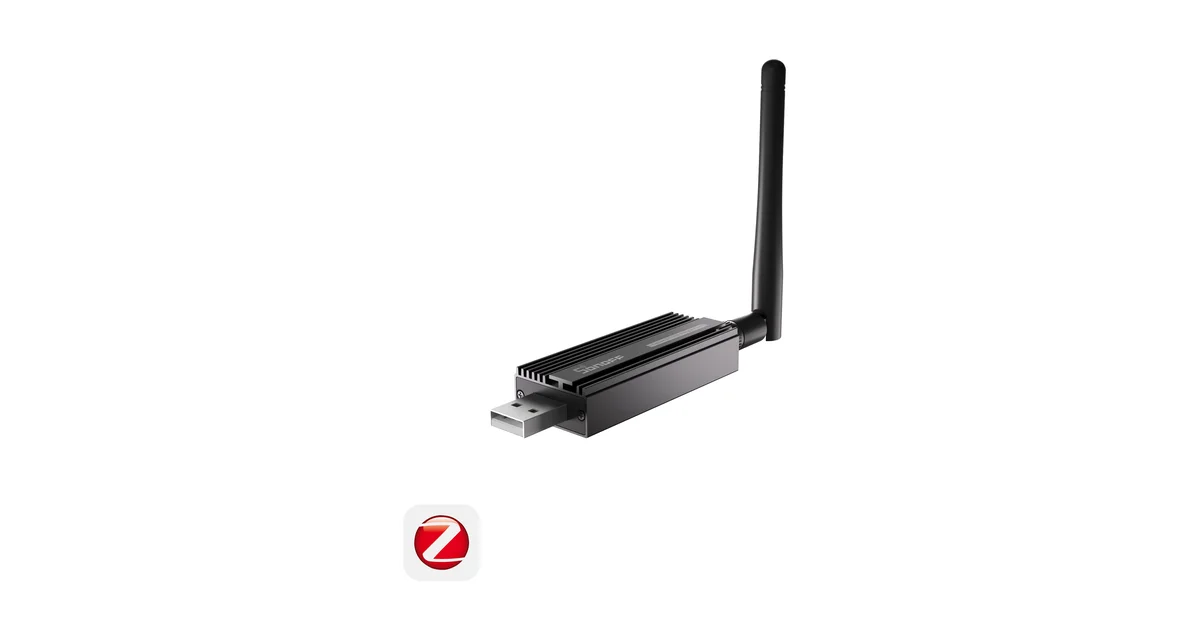
My baseline is the SONOFF Zigbee Dongle Plus-E on SONOFF (also on Amazon). It works with both stacks, has a large user base, and is inexpensive enough that it does not make sense to gamble on an unknown radio for a first mesh.
Use a short USB 2.0 extension cable. The extension moves the radio away from the mini PC, SSD enclosure, and metal rack that can make a good coordinator appear deaf. Keep the antenna in open air and avoid placing it directly beside a Wi-Fi access point.
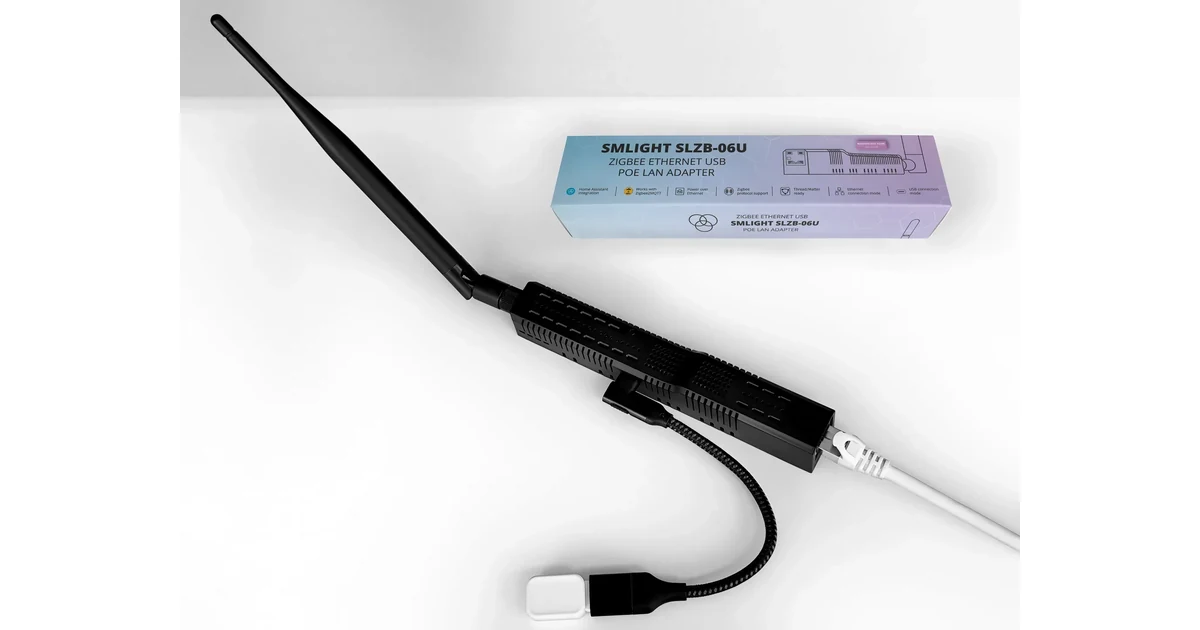
An Ethernet Zigbee coordinator is worth considering when Home Assistant lives in a network closet or basement. Wired Ethernet gives you placement freedom. It does not give you redundancy, and a wireless bridge is a poor substitute for a cable. Reserve the coordinator’s address and make sure the network path still works after a switch or firewall reboot.
Pairing and device support
Before buying any Zigbee product, search for its exact model in the current compatibility list for your chosen stack. A brand name is not enough. Two plugs from the same company can use different chips, expose different clusters, and receive different levels of support.
Pair one device first. Do not order twenty switches because a product page says Zigbee 3.0. Add a sample, inspect every entity, test the power restore behavior, and confirm that the feature you care about actually appears. This is more reliable than trusting a marketplace listing or an old review.
For lights and switches, I care about whether the device joins reliably, reports state promptly, and behaves correctly after power is restored. For battery sensors, I care about sleepy behavior, battery reporting, and whether the device wakes for configuration. Both stacks can expose a device that technically works but is unpleasant to maintain.
Migration without wrecking the house
Do not migrate a production mesh because a forum says the other stack is better. Export or create a full backup first. Write down the channel and coordinator firmware. Make a device inventory with room, entity names, and the automations that matter.
If you move from ZHA to Zigbee2MQTT, or the other way around, the network backup may preserve some relationships, but it is not magic. Different coordinators and firmware families have different migration support. Battery devices may need to be awake before they can be configured. Locks, leak sensors, and safety automations deserve a manual test after the move.
I would first migrate a spare plug and a contact sensor. Keep the original configuration available until the new stack has survived a coordinator restart, a Home Assistant restart, and a normal day of automations. Change one variable at a time. A new coordinator, new channel, new firmware, and new integration in one evening gives you no useful diagnosis when something breaks.
My decision tree
If you are starting with Home Assistant and have no MQTT service, use ZHA. Buy a supported coordinator, use a USB extension, and add powered routers before adding dozens of battery devices.
If you already run MQTT and want exact control over device settings, use Zigbee2MQTT. Treat it like production infrastructure: back up the configuration, reserve addresses, document the coordinator connection, and monitor the service.
If one device is the only reason you are considering Zigbee2MQTT, check whether that device is truly essential. Sometimes the cheaper and more reliable answer is choosing a supported alternative. If that device solves a real problem, the extra service is justified.
If the mesh is unreliable, neither integration is the first fix. Move the coordinator, remove USB 3 interference, check the Zigbee channel against your Wi-Fi plan, and add powered routers. A healthy mesh is built with radio placement and mains-powered devices, not with a more argumentative software choice.
The Bottom Line
ZHA is my default recommendation for most Home Assistant homes because it is simpler, integrated, and easy to recover. Zigbee2MQTT is my pick for a home lab that needs broad device support, detailed controls, or a deliberately separated MQTT architecture.
Buy the coordinator for its radio and placement options, not because one integration promises better range. Start with the smallest system that solves the problem, document it before expanding, and migrate only when you can name the limitation you are fixing. That is how Zigbee becomes boring, which is exactly what a house-wide automation network should be.