Last winter a friend came home from a long weekend to a house that had been screaming for two days. A failing lithium battery in a bedroom smoke alarm had gone into low-battery chirp, then a neighbor’s text finally clued him in. Nothing was on fire. But it made me ask the uncomfortable question every homeowner should: if my smoke or carbon monoxide alarm went off while the house was empty, or while I was asleep with the bedroom door closed, how would I actually know?
The alarms themselves are loud, code-compliant, and doing their job. What they cannot do is reach my phone. This is the build log for closing that gap the right way: pushing real smoke and CO alarm events into Home Assistant, entirely locally, without ripping out a single detector and without trusting a cloud account to relay a life-safety signal.
The Rule I Will Not Break
Before any hardware, the one thing that matters more than everything else in this post: do not replace your UL-listed smoke and CO alarms with a DIY sensor. A cheap MQ-2 gas module wired to an ESP board is a fun project and it is not a smoke detector. It is not UL listed, it is not tested against real fire signatures, and it will either miss a real fire or cry wolf at your morning toast. Your actual alarms stay exactly where they are, doing the job they were certified for.
Everything below is additive. We are adding a way to hear the alarms remotely. We are not touching what the alarms do when there is smoke in the room. Keep that framing and you will never build something that trades real safety for a dashboard tile.
Why Not Just Buy a Nest Protect
The obvious off-the-shelf answer used to be the Google Nest Protect, a genuinely nice smart alarm that spoke the room name, self-tested, and sent phone alerts. I say “used to be” on purpose. In 2025 Google discontinued the Nest Protect entirely and pointed customers at a First Alert replacement instead. The Verge covered the wind-down when it happened.
That is the exact failure mode I build to avoid. When your smoke alarm’s smarts live on a vendor’s servers, the vendor gets to decide when your smart alarm stops being smart. Nest Protect owners did nothing wrong and still watched the connected half of their detector reach end of life on someone else’s schedule. Worse, the Protect never exposed a real local API, so Home Assistant users were always relaying fire alerts through Google’s cloud and the Works with Nest shutdown had already burned that bridge once.
I want the shutoff-and-alert logic for something as serious as a fire to live on my own hardware. If my internet is down, if a company gets acquired, if an app migration breaks an integration, the alert path still has to work. That rules out cloud smart alarms as the primary mechanism and points somewhere much simpler.
The Insight: Don’t Replace the Alarm, Listen to It
Here is the trick that makes this whole build cheap and universal. Every UL-listed smoke alarm in North America sounds the same standardized pattern when it triggers: the T3 temporal pattern, three half-second beeps, a pause, and repeat. Every CO alarm sounds T4, four quick beeps and a pause. These patterns are mandated by standard so that a person hears “smoke” versus “carbon monoxide” and reacts correctly.
If the patterns are standardized, a small device can sit next to any alarm, hear that pattern with a microphone, decode whether it is T3 or T4, and report it over Z-Wave. It does not care what brand the alarm is. It does not need to be wired into anything. It just listens. That device exists, it is UL recognized for exactly this purpose, and it costs about the price of two pizzas.
Step 0: Figure Out What Alarms You Have
Spend two minutes here before buying anything, because it decides where the listener goes.
- Interconnected 120V hardwired alarms. Common in homes built or updated since the early 1990s. When one alarm trips, all of them sound. This is the ideal case: put one listener next to any single alarm and it hears the whole house go off, because they all sound together.
- Standalone battery alarms. Older homes and rentals. Each alarm is independent and only the one that senses smoke will sound. Here you want the listener near the alarm most likely to trip first, usually the kitchen-adjacent hallway unit, or one listener per critical alarm.
- Combination smoke plus CO alarms. Most modern alarms are combo units. The listener decodes both T3 and T4 from the same unit, so one listener covers both hazards.
The listener has to be within about six inches of the alarm’s sounder to reliably hear the pattern over ambient noise. If your alarm is on a twelve-foot ceiling you cannot reach, plan for that now, not after the box arrives.
The Hardware
The star of this build is the Ecolink FireFighter FF-ZWAVE5, about $35. It is a battery-powered Z-Wave Plus audio detector. You mount it within six inches of an existing smoke or CO alarm, it listens for the T3 and T4 patterns, and when it hears one it sends a Z-Wave notification. It reports smoke and CO as two distinct events, it has its own tamper and low-battery reporting, and it runs for years on a single battery. Because it is Z-Wave, it pairs straight into Z-Wave JS and runs with no cloud, no app, and no account.
If you do not already have a Z-Wave coordinator, you need one. I use the Zooz ZST39 LR 800 Series Z-Wave stick, about $30, which I reviewed separately and still recommend. It handles Z-Wave Long Range, so the FireFighter in a far bedroom still reaches the hub.
That is the entire bill of materials for the DIY path: one listener per alarm cluster plus a coordinator you probably already own. Call it $35 to $100 depending on how many alarms you want to hear.
Pairing and What Home Assistant Sees
Pairing is standard Z-Wave inclusion. Open the Z-Wave JS integration, start inclusion, pull the FireFighter’s battery tab or press its pairing button, and it joins. Because it is a Z-Wave Plus device with the standard notification command class, Home Assistant creates the entities for you with no custom quirks.
After inclusion you get binary sensors for the two hazard types plus the usual housekeeping entities. Rename them clearly so your automations read well:
# Entities the FireFighter exposes after Z-Wave inclusion
binary_sensor.firefighter_smoke_detected
binary_sensor.firefighter_carbon_monoxide_detected
binary_sensor.firefighter_tamper
sensor.firefighter_battery_level
The two hazard sensors are the whole point. binary_sensor.firefighter_smoke_detected turns on when the listener hears the T3 pattern, and binary_sensor.firefighter_carbon_monoxide_detected turns on for T4. From there it is ordinary Home Assistant automation.
The Automation
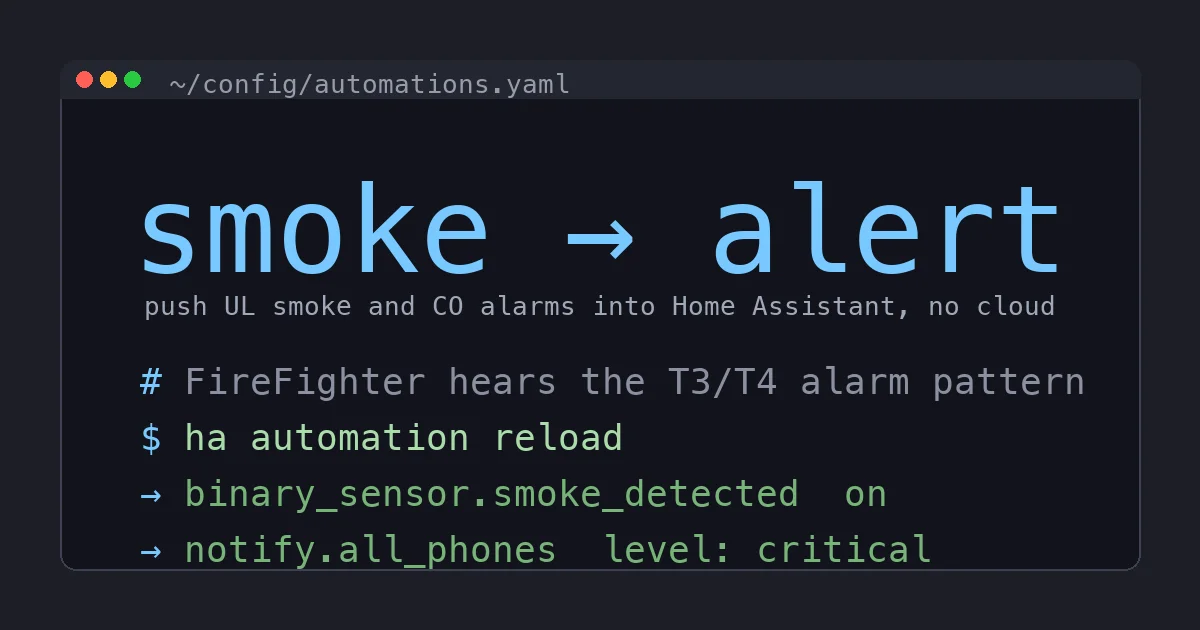
Here is the automation I actually run. It fires the instant either hazard sensor turns on, sends a critical, cannot-be-silenced notification to every phone in the house, and flips a helper so a dashboard card and voice announcement can react too. I keep smoke and CO in one automation using a trigger id so a single block covers both while still saying which one tripped.
automation:
  - alias: "Fire or CO alarm heard, alert everyone"
    trigger:
      - platform: state
        entity_id: binary_sensor.firefighter_smoke_detected
        to: "on"
        id: smoke
      - platform: state
        entity_id: binary_sensor.firefighter_carbon_monoxide_detected
        to: "on"
        id: co
    action:
      - variables:
          hazard: >
            {{ "SMOKE" if trigger.id == "smoke" else "CARBON MONOXIDE" }}
      - service: notify.all_phones
        data:
          title: "{{ hazard }} ALARM"
          message: "The {{ hazard }} alarm is sounding at home. Check in now."
          data:
            push:
              interruption-level: critical
      - service: input_boolean.turn_on
        target:
          entity_id: input_boolean.household_alarm_active
The interruption-level: critical bit is the part that matters. On iOS it overrides silent mode and Do Not Disturb, which is exactly what you want for a fire alert and nothing less. On Android the equivalent is a high-importance notification channel with an alarm sound. Keep the real Wi-Fi and phone credentials out of this file the normal way, in secrets.yaml, and reference them with !secret if your notify platform needs any.
From that input_boolean.household_alarm_active helper you can hang anything: a voice announcement on your local speakers, smart lights flashing red, a camera snapshot, or unlocking doors for egress. I keep the notification path dead simple and let the helper drive the optional theatrics, so the alert itself never depends on a light bulb responding.
Being Honest About the Failure Modes
A listener is clever but it is not magic, and I would rather you know the edges than find them yourself.
- It hears sound, so it can be fooled by sound. A TV playing a fire-alarm sound effect at high volume next to the listener can trip it. In practice this is rare because it has to match the timing pattern, but it is why you treat these alerts as “go verify,” not “the house is definitely burning.”
- Placement is everything. Too far from the sounder and it misses quiet or dying alarms. Six inches, same wall or ceiling, is the spec.
- It is only as reliable as the alarm it listens to. If your underlying smoke alarm has a dead battery and never sounds, there is nothing to hear. This is a good reason to also surface
sensor.firefighter_battery_leveland your alarms’ own low-battery chirps in Home Assistant so you catch a dying alarm before it matters.
None of these are dealbreakers. They are the reason the listener supplements your alarms instead of replacing them.
The Skip-the-Build Path: A Z-Wave Smart Alarm
Maybe you do not want a second device stuck next to every alarm, and your detectors are due for replacement anyway (smoke alarms expire at ten years, check the date printed on the back). In that case, buy an alarm that is itself a Z-Wave device and skip the listener entirely.
The First Alert SMCO410 is the current 2025 Z-Wave smoke and CO combo alarm. It reports over Z-Wave to Home Assistant directly, no listener and no cloud relay, while remaining a real UL-listed alarm that sounds locally on its own. The older but cheaper First Alert ZCOMBO does the same job and is a fine pick if you find it discounted. Both replace a detector you were going to replace anyway and fold the smart alerting into the alarm itself.
The tradeoff versus the listener is simple. The smart alarm is cleaner and one device per location, but you are committing to that brand’s hardware everywhere. The FireFighter listener is universal and keeps whatever alarms you already trust. I run listeners because my hardwired interconnect is newer than my interest in replacing it, but if I were re-doing alarms from scratch I would buy the Z-Wave combos and be done.
Whatever you do, do not make the discontinued cloud smart alarm your alert mechanism. That is the one path this whole build exists to avoid.
The Bottom Line
You do not need to gut your smoke and CO detectors to get a phone alert when they sound. The cheapest, most universal path is a Ecolink FireFighter listening next to an alarm you already own, reporting smoke and CO as separate Z-Wave events into Home Assistant, with a critical notification that punches through Do Not Disturb. It is local, it is about $35, and it works with any brand of alarm because it decodes the same standardized patterns every alarm sounds.
If you would rather replace aging detectors with ones that are smart on their own, the First Alert Z-Wave combo alarms fold the same alerting into the alarm itself with no listener. Either way the principle holds: the life-safety job stays with your UL-listed alarms, and Home Assistant simply makes sure you hear them from anywhere. The cloud gets no say in whether that alert reaches your phone, which is exactly how something this important should work.