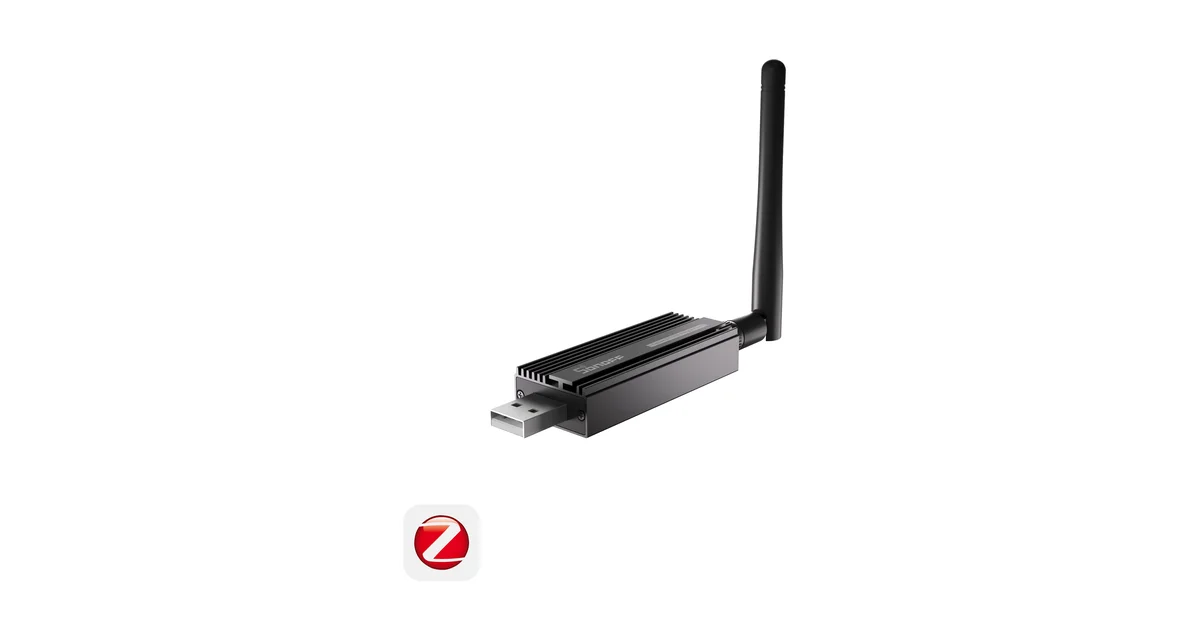
The Zigbee coordinator is easy to ignore until it becomes the least reliable device in the house. Mine started life plugged directly into a small Home Assistant computer. That was convenient, but the computer lived in the network closet, beside USB 3 storage, a switch, and a metal rack. The coordinator had a bad radio location even though the server had a great Ethernet connection.
That is the argument for an Ethernet Zigbee coordinator. Put the radio where the mesh wants it, then let Home Assistant or Zigbee2MQTT reach it over the network. Recent discussions in the Home Assistant community keep circling the same choice: a reliable USB dongle, a PoE coordinator in the middle of the house, or a newer multiprotocol device that promises Zigbee, Thread, and more.
My answer is less exciting than the product announcements. Ethernet is a placement and availability tool, not a magic range upgrade. If a short USB extension cable fixes your coordinator location, keep the USB dongle. If your host is trapped in a basement rack and your devices are spread across two floors, Ethernet is worth considering.
What an Ethernet coordinator actually changes
A USB coordinator ties the radio to one computer. That is not automatically bad. A SONOFF Zigbee Dongle Plus-E on a short USB 2.0 extension cable is a good baseline for a normal Home Assistant installation. It is inexpensive, widely documented, and supported by both Zigbee2MQTT and ZHA. The extension cable matters more than the logo: it moves the radio away from USB 3 noise and the computer chassis.
An Ethernet coordinator separates the radio from the host. The device can sit on a shelf, near a stairwell, or in a central wiring location. A PoE model needs one cable instead of a nearby outlet and can be placed where your access-point and switch cabling already goes. A normal network model works too if it has suitable power.
That separation also changes failure modes. Restarting Home Assistant does not necessarily restart the radio. Replacing a mini PC does not require moving a USB device. On the other hand, the coordinator now depends on the network path, its firmware, and a service that exposes the serial connection. You traded one cable for another small system to maintain.
The three questions I ask before buying one
1. Is placement the real problem?
Draw the house and mark the coordinator, the weakest sensors, and every mains-powered router. If all the failures are on the far side of a wall or floor, moving the radio may help. If the mesh has no powered routers between the coordinator and those sensors, Ethernet alone will not solve it.
A good coordinator in the wrong room is still a bad coordinator. Keep it away from Wi-Fi access points, large USB drives, metal cabinets, and the back of a rack. Put it in open air. For a USB model, start with the cheap USB 2.0 extension cable before spending on new hardware.
2. Will the network path be boring?
Boring is good. Use wired Ethernet, not a wireless bridge, for the coordinator. Give it a DHCP reservation or a fixed lease. Keep it on the same dependable LAN as Home Assistant. Avoid a VLAN rule that works today because of an accidental firewall default.
The Zigbee packets still travel over the Zigbee mesh. The Ethernet link only carries coordinator traffic between the radio and the application. A flaky switch port or sleeping Wi-Fi bridge can make every light look broken even when the Zigbee mesh is healthy.
3. Do I have a recovery plan?
Before migrating, record the current coordinator model, firmware, integration, channel, and network backup. Zigbee2MQTT and ZHA have different backup and restore workflows. Read the documentation for the exact coordinator and stack you use. Do not assume that a backup from one radio family can be restored to another.
If the existing network is stable, I would keep it intact and test the new coordinator separately. Pairing a handful of devices to a temporary network tells you whether the Ethernet path is reliable, but it does not prove that a full migration will preserve device relationships.
USB still wins for many homes
The SONOFF Zigbee Dongle Plus-E (also on Amazon) remains my default recommendation for a first mesh. It avoids another network service, costs less, and has enough capacity for a typical house. Put it on a USB extension cable, select a sensible Zigbee channel, and add powered routers around the home.
USB also makes troubleshooting clearer. There is one host, one serial device, and one integration. Ethernet adds an IP address, a socket connection, and sometimes a vendor dashboard. Those are manageable, but each is another place for an upgrade or reset to create confusion.
The most common mistake is buying an Ethernet coordinator while leaving the real problem untouched. A battery sensor cannot route packets. A coordinator cannot compensate for a house with no powered Zigbee devices on the second floor. Add a good smart plug or in-wall switch where coverage needs a router, then wait for the mesh to settle.
When Ethernet is the better architecture
Ethernet is the better choice when Home Assistant lives in a basement, garage, or rack that is radio-hostile. It is also attractive in a house where the network already has Ethernet drops in useful locations. I would consider it for a detached-building path, a large two-story house, or a server that is frequently moved and rebuilt.
It is useful for people who run Zigbee2MQTT separately from Home Assistant. A coordinator can stay close to the devices while the MQTT broker and Home Assistant live on another machine. That separation is not required, but it makes planned host maintenance less disruptive.
Do not confuse geographic separation with redundancy. Two coordinators do not create a hot standby Zigbee network. They create two networks, and devices cannot casually roam between them. Keep one coordinator for the production mesh and keep a tested backup plan instead.
ZHA, Zigbee2MQTT, and the migration trap
Both ZHA and Zigbee2MQTT can use network-connected coordinators. The exact configuration differs, and the supported firmware list changes, so start with the integration documentation rather than a screenshot from a forum post. Confirm that the coordinator exposes the connection mode you intend to use.
A coordinator migration is not the same as changing a USB port. Some devices preserve their network relationships when a backup is restored. Others need to be paired again. Battery devices are especially annoying because they may not wake during a rushed migration. Keep the old coordinator powered and untouched until every important device is accounted for.
Make a device inventory first. Include the friendly name, room, manufacturer, battery state, and the automation that depends on it. Start with a door sensor or spare plug, not the lock that controls your front door. Test an automation after each class of device moves.
If the migration goes wrong, stop. Do not keep changing channel, firmware, router placement, and coordinator at the same time. Restore the last known-good arrangement, identify one variable, and retest. A stable imperfect mesh is better than an unreadable pile of simultaneous changes.
A practical placement checklist
Place the coordinator in open air, away from metal and USB 3 devices. Use wired Ethernet if it is network-connected. Reserve its address. Keep the antenna orientation consistent with the manufacturer guidance. Put at least one powered router between the coordinator and difficult rooms, then add another where a wall or floor creates a real gap.
Keep Zigbee and Wi-Fi channel notes together. A crowded 2.4 GHz environment can matter, but channel changes are not the first fix for a radio buried in a rack. Change one thing at a time and allow sleepy sensors enough time to report.
Watch behavior rather than a single map screenshot. A route line is a snapshot. Compare delayed automations, unavailable times, battery drain, and missed reports before and after the change. The best mesh is the one that behaves predictably in the rooms where you actually use it.
The Bottom Line
Buy an Ethernet Zigbee coordinator when you need better radio placement or want the radio independent of the Home Assistant host. Do not buy one expecting faster Zigbee or automatic coverage. For most homes, a well-placed USB coordinator on a short extension cable is still the simplest answer.
If you are starting fresh and have Ethernet in a central location, PoE is a sensible convenience. If you already have a stable mesh, leave it alone until USB placement or host maintenance creates a real problem. Spend the first dollars on coordinator placement and powered routers. That is where reliability usually comes from.