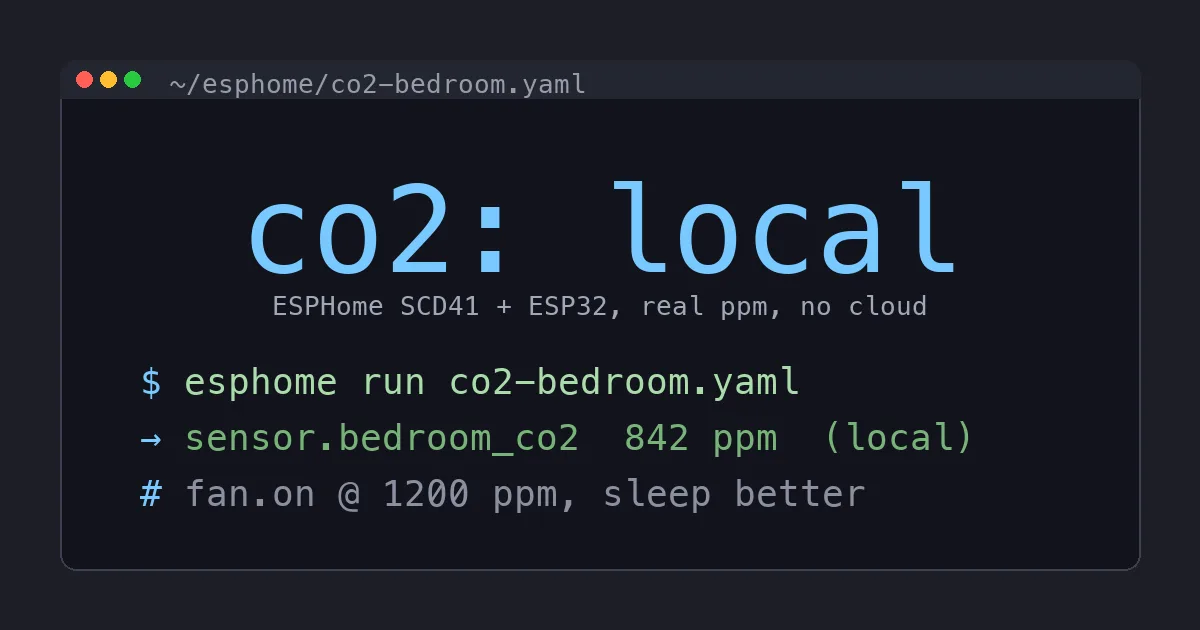
The good consumer CO2 monitors cost between $200 and $300. The Aranet4 is $250. The Awair Element is $200 and wants a cloud account. Both are excellent, and for years I told people to just buy one. Then I watched the stuffy-bedroom problem I was trying to solve get fixed by a sensor that costs $25, sits on my dresser, and reports to Home Assistant with no app and no account. So I stopped recommending the expensive ones for anyone who already runs Home Assistant.
This is the build log. By the end you will have a genuinely accurate CO2 sensor, real ppm numbers you can trust, a Home Assistant entity, and an automation that cracks a window fan when the room gets stale. Total cost is about $25 in parts and about twenty minutes of work. No soldering required if you buy the right parts.
Why CO2 Is the Air-Quality Number That Actually Matters
Most air quality fuss is about particulates and VOCs, and those matter. But the number that quietly wrecks your sleep and your focus is carbon dioxide. A closed bedroom with two people breathing overnight routinely hits 1500 to 2500 ppm by morning. Above about 1000 ppm you start losing reasoning ability, and above 1400 you feel it as a headache and that groggy “why am I so tired” fog. You cannot smell it, you cannot see it, and your expensive purifier does nothing about it because the only fix is fresh air.
I knew my bedroom felt stuffy. I did not know it was hitting 2200 ppm by 6am until I measured it. That single data point changed how I sleep, and it cost almost nothing to collect.
The reason CO2 is worth monitoring over everything else is that it is a near-perfect proxy for ventilation. If CO2 is climbing, fresh air is not getting in, and whatever else is in your air, cooking particulates, off-gassing furniture, the dog, is also accumulating. Fix the ventilation problem CO2 reveals and you fix most of the rest. It is the single most useful number, and the one almost nobody measures.
The One Sensor Rule: Buy a Real CO2 Chip
This is where most cheap builds go wrong, so read this before you buy anything. There are two kinds of “CO2” sensors:
- Real ones measure CO2 directly. The Sensirion SCD41 uses photoacoustic NDIR sensing and reports actual ppm from 400 to 5000. This is the chip in several $200 monitors.
- Fake ones like the MQ-135 measure VOCs and a chip estimates an “equivalent CO2” from them. The number is invented. It will say 400 ppm when you exhale on it and 8000 when you wave alcohol nearby. Useless for sleep.
Spend the extra ten dollars on the SCD41 (the SCD40 is its slightly less accurate sibling and is fine too). Everything in this guide assumes a real Sensirion sensor. If the listing says MQ-135 or “eCO2,” skip it.
The Parts
- One Sensirion SCD41 module, ideally on a breakout board with a Qwiic connector, about $18
- One ESP32-C3 SuperMini, about $4
- One 4-pin JST-SH (Qwiic) cable so you can plug it in without soldering, a couple of dollars
- Optional: a 2.9 inch e-paper display if you want a number on the dresser, about $15
If your SCD41 board has a Qwiic port and your ESP32 has one too, this is a plug-together job. Otherwise you solder four wires: 3.3V, GND, SDA, SCL. That is the whole wiring diagram.
A note on board choice: I use the ESP32-C3 SuperMini because it is tiny, costs four dollars, and has plenty of headroom for one I2C sensor. Any ESP32 works. If you already have an ESP8266 in a drawer it will run an SCD41 too, but I would buy the C3 for new builds because it has native USB and flashes without a finicky boot-button dance. Skip the absolute cheapest no-name boards with sketchy 3.3V regulators, since the SCD41 pulls real current during a measurement and a weak regulator browns out and freezes the readings. A reputable C3 board solves that for the price of a coffee.
Step 1: Flash ESPHome
You do not need a command line. Install the ESPHome Device Builder add-on in Home Assistant, create a new device, plug the ESP32-C3 into the computer over USB, and flash once using the web installer in Chrome or Edge. After that first flash, every change goes over Wi-Fi and you never plug it in again.
Step 2: The Config
This is the entire device. The SCD41 talks over I2C, so you declare the bus and the sensor, and ESPHome does the rest:
esphome:
  name: co2-bedroom

esp32:
  board: esp32-c3-devkitm-1

wifi:
  ssid: !secret wifi_ssid
  password: !secret wifi_password

api:
  encryption:
    key: !secret api_key

logger:
ota:

i2c:
  sda: GPIO8
  scl: GPIO9
  scan: true

sensor:
  - platform: scd4x
    co2:
      name: "Bedroom CO2"
    temperature:
      name: "Bedroom Temp"
    humidity:
      name: "Bedroom Humidity"
    update_interval: 60s
Keep the real Wi-Fi password, encryption key, and SSID in your ESPHome secrets.yaml. The !secret references above are exactly how you should write the device YAML so you never paste a credential into a config you might share. That is best practice and it keeps the file clean.
That is it. One SCD41 gives you CO2, temperature, and humidity from a single chip. Three sensors, twelve lines. Save, install over Wi-Fi, and Home Assistant discovers three new entities within a minute.
Step 3: Calibration, the Part Everyone Skips
The SCD41 ships with automatic self-calibration (ASC) on. It assumes that at least once a week the sensor sees genuine fresh outdoor air around 420 ppm, and it uses that as its zero. In a normal house with windows that open sometimes, this works fine and you do nothing.
If your sensor lives somewhere that never airs out, it drifts. Two fixes:
- Forced recalibration: take it outside for a few minutes in fresh air, then trigger one forced calibration to 420 ppm. ESPHome exposes a button for this if you add it.
- Trust ASC and ventilate weekly: open a window once a week, which you should do anyway. The numbers stay honest.
Do not calibrate indoors against your phone app. Calibrate against the only reference that is always the same: outdoor air at 420 ppm.
One more placement note that matters for calibration: do not put the sensor where you breathe directly on it. Pointed at a pillow or right next to your face it reads your exhale, not the room, and ASC will fight that. Put it on a dresser, shelf, or wall a few feet from the bed at roughly seated head height. That gets you the number that matches the air you are actually breathing without spiking every time you roll over.
Step 4: The Automation That Pays for Everything
A number on a dashboard is mildly interesting. An automation that fixes the air is the point. Mine notifies me at 1000 ppm and turns on the bedroom fan at 1200:
trigger:
  - platform: numeric_state
    entity_id: sensor.bedroom_co2
    above: 1200
action:
  - service: fan.turn_on
    target:
      entity_id: fan.bedroom_window
  - service: notify.mobile_app
    data:
      message: "Bedroom CO2 high, ventilating"
Below 800 ppm is fresh. 800 to 1200 is stuffy. Above 1400 you feel it. Pick your threshold and let the house breathe on its own. I sleep noticeably better since the fan kicks on at 1200 instead of me waking up foggy at 2200.
Should You Add the Display?
The optional e-paper screen is a nice touch for a bedroom or office because it shows the current number without opening an app, and e-paper draws almost nothing so it can run on USB forever. ESPHome drives it natively. If you only care about automations and dashboards, skip it and save the $15. If you want a visible nudge to open a window, add it.
What About Just Buying an Aranet4?
If you do not run Home Assistant, buy the Aranet4 and stop reading. It is excellent, fully self-contained, and the battery lasts years. The DIY build only wins when you already have Home Assistant, because then the sensor becomes part of a system: it can trigger fans, log trends, and alert you, all locally. A $250 standalone gadget cannot do that without a hub. The $25 build does it on day one.
The other quiet win is data. Because every reading lands in Home Assistant, I can pull up a week of CO2 history and see exactly when the bedroom goes bad and how fast the fan clears it. That turned a vague “it feels stuffy” into a chart, and the chart is what convinced me to crack a window an hour before bed. You do not get that from a number on a battery gadget. Multiply the sensor by three at $25 each and you can map the whole house for the price of one Aranet, then automate every room independently.
The Bottom Line
Carbon dioxide is the air quality number that actually changes how you feel, and you have been guessing at it. A real Sensirion SCD41, a $4 ESP32, and twelve lines of ESPHome give you accurate ppm, three sensors in one, and an automation that ventilates the room before you ever feel the fog. It is local, it has no account, and nobody can switch it off. Buy the real sensor, skip the MQ-135 junk, and build the thing. It is the highest impact $25 I have spent on my house, and I sleep better for it.