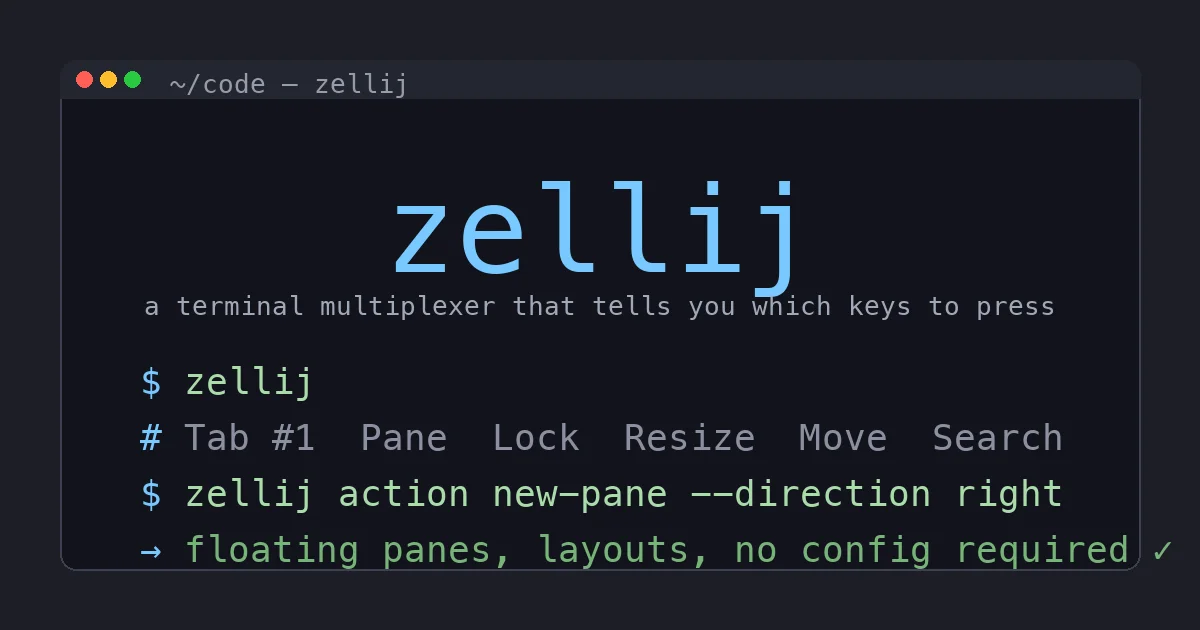
I have started and abandoned tmux at least four times over the years. Every time, the story was the same: I would follow a dotfiles guide, paste in a 200-line .tmux.conf I did not understand, get a pretty status bar, and then forget every keybinding within a week because nothing on screen reminded me what they were. I would drift back to native terminal tabs and tell myself I was not a multiplexer person.
Then a coworker showed me Zellij on a screen share, and the thing that hooked me was so dumb I am almost embarrassed to lead with it: there is a bar at the bottom of the screen that tells you which keys to press. That is it. That is the feature. Six months later it is still my daily driver, and this is the honest review.
What Zellij Is
Zellij is a terminal multiplexer, the same category as tmux and GNU screen. It lets you split one terminal window into multiple panes, organize them into tabs, detach a session and leave it running, and reattach later from a different terminal. If you have never used a multiplexer, the elevator pitch is: you can run your editor, your dev server, your logs, and a shell all in one window, then close your laptop, walk away, and come back to find all of it exactly where you left it.
What sets Zellij apart is not the category, it is the defaults and the design philosophy. tmux is a toolkit that ships configured for 2007 and expects you to build your own experience. Zellij ships configured for someone who wants to be productive today and tune it later. Written in Rust, sensible out of the box, discoverable by design.
The Status Bar Changes Everything
Let me actually explain the feature I led with, because it is the whole reason Zellij stuck when tmux never did.
At the bottom of a Zellij session there is a bar showing the available actions for whatever mode you are in. Hit Ctrl-p to enter pane mode and the bar updates to show you that n makes a new pane, x closes one, f makes it float, the arrow keys move focus. You are not recalling a memorized table. You are reading a menu.
For a beginner this is the difference between productive on day one and giving up in week one. For me specifically, it is the difference between a tool I actually use and a tool I keep reinstalling and re-abandoning. The discoverability removes the single biggest barrier to entry that every multiplexer before it had. You learn the keybindings by using them and seeing them, and eventually the bar becomes background noise because your fingers know the moves. But it is there the moment you forget, which for me is constantly.
Floating and Stacked Panes
This is the feature tmux genuinely cannot match without bolting on plugins, and it is more useful than it sounds.
Floating panes pop up over your layout instead of squeezing into the tiled grid. I use one constantly: I am in a normal tiled layout with editor and logs, I need to run a quick git status or check a man page, so I summon a floating pane, do the thing, and dismiss it. My main layout never reflows. In tmux that quick detour means splitting a pane, which shrinks everything else, then closing it, which reflows everything again. The floating pane is a scratchpad that does not disturb the room.
Stacked panes let you collapse several panes into a stack where only the focused one is expanded, like a set of accordion folders. On a laptop screen where five tiled panes would each be too small to read, a stack keeps them all one keystroke away without the cramped grid. It is a small-screen superpower.
Neither of these is life-changing on its own. Together they make me lay out a working session the way I actually think, instead of contorting my thinking to fit a rigid tiling grid.
Session Resurrection
tmux keeps your sessions alive as long as the server process lives. Reboot the machine and they are gone unless you have wired up tmux-resurrect and tmux-continuum and saved your state on a timer.
Zellij has this built in. Detach and the session keeps running, same as tmux. But it also serializes session state to disk, so after a reboot you can resurrect a session: it comes back with its full tab and pane layout, and it can re-run the commands that were in each pane. I reboot for an OS update, run zellij attach (or pick the session from the revamped session manager screen), and my whole working layout reassembles itself.
The session manager itself got a cleanup in recent releases. It is now a single screen where you create a new session, attach to an existing one, or resurrect an exited one, all driven by the name you type. It is the kind of small UX polish that signals the project sweats the details.
Plugins Are WebAssembly, and That Matters
Here is an architectural decision I did not appreciate until I thought about it. Zellij plugins are WebAssembly modules, sandboxed, with explicit permissions. The status bar, the tab bar, and the built-in file manager are themselves WASM plugins. The core practices what it preaches about extensibility.
Contrast with tmux, where a “plugin” is shell scripts that run with your full user permissions. A tmux plugin can read any file you can read and run any command you can run. Most are fine. But you are trusting every plugin author completely, and you are one curl-pipe-to-bash install instruction away from a bad day.
Zellij’s model is structurally safer: a plugin declares what it needs, runs in a sandbox, and cannot quietly rifle through your home directory. The tradeoff is that the ecosystem is young. There is nothing like the sprawling tmux plugin catalog yet. But the foundation is the right one, and I would rather have a small ecosystem with a good security model than a huge one built on “just trust the script.”
The Honest Downsides
I rate this 4.5 out of 5, not 5, and the missing half-star is real.
Resource usage. Zellij uses more memory and CPU at baseline than tmux. On my laptop I never notice. On a small VPS where I am running a dozen detached sessions, tmux’s lower footprint is a genuine advantage. If you multiplex heavily on constrained remote boxes, this matters.
SSH and scripting. tmux has a decade-plus of being the tool for remote server work. The detach/attach reliability over flaky SSH, the scriptability for automation, the sheer number of Stack Overflow answers for “how do I tmux X on a server”: Zellij has not caught up there and may never fully. For driving production servers I still reach for tmux.
Keybinding collisions. Zellij’s defaults lean on Ctrl combos that collide with common shell and editor bindings (Ctrl-b, Ctrl-n, Ctrl-o and friends). There is a lock mode to pass keys straight through, and you can remap everything, but out of the box you will hit a collision in your first hour and have to decide how to resolve it. It is a five-minute fix, but it is a papercut on an otherwise smooth onboarding.
Young plugin ecosystem. Said it above, worth repeating. If your tmux setup depends on three specific community plugins, check whether Zellij equivalents exist before you switch. They might not.
Who Should Switch
Switch to Zellij if you mostly multiplex on a local machine, especially if you have ever bounced off tmux because of the learning curve. The discoverability alone will get you productive in an afternoon, and the floating panes and session resurrection will keep you there.
Stay on (or stick with) tmux if you live in SSH sessions on remote servers, run many sessions on resource-constrained boxes, or depend on a specific tmux plugin ecosystem you have already invested in. tmux is not obsolete. It is the battle-tested workhorse and it earned that reputation.
The split I have landed on, and the one I see a lot of people settle into, is Zellij on the laptop and tmux on the servers. They are not really competing for the same slot once you use both for a while.
The Bottom Line
Zellij is the first terminal multiplexer that survived contact with my actual habits. The status bar got me in the door by removing the memorization tax, and then floating panes, stacked panes, session resurrection, and a genuinely safer plugin model gave me reasons to stay that go well beyond beginner-friendliness. It is not lighter than tmux and it is not the better remote-server tool, and I am not going to pretend otherwise. But for local development on a real screen, it is the one I recommend without hesitation in 2026.
It is free and open source, install takes one command, and the defaults are good enough that you can judge it in ten minutes without reading a config guide. If you have a tmux-shaped hole in your workflow that you have never quite filled, spend an afternoon with Zellij. For me that afternoon turned into six months and counting.