I have used VS Code as my daily driver since roughly 2017. I have the muscle memory, the keybindings, the thirty extensions, the whole nest. I have also spent those years quietly annoyed at how a text editor manages to feel sluggish on a machine with an M-series chip and 32GB of RAM. Every “Reloading window,” every two-second pause as the extension host wakes up, every fan spin when I open a big file.
Two months ago I made Zed my default editor and pointed it at my real work: a TypeScript monorepo, a Rust service, a pile of Python, and the usual mess of YAML and Markdown. This is the honest review after living in it, not after a weekend tour.
What Zed Is
Zed is a code editor written from scratch in Rust by a team that includes the people behind Atom and the Tree-sitter parsing library. The headline is performance: it uses the GPU to render the UI, it is multithreaded in places VS Code is single-threaded, and it was built from the start to be fast rather than made fast later.
The pitch is not “VS Code but Rust.” The pitch is an editor where the editor itself never makes you wait, plus real-time collaboration baked into the core, plus an AI layer that treats coding agents as first-class citizens. It is open source, it is free to use, and the company makes money on optional hosted AI.
The Speed Is Not Marketing
I went in skeptical because every editor claims to be fast. Zed is the first one in a long time where the claim matched my experience within the first hour.
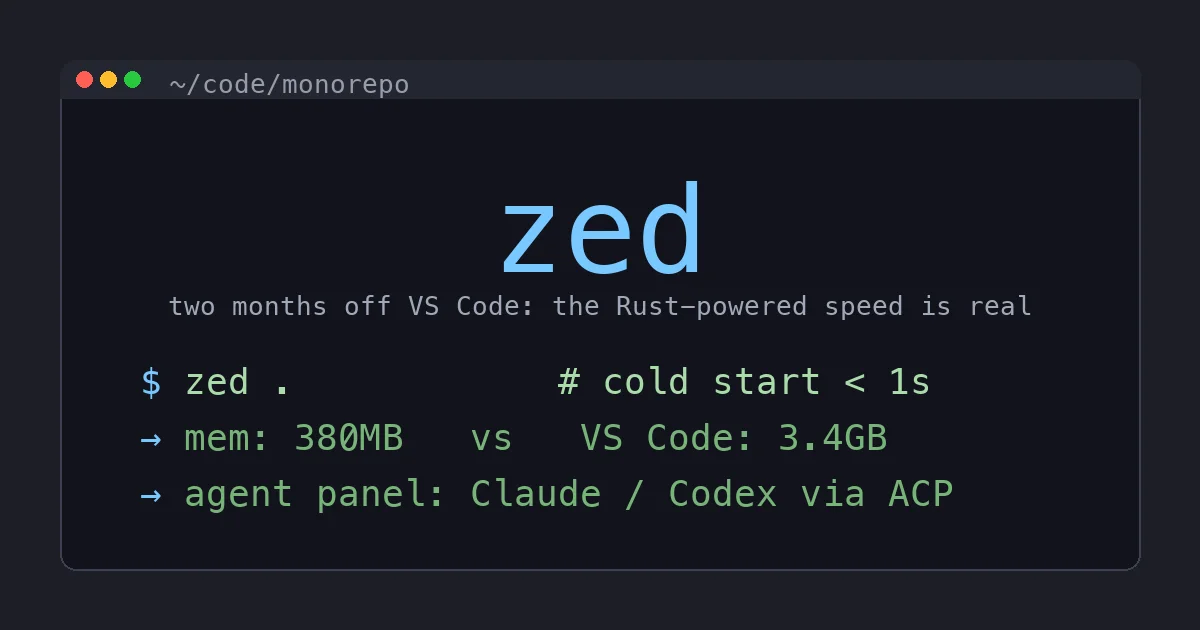
Cold start is under a second. Not “fast for an Electron app,” actually under a second, the way a native tool opens. VS Code on the same machine takes several seconds to become useful once the extension host spins up.
Typing latency is the part that surprised me. There is a measurable, feel-able difference in how quickly a keypress becomes a glyph on screen. After a week in Zed, going back to VS Code for a task felt like typing through a thin layer of syrup. I did not expect to notice. I noticed every time.
Memory is the other gap. Zed routinely sits under 400MB for me on a project where VS Code, with its extension host and a dozen language servers, is happily holding several gigabytes. On a laptop with the browser, a couple of containers, and an editor all fighting for RAM, that headroom is real.
None of this is subtle. If you have ever felt that your editor is the slow part of your machine, Zed removes that feeling. That alone carried me through the rough edges.
The AI Layer Is Genuinely Good
I was ready to be cynical here too, because every tool has bolted an AI sidebar on in the last two years and most of them are bad. Zed’s is one of the better implementations I have used, for one structural reason: it treats agents as a protocol, not a feature.
Zed’s Agent Panel speaks ACP, the Agent Client Protocol, which means you can drive external coding agents like Claude Agent, Codex, or OpenCode from inside the editor, with the editor providing context and applying diffs. It is not a single vendor’s chatbot welded to the side. It is a panel that can host whatever agent you bring.
Then there is Edit Predictions, Zed’s inline next-edit suggestion feature, comparable to Cursor’s Tab. As you edit, it predicts the next change and you accept it with a keystroke. The free tier includes 2,000 accepted predictions a month, which is enough that I have not personally hit the wall, and the Pro plan makes it unlimited. The key word is accepted: you are not billed for suggestions you ignore.
The pricing is refreshingly legible. The Personal plan is free and is the whole editor with no AI, or with your own API keys and external agents. The Pro plan adds Zed-hosted models out of the box if you do not want to manage keys. You can use the entire editor, forever, without paying anything or signing into an AI service, which is exactly the arrangement I want from a tool. AI is an option I reach for, not a tax on opening the app.
Collaboration Is a Real Feature, Not a Demo
Zed has real-time collaborative editing built into the core. Multiple cursors from multiple people, shared terminals, the works, the way Google Docs does it but for code. I have used it for exactly two pairing sessions and a code-walkthrough with a coworker, and it worked without the friction of screen-sharing or the lag of a Live Share extension.
I am not going to oversell this because most of my work is solo and yours probably is too. But it is genuinely first-class here, not an extension someone might stop maintaining, and if you pair or mob regularly it is a real differentiator.
Where It Bites: Extensions
Here is the honest part, and it is the part that will decide whether Zed sticks for you.
VS Code’s superpower was never the editor. It was the marketplace. Fifteen years of every tool, linter, framework, and obscure language shipping a VS Code extension. Zed has an extension system and a growing registry, but “growing” is the operative word. The question “is there a Zed extension for the thing I need” still comes back “not yet” often enough to matter.
For mainstream work (TypeScript, Rust, Python, Go, web stuff) the language support is excellent and built on the same language servers VS Code uses, so you are not giving anything up. The moment you step toward something niche (a less common language server, a specialized framework tool, a particular linter integration, that one weird extension your team standardized on) you are more likely to find a gap.
This is the documented reason people bounce back. The migration data that gets passed around says roughly a third of developers who switch from VS Code to Zed eventually return, and the near-universal reason is the extension ecosystem. I believe it. The editor is better; the ecosystem is younger. Whether that trade works depends entirely on how exotic your toolchain is.
My practical advice: before you commit, list the five extensions you genuinely cannot work without and check each one against Zed’s registry. If all five exist, switch today. If two are missing, wait or keep VS Code around for those tasks.
Where It Bites: Debugging and Remote
Two more honest gaps.
Debugging. DAP (Debug Adapter Protocol) support arrived relatively recently and it is functional but immature next to VS Code’s mature debugging UI or a full JetBrains IDE. If you live in breakpoints and watch expressions and step-through for a compiled language, you will feel the difference. For my workflow (a lot of print-debugging and test-driven work, with heavier debugging in a real IDE when I need it) it has been fine, but I am not going to pretend it matches VS Code here yet.
Remote development. Zed has SSH remote development, and it works: local UI performance, remote language servers, remote terminals. But VS Code Remote-SSH, WSL integration, dev containers, and Codespaces are a deep, polished, years-old ecosystem, and Zed’s remote story is younger and less battle-tested. If most of your work happens on remote machines or inside containers, audit this carefully. It may be enough; it may not.
The Windows Question Is Now Answered
For a long time the asterisk on Zed was “Mac and Linux only.” As of 2026 that is resolved. Zed runs natively on Windows, it speaks WSL as a first-class remote target, the extensions work without special steps, and the AI features are fully supported. If you held off because you are on Windows, that reason is gone. I have not run it on Windows myself (I am on macOS and Linux) but the platform is no longer a blocker the way it was a year ago.
Who Should Switch
Switch now if: you do mainstream web or systems development, your machine feels held back by your editor, you want a fast AI agent workflow without a separate app, and your must-have extensions are mainstream enough to already exist. This is most working developers.
Wait if: your toolchain leans on niche extensions or language servers, you debug compiled code heavily inside the editor, or most of your work lives on remote machines and containers. Keep VS Code, check back in six months, the gaps are closing fast.
Run both, which is what I actually do: Zed is my default for almost everything because the speed is worth it every single keystroke. VS Code stays installed for the two or three tasks where a specific extension or the mature remote/debug story still wins. Most people who “switch to Zed” really mean this, and that is a perfectly good outcome.
The Bottom Line
Zed is the first editor in years that made VS Code feel slow, and once you feel it you cannot unfeel it. The sub-second startup, the instant typing, the tiny memory footprint, and a genuinely good AI agent panel add up to an editor I reach for by reflex now. It is free, it is open source, and the free tier is the whole editor, which is exactly how this should work.
It is not a clean win on every axis. The extension ecosystem is younger, debugging is less mature, and remote development is less polished than VS Code’s. Those are real, and for some toolchains they are dealbreakers. But for mainstream development the trade is lopsided in Zed’s favor, and the gaps are shrinking with every release. Do the five-extension check, and if it passes, give it two weeks. I bet you do not go all the way back.