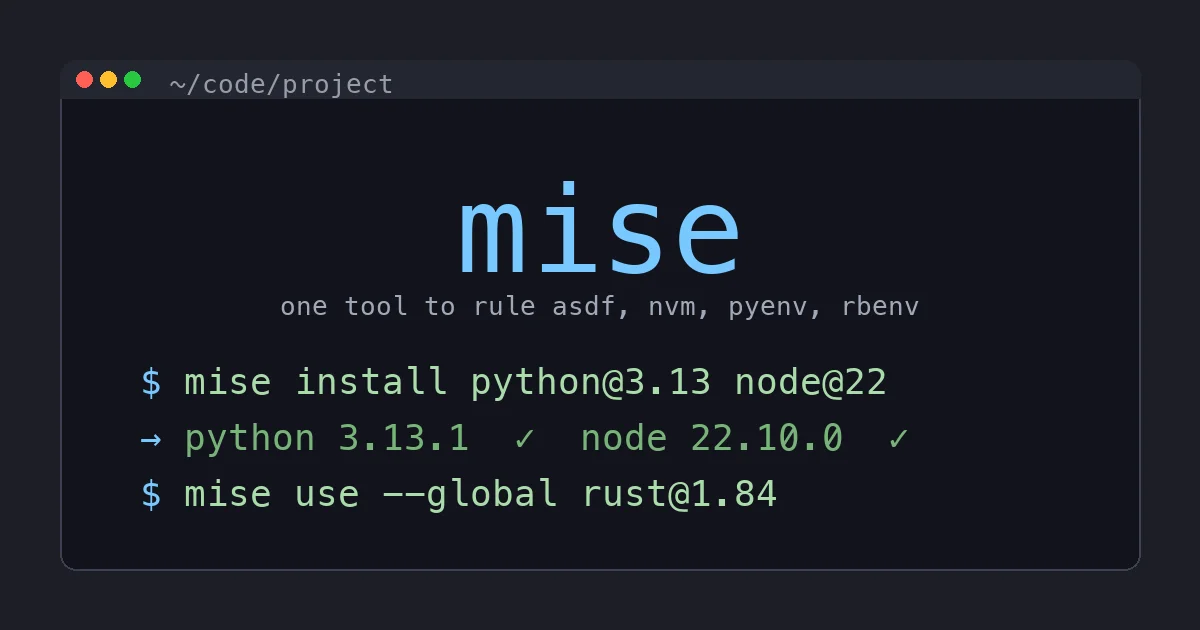
A year ago my .zshrc had four different version-manager init blocks: pyenv for Python, nvm for Node, rbenv for Ruby, and asdf for the random Erlang/Elixir/Crystal projects I dabble in. Total shell startup time was about 1.4 seconds. I could feel it every time I opened a new tab. I’d accepted it as the cost of polyglot life.
Six months ago I deleted all four and switched to mise (formerly called rtx, renamed by author Jeff Dickey to mise-en-place, “everything in its place”). My shell starts in under 80ms. I have not reinstalled any of the four tools it replaced. This is the opinionated review.
What mise Actually Is
mise is a single Rust binary that does the job of asdf, nvm, pyenv, rbenv, plus a small task runner, plus per-project environment variable management. It is descended from asdf. It speaks asdf plugins, it reads .tool-versions files, and it stores tools in the same kind of layout. But it’s a complete rewrite in Rust and the behavior is substantially better.
Three things differentiate it from asdf:
Speed. mise’s shell activation is essentially instant. asdf’s shim-based approach adds 50 to 150ms to every command. mise uses a smarter PATH-rewrite approach (or shims if you want them, configurable per-tool) and the overhead is unmeasurable.
Native, not asdf-plugin, for popular languages. Python, Node, Go, Ruby, Erlang, Java are all built-in “core plugins” in mise, written in Rust, with precompiled binary downloads. You don’t pay the price of asdf’s shell-script plugins that have to compile from source.
Less ceremony. mise install [email protected] works without first running mise plugin add python. You don’t manage a separate plugin layer for the common languages.
It’s still compatible with the asdf plugin ecosystem for less-popular languages. mise plugin add zig works fine. It just falls back to the asdf-zig plugin and runs it.
The Tools It Killed for Me
pyenv
pyenv was the right answer for Python version management for years. The problem with pyenv was that it compiles Python from source on install. This takes 5 to 10 minutes per version, requires a working build toolchain (xcode-select, openssl headers, readline, zlib, the whole dance), and occasionally fails halfway through with cryptic OpenSSL errors that you spend an afternoon debugging.
mise install [email protected] downloads a precompiled standalone CPython build in about three seconds. Same project Astral’s uv uses. The Python is self-contained, has no system library dependencies, and works identically on every machine.
For folks already on uv (and you should be), mise and uv compose nicely: mise picks the Python version per project, uv handles dependencies and venv creation. mise use [email protected] plus uv sync is the whole workflow.
nvm
nvm is a 500-line shell script that adds 200 to 400ms to your shell startup if you let it lazy-load, and 600 to 1000ms if you don’t. I never figured out why my new tabs felt slow until I instrumented .zshrc and saw nvm chewing up the budget.
mise use node@22 does the same job. No shell-script init, no measurable startup cost, no nvm use dance on every project switch.
rbenv
I do not do a lot of Ruby work but I do enough to have rbenv installed for the times when I have to drop into a Rails project to investigate something. rbenv is fine, it works, but it’s another tool to remember.
mise use [email protected] covers it. Ruby is one of mise’s core plugins, so it gets the same precompiled-binary download treatment as Python. No more waiting 8 minutes for rbenv install to compile Ruby from source.
asdf
This is the controversial one because asdf works fine and is widely deployed. I used asdf for two years and shipped real projects with it. My switch was driven by three specific frustrations.
Shim overhead is real. asdf installs a python shim in your PATH that, when invoked, reads .tool-versions, decides which actual Python to call, and execs it. This adds 50 to 150ms to every command. Multiply that by every git hook, every shell completion fetch, every make test invocation, and it adds up.
Plugin shell scripts are fragile. I had asdf-python break twice in two years from upstream changes to python-build dependencies. asdf-nodejs broke once when Node moved their tarball URL pattern. The plugins are community-maintained bash, which is reliable until it isn’t.
Per-project env var support is bolted on. asdf has a .tool-versions file. Environment variables live elsewhere (direnv, your shell rc, or a third-party plugin). mise puts both in one mise.toml:
[tools]
python = "3.13"
node = "22"

[env]
MY_PROJECT_ROOT = "/Users/me/code/project"
LOG_LEVEL = "debug"
One file, version-controlled, the truth about what tools and env vars this project expects. cd in, mise activates. cd out, mise deactivates.
The Migration
Migrating off four tools sounds painful. It wasn’t. The script that did it:
# 1. Install mise
curl https://mise.run | sh

# 2. Activate in your shell rc (.zshrc or .bashrc)
echo 'eval "$(mise activate zsh)"' >> ~/.zshrc

# 3. Pull existing tool versions per project (or globally)
mise use python@$(cat .python-version 2>/dev/null || echo 3.13)
mise use node@$(cat .nvmrc 2>/dev/null || echo 22)
mise use ruby@$(cat .ruby-version 2>/dev/null || echo 3.3)
Then strip the old version-manager init blocks from your shell rc, delete ~/.pyenv, ~/.nvm, ~/.rbenv. Free up about 2GB and 1.5 seconds of shell startup. Done.
The Task Runner
mise has a built-in task runner that I did not expect to use and now use constantly. Define tasks in mise.toml:
[tasks.test]
description = "Run tests"
run = "pytest tests/ -v"

[tasks.lint]
description = "Lint with ruff"
run = "ruff check ."

[tasks.fix]
description = "Lint and format"
depends = ["lint"]
run = "ruff format ."

[tasks.serve]
description = "Run dev server"
run = "uv run uvicorn app.main:app --reload --port 8000"
Then mise run test or mise test (short form). Tasks support dependencies, parallel execution, templating via Tera, env var interpolation, and file watching. It’s not as powerful as just, but it’s good enough that I stopped reaching for justfiles in small projects.
I still use justfile for projects with complex orchestration. For projects with five commands you want to remember, mise tasks are right there in the file you’re already maintaining.
The Environment Variable Story
This is what locked mise in for me. I had been using direnv for years to load per-project environment variables. direnv works fine. But it’s another tool to install, another tool to teach teammates, another tool to deal with on a new machine.
mise’s [env] table covers 90% of my direnv usage. The remaining 10% (loading from .env files, computed env vars from shell commands) is also supported:
[env]
# Static values
LOG_LEVEL = "debug"
APP_ENV = "development"

# Load from .env file
_.file = ".env"

# Computed value
PROJECT_ROOT = { value = "{{ config_root }}" }
The _.file syntax loads a .env and merges it. The values can reference each other and the project root. Computed values work for things like getting the current git branch into an env var.
When I cd into the project, mise prints a banner showing which tools and env vars activated. cd out and it deactivates. The shell prompt does not lie to me about what’s loaded.
What I Still Don’t Love
The honest list:
Documentation has gaps. The mise docs are good for the common path but get sparse on edge cases. The community is small relative to asdf, so Stack Overflow has fewer answers. You’ll occasionally need to grep the Rust source to understand why something is behaving the way it is. I have done this twice in six months. Both times it was 10 minutes of grepping and an obvious answer.
Plugin compatibility is good but not perfect. The Java plugin has occasional gaps. The Elixir plugin works but installs Erlang on the side in a way that’s surprising the first time. If your stack is Python/Node/Ruby/Go, you’ll never see a gap. If your stack is more exotic, you’ll occasionally hit one.
The rename from rtx to mise is still rippling. Some StackOverflow answers reference rtx commands. Some tutorials are out of date. The CLI accepts both names for a transitional period but the docs are mise-only. If you’re searching, search both.
Activation hook is mandatory. mise needs to activate in your shell to do its work. The activation is fast (under 5ms) but it’s another eval in your shell rc. On servers and CI you can use mise exec -- instead, which sidesteps the shell hook entirely.
What About uv for Python?
Common question because the comparison is fair: mise overlaps with uv for Python version management. Why use both?
You probably don’t, if Python is your only language. uv covers Python version management, dependencies, venvs, and tool installation. If you’re a Python-only shop, uv alone is enough.
If you’re polyglot, mise covers everything uniformly and uv covers Python better. Use mise to install Python and Node and Ruby, then use uv inside your Python projects for dependencies. The two coexist cleanly because uv respects the active Python (which mise puts on PATH) and doesn’t try to manage versions itself.
# mise.toml
[tools]
python = "3.13"
node = "22"
uv = "latest"
Then uv sync inside the project. mise puts python and uv on PATH, uv manages dependencies. Clean separation.
Performance Comparison
Numbers from my MacBook Pro M3, fresh shell, three runs averaged:
| Tool | Cold shell startup | python --version |
New project switch |
|---|---|---|---|
| pyenv + nvm + rbenv + asdf | 1.42s | 180ms | 240ms |
| mise (all four replaced) | 78ms | 12ms | 18ms |
The shell startup difference (1.4s to 78ms) is what you actually feel day to day. The per-command difference (180ms to 12ms) is what makes shell scripting feel snappy again.
When NOT to Switch
If you have a stable, working asdf setup and your team is on asdf, don’t switch for the sake of switching. The benefits are real but the migration is one-time effort and the gains are quality-of-life rather than capability. If your shell already starts in 100ms and you don’t notice it, you don’t have the problem mise solves.
If you’re on a corporate machine that locks down binary downloads, mise’s “pull precompiled binaries from GitHub releases” approach might run into your network policy. It’s solvable (you can self-host the runtime files and point mise at them) but it’s friction.
If you’re on Windows without WSL, mise has Windows support but it’s newer and less battle-tested than the Linux/macOS path. Mileage may vary. WSL is the safer route on Windows.
What to Install Today
If you’re starting fresh on a new machine and you want my recommended dev tool baseline:
# 1. mise (one tool to manage all the languages)
curl https://mise.run | sh
echo 'eval "$(mise activate zsh)"' >> ~/.zshrc

# 2. Restart your shell, then install the languages you need
mise use --global [email protected]
mise use --global node@22

# 3. If you do Python, install uv too
mise use --global uv@latest
Three commands and a shell rc edit. You now have version-managed Python and Node globally, you can install per-project versions by cd’ing into a project and mise use-ing, and your shell still starts in under 100ms.
A Note on CI
mise works great in CI but the activation pattern is different. Don’t add eval $(mise activate) to your CI shell, because you’re not running an interactive shell and there’s no cd happening. Instead use mise install to pull the project’s tools, then mise exec -- <command> to run things with the right versions on PATH:
# GitHub Actions
- uses: jdx/mise-action@v2
- run: mise install
- run: mise exec -- pytest
The official jdx/mise-action does the install for you and caches the runtime downloads between runs. Cache hit rate is high because the underlying tool binaries don’t change often.
The Bottom Line
mise replaced four tools, made my shell 18x faster to start, and gave me direnv-equivalent env var loading for free. It is the rare “obviously better” upgrade where you can switch in an afternoon and not look back.
If you’re on asdf, switch. If you’re on pyenv/nvm/rbenv, switch. If you’re on direnv plus a version manager, switch and delete direnv. If you’re polyglot, you’ve been waiting for this tool for years and just didn’t know it existed.
mise is one of the small handful of dev tools I’d put in the “install on day one of a fresh machine” bucket alongside uv, ghostty, and zoxide. It’s that good.