I have carried the same block of git aliases in my dotfiles for the better part of a decade. gst for status, gaa for add all, gcm for commit, a glog monstrosity with a --graph --pretty format string I copied from a blog in 2016 and have never fully understood since. That wall of aliases was how I told myself I was fluent in git. What it actually was, I now realize, was scar tissue: a set of shortcuts I built to avoid the parts of git I found genuinely unpleasant.
Eight months ago I installed lazygit, a terminal UI for git, meaning to give it a token trial and write it off. Instead it quietly ate most of that alias wall, and it retired the two git operations I had spent years actively avoiding. This is the honest review, written from daily use across a dozen repos rather than a weekend of enthusiasm.
What Lazygit Actually Is
Lazygit is a single Go binary that draws a terminal interface over your git repository. You run lazygit inside a repo and get a set of panels: your files and their staged/unstaged state, your branches, your commits, your stash, and a diff view that updates as you move around. You drive it entirely from the keyboard, and every action it takes is a real git command underneath. It is not a git replacement or a git abstraction. It is a fast, visual front end to the git you already have.
That last point matters more than it sounds. A lot of git GUIs try to invent their own mental model and end up hiding what git is really doing, which is fine until something breaks and you are stranded inside a metaphor that does not map to any command you can look up. Lazygit does the opposite. It shows you your actual commits, your actual staging area, your actual branches, and when it does something clever it is running the same git rebase or git cherry-pick you could run yourself. You can watch the command log if you want to learn what it is doing.
It runs the same on macOS, Linux, and Windows, installs from Homebrew, most Linux package managers, or a direct binary download, and has no runtime dependency beyond git itself. On my Mac it was brew install lazygit and I was in.
The Two Operations It Retired for Me
Interactive staging
For years my staging workflow was git add -p, git’s interactive patch mode, which walks you hunk by hunk asking Stage this hunk [y,n,q,a,d,s,e,?]. It works. I used it constantly to split messy work into clean commits. But it is a linear interrogation: you cannot see the whole diff at once, you cannot easily jump to a specific change, and if you want to stage a single line rather than a whole hunk you drop into the e editor mode and hand-edit a patch file, which is exactly as pleasant as it sounds.
Lazygit’s staging view is the thing git add -p always wanted to be. You see the full diff, you move through it with the arrow or vim keys, you press space to stage or unstage the hunk under your cursor, and if you want to stage individual lines you enter line-select mode, highlight the exact lines, and stage just those. The whole diff stays visible the entire time. I split commits far more carefully now than I used to, not because I got more disciplined, but because the tool stopped punishing me for it.
Interactive rebase
This is the big one. Interactive rebase is git’s most powerful history-editing tool and also its most intimidating, because git rebase -i drops you into a text editor showing a list of pick lines and a comment block explaining a small language of commands: pick, reword, edit, squash, fixup, drop, reorder by moving lines. Get it right and you have a beautiful clean history. Get it wrong, or panic halfway through, and you are in a detached, half-applied state googling how to abort git rebase while your heart rate climbs. I have bailed out of interactive rebases in fear more times than I will admit.
Lazygit turns that same operation into a list you manipulate directly. You go to your commits panel, and on any commit you can press a key to squash it into the one below, mark it to edit, reword its message inline, drop it, or move it up and down the list. You are doing an interactive rebase, but instead of editing a todo file in a foreign syntax, you are reordering a visible list of your actual commits and watching the result. The fear is gone because the operation is legible. That alone justified the install.
The Daily Workflow
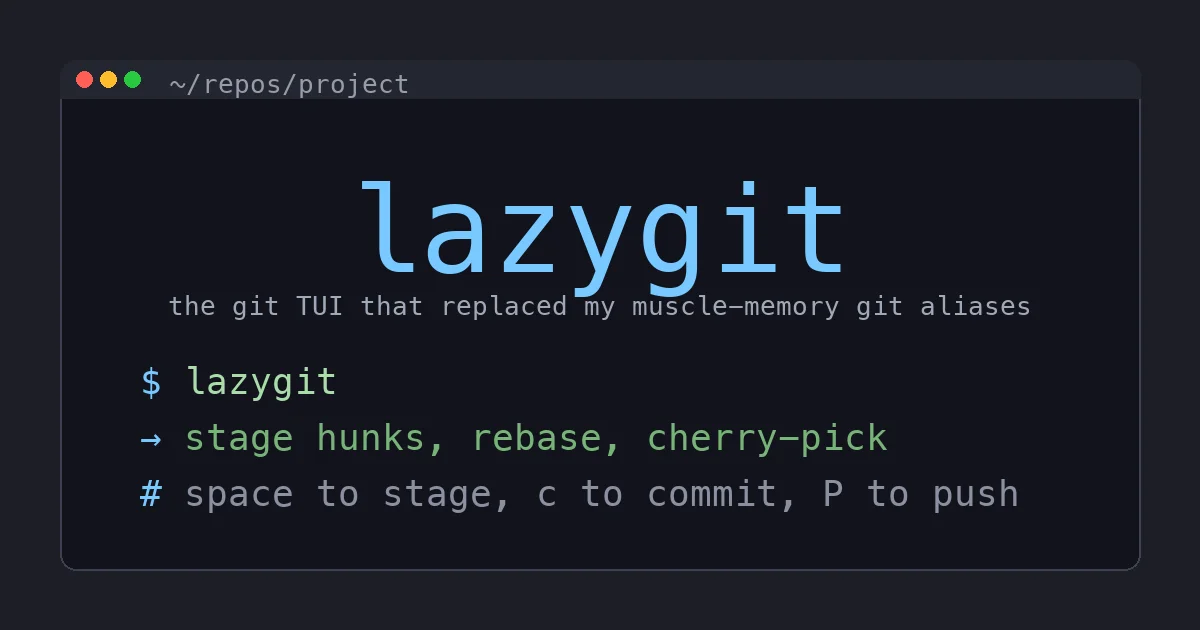
My actual day with lazygit looks like this. I finish some work, run lazygit, and see everything I changed in the files panel. I move down the list, glancing at each diff, staging the hunks that belong together with space. I press c, type a commit message, and it is committed. If I realize two commits should be one, I squash them right there. If I need to pull a single commit from another branch, I check out the branch in the branches panel, find the commit, and cherry-pick it with a keypress. When I am done I press P to push. I never left the TUI and I never typed a git subcommand.
The keybindings are discoverable in a way that matters for a tool this dense. Press ? at any time and you get a context-sensitive cheatsheet of every action available in the current panel. For the first week I lived in that menu. By the second week I had the dozen keys I use constantly in muscle memory, and the cheatsheet was there for the rare operations. That learning curve, an afternoon to competence and a week to fluency, is gentle for something that does this much.
Where It Bites
I promised an honest review, so here are the real frictions.
The default keybindings collide with vim habits in a couple of spots. As a heavy vim user, some of the default actions were bound to keys my fingers expected to do something else, and I remapped a handful in the config before it felt natural. That config is a well-documented YAML file, but you will want to spend twenty minutes in it.
If you already live comfortably in git rebase -i and git add -p, you gain less than a newcomer does. Lazygit’s biggest wins are making git’s scary operations approachable, and if those operations do not scare you, the value drops to convenience rather than transformation. It is still faster for me, but I will not pretend it changed a veteran’s life the way it changes a nervous intermediate’s.
The custom command system, which lets you bind your own git or shell commands to keys with placeholder templating, is genuinely powerful and genuinely fiddly. The templating syntax for prompts and menus takes a real read of the docs to get right, and my first few attempts produced commands that did not do what I intended. Once it works it is great, but it is not the drop-in-and-go part of the tool.
And it is a TUI, which means it does not compose into scripts. Plain git commands pipe and chain and live in your automation. Lazygit is an interactive human interface and nothing more, so I still write plain git in my scripts and CI. It complements the command line rather than replacing it, and anyone selling it as a full git replacement is overselling.
Who Should Install It
If you have ever aborted an interactive rebase in a panic, install it today, full stop. If your staging workflow is git add -p and a lot of sighing, install it today. If you are teaching someone git and want them to see the staging area and commit history as concrete things they can manipulate rather than abstract state they have to imagine, this is the best teaching tool I know, precisely because it does not hide the underlying git.
If you are a git wizard who reorders commits in your sleep and writes rebase todo files by hand for fun, you will find it pleasant and fast but not revelatory, and that is a fair place to land.
The Bottom Line
Lazygit retired most of my decade-old alias wall and, more importantly, retired the two git operations I had spent years avoiding. It did it without hiding what git is actually doing, which is the trap most git GUIs fall into. Every squash, every cherry-pick, every staged line is real git you could reproduce on the command line, just made legible enough that you stop being afraid of it.
It is free, open source, a single binary with no runtime, and it installs in seconds. There is no Amazon SKU to sell you here and no upsell tier waiting; it is just a genuinely excellent piece of software that made me better at a tool I use a hundred times a day. Install it, spend a week with the ? cheatsheet open, and see whether your own wall of git aliases survives the month. Mine did not, and I have not missed it once.