I have used git daily for about 13 years. I have lost work to interactive rebases more times than I want to admit. I have wasted hours hunting for “where did that commit go” after an --abort that didn’t actually abort. I have, at least three times, accidentally squashed a commit message I needed to keep.
Six months ago I installed Jujutsu (the binary is jj) on my main work machine, pointed it at my git repos, and stopped using git directly. I still push to GitHub. My coworkers still review normal git commits in PRs. The remote does not know that on my laptop, the local VCS is jj.
This is the review.
What jj Actually Is
jj is a version control system built on top of a different mental model than git. It speaks git’s wire protocol and on-disk format, so jj repos are git repos, and git pull / git push / git log all work against the same .git/ directory. But the day-to-day interface you use to make commits, rebase, undo, and switch branches is jj’s, not git’s.
The three things that make it different:
No staging area. In git, your working copy is one thing, the index is a second thing, and HEAD is a third thing. Half the bugs in git workflows come from those three being out of sync. In jj, your working copy IS a commit. Every save is automatically part of the change you’re working on. There is no git add. The working copy gets a stable change ID that survives amends and rebases.
First-class undo. Every operation jj performs (commit, rebase, squash, merge, even checkouts) is logged as an entry in an operation log. jj op log shows you the history of operations. jj op restore <id> rolls the entire repo state back to before that operation. This is not “git reflog finds the lost commit” undo. This is “undo the entire rebase including the conflicts and the squash that came after” undo. It works for every operation. It has saved me hours.
Conflicts are commits. In git, a merge or rebase with conflicts halts and refuses to continue until you resolve them. In jj, conflicts become part of the commit. The commit “has conflicts in src/foo.rs” the same way a commit has “a modified file in src/foo.rs”. You can pause, switch branches, fix something else, come back, and resolve. Or rebase a conflicted commit forward and watch the conflict propagate. The conflict is a property of the commit, not a state you’re stuck in.
If those three things don’t sound transformative, it’s because they don’t until you’ve used them for a week. Then you go back to a coworker’s machine running plain git and realize how much friction you’d absorbed as normal.
Installation
On macOS:
brew install jjOn Linux:
cargo install --locked --bin jj jj-cliOr download a prebuilt binary from the GitHub releases. Single Rust binary, no dependencies.
To start using it on an existing git repo:
cd ~/code/some-git-repo
jj git init --colocate
The --colocate flag makes the jj repo share the existing .git/ directory, so git and jj both work against the same data. You can switch between git log and jj log at will. Push and pull still happen through git remotes.
The Workflow That Made It Click
For the first three days I tried to use jj like git: make a commit, then another commit, then rebase, then push. I kept hitting walls because jj’s commands don’t map 1:1.
The mental model shift happened when I stopped thinking in terms of “commits I am building up to push” and started thinking in terms of “changes I am editing in place.”
The actual loop looks like this:
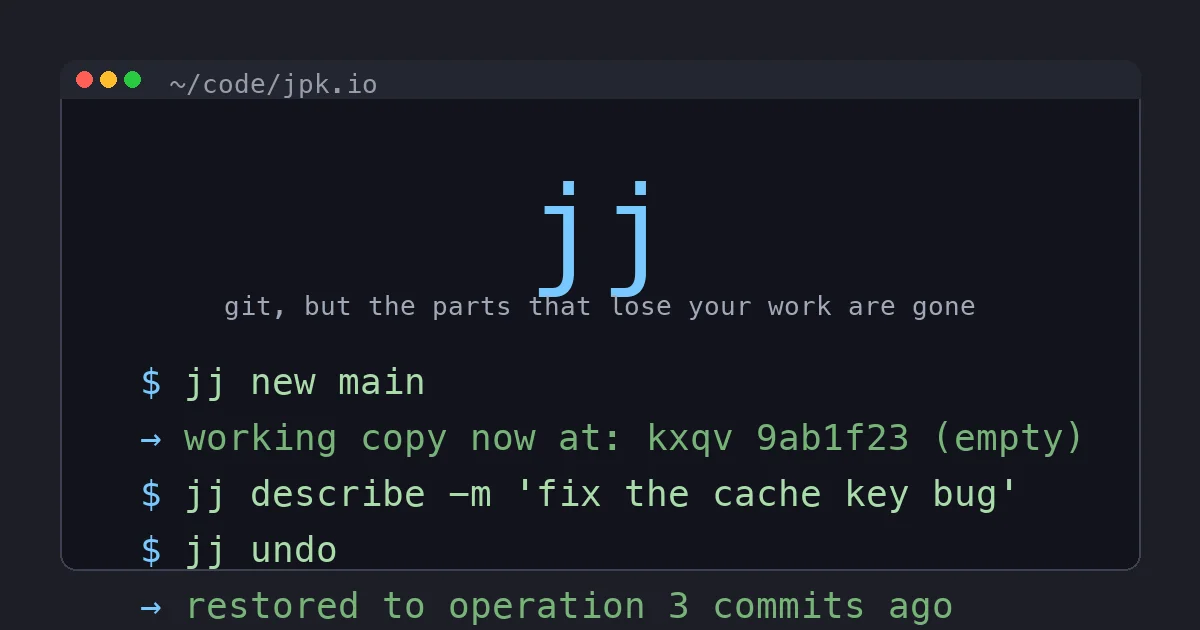
$ jj new main -m "fix the cache key collision"This creates a new empty change on top of main with a message. The working copy now IS that change. Any file I edit modifies the change. There’s no add. There’s no commit. The change updates as I save files.
$ vim src/cache.rs        # edit until tests pass
$ cargo test
When the tests pass, the change is the patch. No staging.
If I realize I forgot to fix a related thing in src/store.rs:
$ vim src/store.rsNow both files are in the same change. The commit message still says “fix the cache key collision,” which is still accurate.
If I want to split the changes into two commits:
$ jj splitjj opens an interactive splitter (or a TUI if you prefer) and lets me pick which hunks go into the first commit and which roll into a new second commit on top.
When I’m ready to push:
$ jj git push -c @-This pushes the change I just made to a remote branch matching its description. PR opens against main. Coworkers see normal git commits.
The thing nobody emphasizes enough about this loop: at no point is there a “dirty working tree” state. The working copy is always a real commit. If my laptop crashes, the work isn’t sitting in an unsaved index or in untracked files. It’s in jj’s .jj/ directory, ready to pick up.
The Killer Feature: jj undo
If I had to put one feature on a billboard to sell jj, it would be jj undo.
$ jj rebase -s feature -d main
[oops, that broke three tests because main moved]

$ jj undo
restored to operation 8b3a2c9: rebase before
That undoes the rebase. Every commit is back where it was before. Conflicts that the rebase created are gone. The repo is bit-for-bit what it was 30 seconds ago.
You can undo merges. You can undo squashes. You can undo a checkout you regret. You can undo undos.
$ jj op log
@  abc123 (now) restore
│  fa49d4 (1m ago) rebase
│  8b3a2c9 (5m ago) commit
│  76e1a3 (8m ago) new branch from main
│  ...
jj op restore <id> jumps the repo to that operation. The undo target is the entire repo state, not a single command. This is the safety net I never knew I needed until I had it.
The reason this matters: every git user has been bitten by a destructive operation that lacked a clean way back. git reset --hard. git rebase --abort that didn’t actually abort. git push --force that needed to be unforced. With jj, the answer is always “jj op log, find the operation, jj op restore.” Every time.
What jj Killed for Me
git stash
I have not stashed once in six months. I don’t need to. The working copy is a commit. If I need to switch contexts, I run jj new main and start a new change. My in-progress work is still a commit named kxqv 9ab1f23 or whatever. I can come back to it later with jj edit kxqv.
No more stash list. No more git stash pop losing files that conflicted with what I checked out.
git rebase --interactive
jj rebase is non-interactive by default and just moves a chain of commits to a new parent. Squashing is jj squash. Splitting is jj split. Reordering is jj rebase --insert-before. Each operation is one command, atomic, and undoable.
The whole “edit a list of commits in a text editor and pray you didn’t typo” workflow is gone. I do not miss it.
git reflog
jj op log is the equivalent and it’s actually meant to be a user-facing tool. The reflog was always git’s “for emergencies only” feature. jj’s operation log is just “the history of what you did,” and it’s the first place you look when something feels off.
git status 12 times in a row
I used to type git status constantly. Was that file staged? Did I add the new file? What does HEAD look like right now? With jj, the working copy IS the commit. jj log shows me my current change at the top, with its description, with its files. There’s no third state to check.
Where jj Bites
It’s not perfect. Six months in, here’s what still annoys me.
Tooling integration is git-only. VS Code’s source control panel shows git status. JetBrains’ git integration is git-aware. GitHub Desktop, GitKraken, Sourcetree are all git. None of them know jj exists. If you rely heavily on a GUI for source control, you’ll be flipping back to the terminal for any jj-specific operation. (Plain git operations still work in the GUI because the underlying repo is still a git repo.)
Pre-push git hooks. Some companies enforce server-side hooks that assume a specific workflow: commits with sign-offs, certain commit message formats, no force-pushes. jj’s git push -c pushes a synthesized commit that should pass those hooks, but I’ve hit edge cases (signed commits with GPG agent timing) that needed me to fall back to git push directly. Not a dealbreaker, but worth knowing.
Documentation assumes git fluency. The official docs are good, but they’re written for people who know git inside out and want to learn jj’s equivalent. If you’re new to version control, you’re going to be confused. If you’ve used git for years and you’re tired of its sharp edges, the docs read fast.
The first week is muscle memory hell. Your fingers know git status, git add -p, git commit -m. You will type those constantly for the first three days. Then you will adapt and they will start to feel slow.
Should You Switch?
The honest answer depends on you.
Yes, if:
- You work on git repos solo or in a small team where what’s on your laptop is your business
- You have a long-running git frustration that I described above (lost rebases, stash conflicts, history confusion)
- You write a lot of speculative branches that you throw away
- You like the idea of “every operation is undoable” as a baseline assumption
No, if:
- Your team uses a GUI source control tool you can’t give up
- You work in a CI/release environment with strict signed-commit policies you don’t control
- You’re new to version control and still building git muscle memory. Finish that first, then come back
- You hate trying new things in your dev workflow
For me, the switch was worth it on day eight. The first week was slow. The second week was about the same speed as git. By month two I was faster, less stressed, and recovering from mistakes that would have cost me an hour in five seconds with jj undo.
How to Try It Without Committing
Install jj. Pick one git repo. Run jj git init --colocate. Use jj for one feature branch. If you hate it, all your commits are normal git commits, your remote doesn’t care, and you can delete the .jj/ directory and go back to git with zero artifacts.
This is the lowest-risk dev tool migration I have ever done. You’re not changing your repo format. You’re not asking your team to change anything. You are running a different binary against the same .git/ directory.
The Bottom Line
jj is the best version control tool I have used since I started using git in 2013. It fixes the parts of git I had accepted as inevitable, it doesn’t break anything for my coworkers, and jj undo has rescued me from at least a dozen mistakes that would have cost me real time on plain git.
If you have ever lost work to a rebase, accidentally amended the wrong commit, or felt the cold shudder of git reset --hard on a dirty working tree, install jj this weekend. Try it on one repo for one week. The download is free, the migration is reversible, and the worst case is you learn something about how git could have been designed differently.
The best case is you stop losing work and never go back.