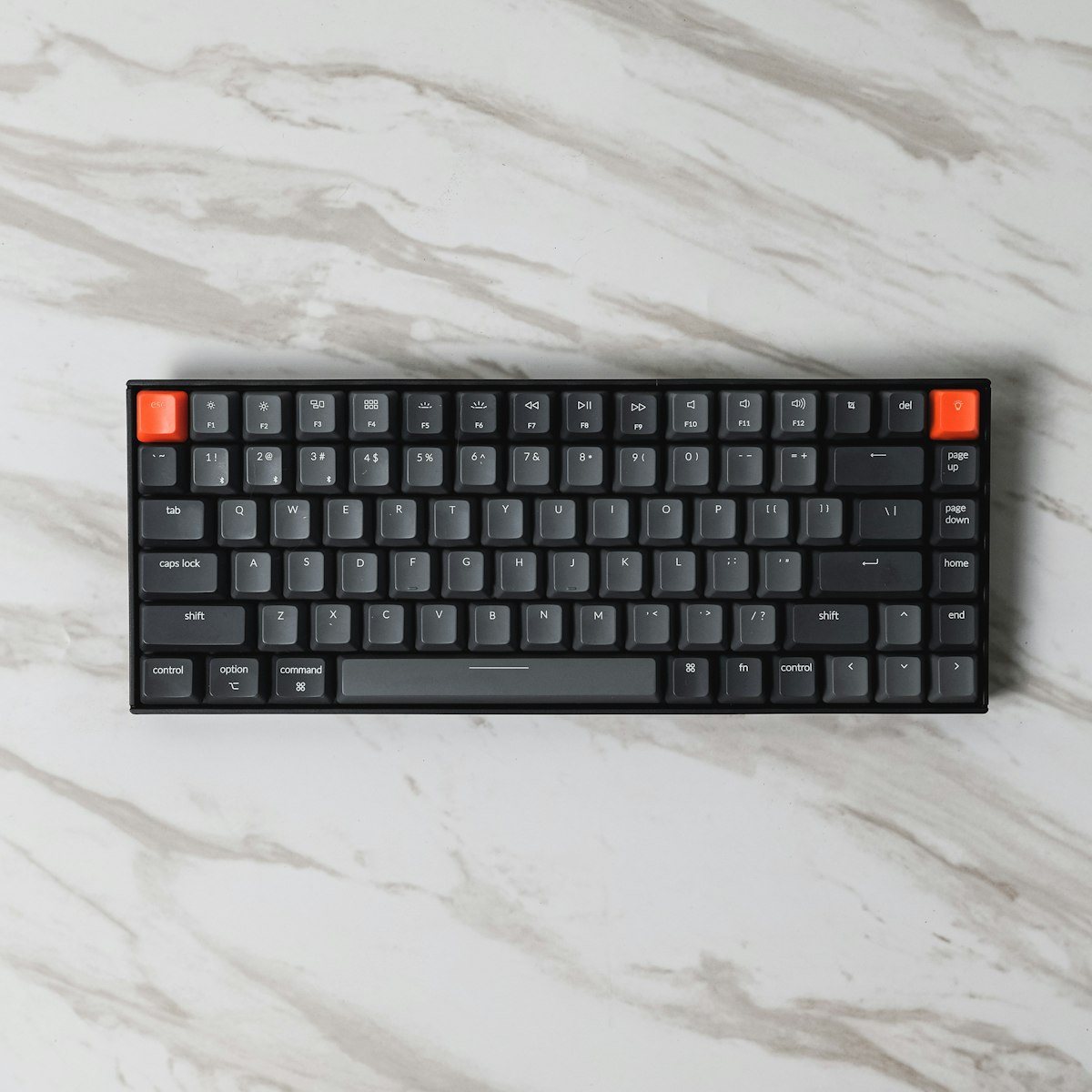
Programmers spend eight to twelve hours a day typing. That is more daily contact time than you have with your mattress. And yet most developers spend more time choosing a monitor than choosing the thing their fingers actually touch all day.
I have opinions on this. Here are five keyboards worth considering in 2026, each solving a different problem.
Best Overall: Keychron Q1 Max
Price: ~$220 | Layout: 75% | Connection: Bluetooth / 2.4 GHz / USB-C
The Keychron Q1 Max is the keyboard I recommend most often because it does not require a caveat. It is wireless. It is hot-swappable, meaning you can pull out the switches and try different ones without soldering. It runs QMK and VIA firmware, so every key can do whatever you want. The full-metal case has genuine heft — the kind that stays put when you are hammering through a refactor at 2 AM.
The 75% layout keeps the function row and arrow keys but drops the numpad. For code, this is the right tradeoff. You get every key you actually use without your mouse hand living in a different zip code.
The gasket-mounted design gives the typing feel a slight softness that makes sustained sessions easier on the fingers. Is it as refined as a $400+ custom board? No. But the gap has closed to the point where it does not matter for most people.
Who it’s for: Developers who want one keyboard that does everything well and never needs to be plugged in.
Best Budget: Keychron K2 Pro
Price: ~$90 | Layout: 75% | Connection: Bluetooth / USB-C
The Keychron K2 Pro is where Keychron started making budget keyboards dangerous. It shares the same QMK/VIA firmware and hot-swap sockets as the Q1 Max. It has Bluetooth. It has a Mac-native layout with the proper modifier key placement.
What you give up: the case is plastic instead of metal, there is no 2.4 GHz dongle option, and the stock keycaps are decent but not remarkable. The typing feel is noticeably less refined — more hollow, more ping. But if you swap in some better keycaps and maybe a silicone dampener (both under $30), this thing punches way above its weight.
At $90, the K2 Pro is less than a nice dinner out for two. For a tool you will use every working day for years, that is hard to argue with.
Who it’s for: Developers who want QMK programmability and hot-swap without spending $200+.
Best for Purists: HHKB Professional Hybrid Type-S
Price: ~$340 | Layout: 60% (unique) | Connection: Bluetooth / USB-C
The HHKB Professional Hybrid Type-S is a cult keyboard for a reason. The Topre switches — a hybrid between rubber dome and mechanical — produce a feel that nothing else replicates. It is a soft, thocky depression followed by a smooth return. People who use Topre switches tend to never go back. There is a whole subreddit about this.
The layout is aggressively minimal. No arrow keys, no function row. Control is where Caps Lock normally sits. Backspace is directly above Enter. The idea is that your fingers never leave the home row. It takes about a week to stop reaching for missing keys, and then something clicks and you start resenting every other keyboard for putting things in the wrong place.
The Type-S variant adds silencing rings, making an already quiet switch nearly silent. Good for shared offices. Good for late nights when the rest of the house is asleep.
The price is steep for what looks like a small plastic keyboard. That is the barrier. If you are willing to cross it, the HHKB might be the last keyboard you buy for a decade.
Who it’s for: Developers who have tried everything else and want something that feels fundamentally different.
Best Ergonomic: Kinesis Advantage360 Pro
Price: ~$449 | Layout: Split contoured | Connection: Bluetooth
The Kinesis Advantage360 Pro exists because human hands are not flat rectangular objects, and pretending otherwise for eight hours a day has consequences. The two halves separate to shoulder width. The key wells are concave, matching the natural curl of your fingers. The thumb clusters handle Space, Enter, Backspace, and modifiers — work that your pinkies were never designed to carry alone.
This is not a keyboard you unbox and immediately love. The learning curve is real. Budget two to three weeks of slower typing before it clicks. People report that the transition is faster with the Advantage360 than with previous Kinesis models, partly because the ZMK firmware lets you remap everything until the layout matches how your brain thinks.
If you have any wrist pain, finger fatigue, or early signs of RSI, stop shopping for features and start shopping for ergonomics. The Advantage360 Pro is the most thoughtfully designed keyboard in this list. It just asks you to meet it halfway.
Who it’s for: Developers with wrist pain, RSI concerns, or anyone willing to invest in long-term hand health.
Best Low-Commitment: Logitech MX Mechanical
Price: ~$150 | Layout: Full-size or Mini | Connection: Bluetooth / Logi Bolt USB
The Logitech MX Mechanical is here for the developer who wants a mechanical keyboard without joining a keyboard community. It connects to three devices simultaneously and switches between them with a button. It works with macOS, Windows, and Linux out of the box. The low-profile mechanical switches have a satisfying click without the volume that gets you evicted from open-plan offices.
Logitech’s Options+ software handles remapping, and it works well enough. You will not get QMK-level customization, but you will get per-application profiles, gesture controls, and Flow — which lets your mouse cursor cross between computers, dragging the keyboard input with it.
The typing feel is genuinely good for low-profile switches. Not in the same universe as the Keychron Q1 or the HHKB, but meaningfully better than a Magic Keyboard or a laptop keyboard. Sometimes good enough really is good enough.
Who it’s for: Developers who switch between multiple machines daily and want zero configuration overhead.
How to Choose
The decision tree is shorter than you think:
- Wrist pain or RSI? Get the Kinesis Advantage360 Pro. Health is not negotiable.
- Want the best all-rounder? Get the Keychron Q1 Max.
- On a budget? Get the Keychron K2 Pro. Spend the savings on better keycaps.
- Already tried several keyboards and still unsatisfied? Get the HHKB Type-S. You might be a Topre person.
- Just want it to work across all your devices? Get the Logitech MX Mechanical.
One more thing: try a switch tester before committing. A $15 sampler pack from Amazon can save you from returning a $300 keyboard because the switches were too heavy. How a switch sounds in a YouTube video has very little correlation with how it feels under your fingers for eight hours.